Artstudio Pro: Draw, Paint

Artstudio Pro: Draw, Paint

Download on App Store
Spark by MWM logo
Logo of Artstudio Pro: Draw, Paint
Artstudio Pro: The Most Powerful Desktop-Class Studio for iPad and Mac

Unleash your creativity with a GPU-accelerated engine, unlimited layers, and full Photoshop brush support. Experience professional painting, photo editing, and animation—optimized for Apple Pencil and built for serious creators who demand performance without subscriptions.

Publisher

Sylwester Los

Category

Graphics & Design

Downloads

2M+

User Rating

4.7/5

Total Ratings

15K+

Locales

3

Mastery in Every Pixel

Discover the interface used by 2M+ users.
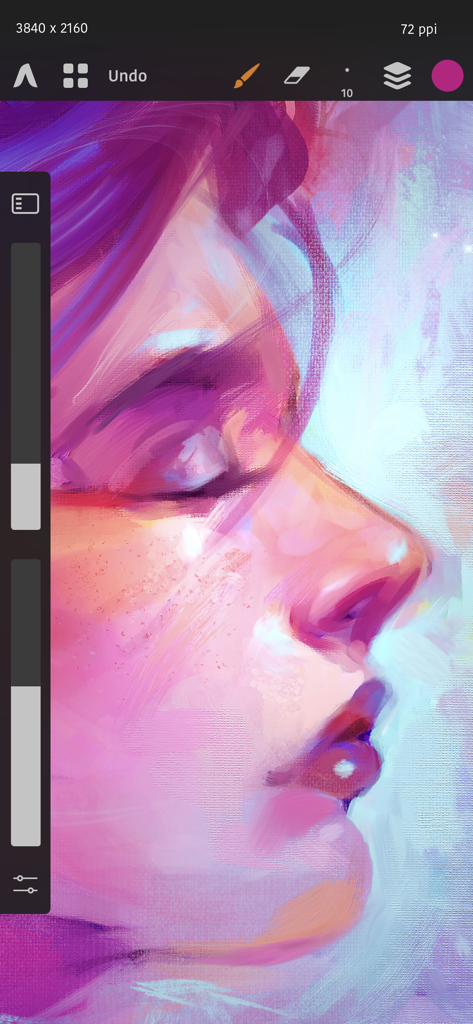
Digital portrait painting in Artstudio Pro showing brush tools and canvas texture

Digital portrait painting in Artstudio Pro showing brush tools and canvas texture

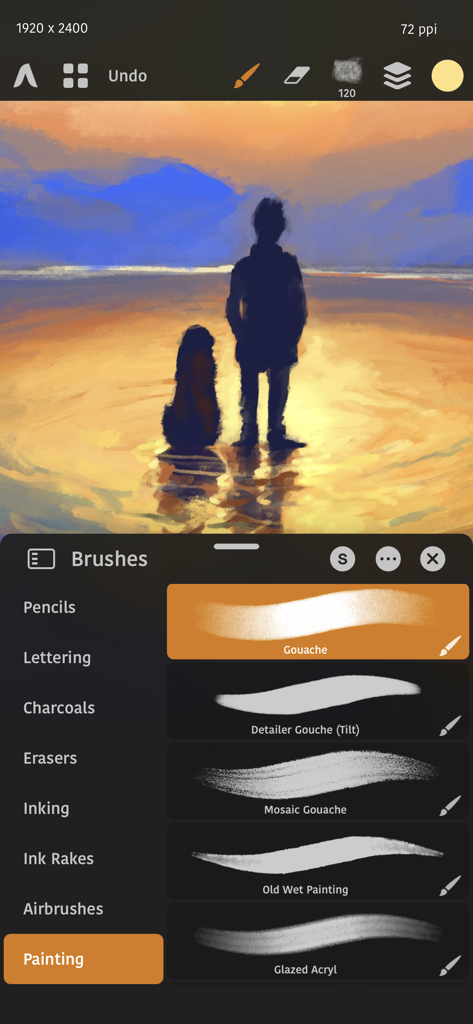
Artstudio Pro interface showing a digital sunset painting and a selection of professional painting brushes

Artstudio Pro interface showing a digital sunset painting and a selection of professional painting brushes

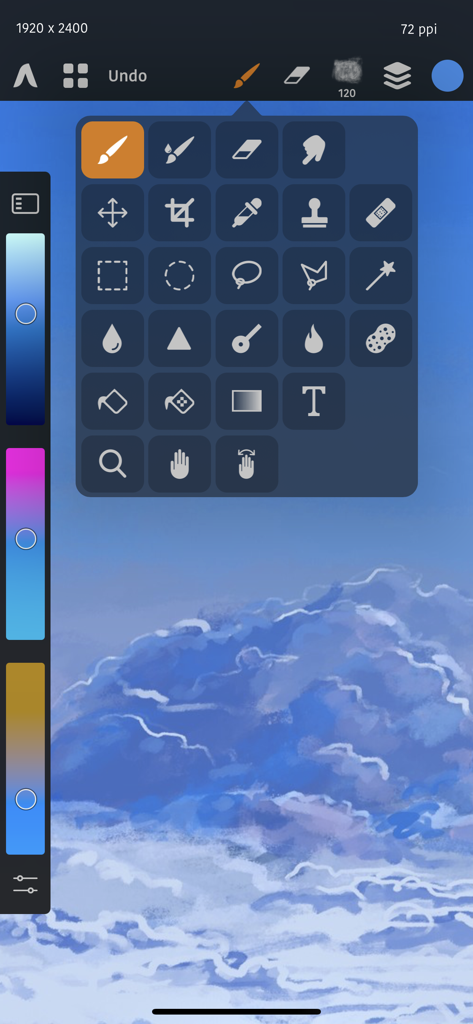
Professional tool palette and painting interface in Artstudio Pro app

Professional tool palette and painting interface in Artstudio Pro app

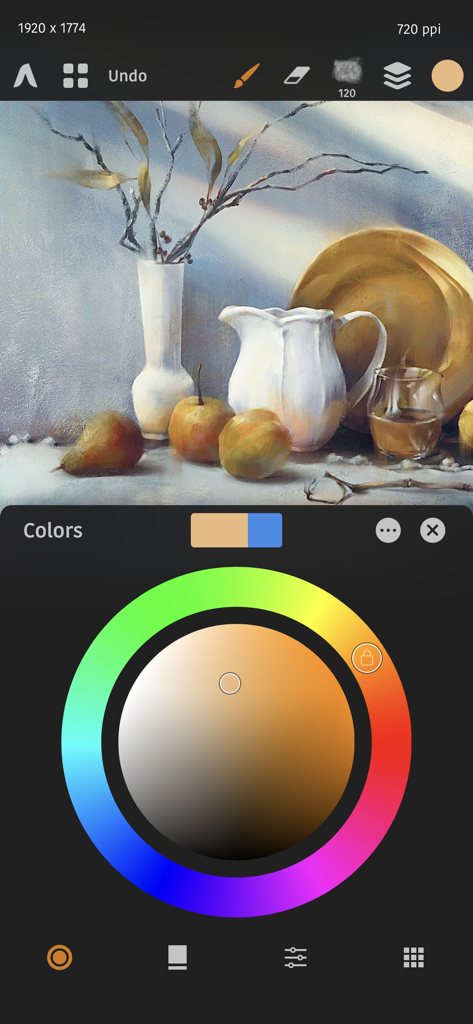
Digital still life painting and color wheel interface in Artstudio Pro

Digital still life painting and color wheel interface in Artstudio Pro

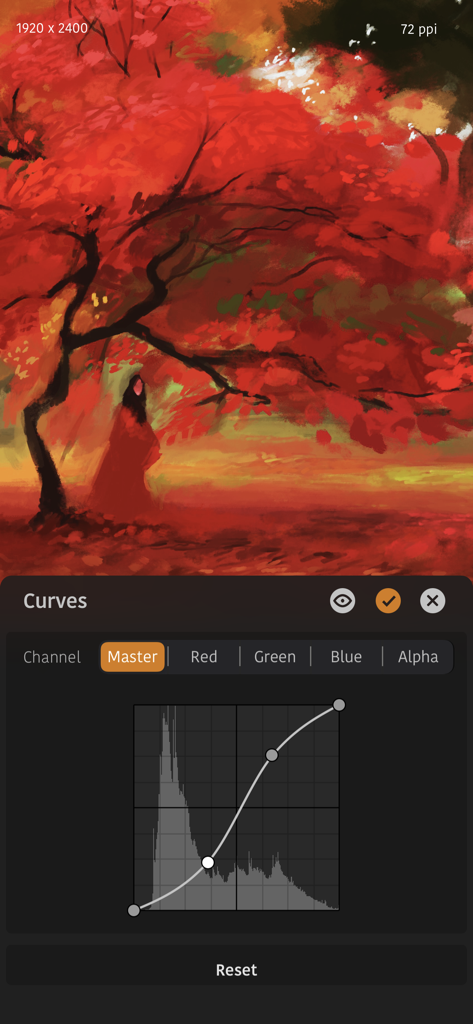
Interface of Artstudio Pro showing the Curves adjustment tool over a digital painting of a red autumn tree.

Interface of Artstudio Pro showing the Curves adjustment tool over a digital painting of a red autumn tree.

Professional Power, Mobile Freedom

The tools that make this app stand out, trusted by 2M+ users.

💎

Desktop-Grade Layer System

Master complex compositions with non-destructive adjustment layers, clipping masks, and grouping—everything you expect from professional desktop software without the monthly fee.

Metal-Accelerated Performance

Experience zero lag with our 64-bit ArtEngine. Optimized for multi-core processors and Apple Pencil, it handles massive 64Mpix canvases with fluid, real-time responsiveness.

📂

Seamless Pro Workflow

Maintain your legacy with full PSD and ABR brush support. Import your favorite tools and sync projects across devices via iCloud for a truly mobile studio experience.

Loved by users worldwide

Trusted by 2M+ people who love this app.

"

"Finally, a real Photoshop-grade powerhouse for the iPad. As a pro illustrator, the non-destructive adjustment layers and .abr brush support are absolute essentials that most other apps miss. It’s fluid, powerful, and the best part—no monthly subscription."

Elena Rodriguez, Freelance Concept Artist
"

"Artstudio Pro is my all-in-one creative hub. Whether I'm retouching photography, painting character designs, or creating animations for my social media, the performance is flawless. The engine handles large 64Mpix canvases without a hint of lag."

Marcus Chen, Digital Content Creator

About the app

Everything you need to know about Artstudio Pro: Draw, Paint.

Description

Introducing Artstudio Pro, the most powerful painting and photo editing app available for both iOS and macOS. The successor to our famous ArtStudio app has been redesigned bringing many new features and improvements taking full advantage of the latest technologies Metal, iCloud Drive, Apple Pencil, and optimized for 64-bit multi-core processors to achieve the smoothest possible workflow. Powerful engine App is based on the powerful GPU accelerated ArtEngine developed by Lucky Clan. It allows working with multiple documents, supports large canvas sizes and an unlimited number of layers. Incredible optimization ensures smooth work even with large canvases. • Realistic Color Pigment Blending • Canvas size up to 64Mpix • Unlimited layers • Multiple open documents • 27 tools: Move, Select, Crop, Eyedropper, Paint, Wet Paint, Eraser, Bucket/Pattern/Gradient Fill, Smudge, Dodge, Burn, Sponge, Text, Heal, Clone, and more • Full iCloud integration Flexible layer system Artstudio Pro introduces a new layer system with grouping, non-destructive layer effects, and adjustment layers. • Groups • Masks, clipping masks • Adjustment Layers • 9 layer effects: Bevel/Emboss, Stroke, Inner Shadow, Inner Glow, Outer Glow, Color/Gradient/Pattern Overlay, Drop Shadow • Text layers Advanced Brush engine Perfectly optimized, lag free mechanism generating smooth, real looking strokes, making the most of Apple Pencil. • Brush size up to 4000x4000 • 64-bit painting with pattern, double stamp, wet brush, dynamics • Brush editor with over 100 customizable settings • Over 150 built-in brushes divided into multiple groups: Pens, Pencils, Oil Painting, Inking, Charcoals, Airbrushes, Watercolor and many more • Symmetric painting Professional photo editor Photo editing options developed in cooperation with professional photographers. Each feature was tested in several scenarios and light conditions. • 15 adjustments available as non-destructive layer or simple adjustment: Brightness/Contrast, Levels, Curves, Exposure/Gamma, Shadows/Highlights, Vibrance, Hue/Saturation, Color Balance, Temperature/Tint, Black and White, Gradient Map and more • 4 auto adjustments: Auto Contrast, Levels, Lightness, Saturation • Transform: Basic, Perspective, Warp • Dozens of filters with realtime preview and the ability to generate seamless patterns • Inpaint, Elastify (Liquify) • Retouching tools: Heal, Dodge, Burn, Sponge and more • Image resize, Canvas resize • Crop and Trim Animation Create animation from layers or groups and finally export it to one of the most popular animation format • Scrollable timeline view with Play/Pause • Onion skin • Customizable Frame duration • Always visible layers • Export to MP4, HEVC, Animated GIF/PNG Import/Export We have implemented many parsers from the most popular assets/images formats and we are especially proud of our ABR/TPL parser which not only reads brush stamps and patterns, but also most settings which are converted to Artstudio Pro brush engine values. Import • Images - PNG, JPEG, PSD, HEIC, TIFF, GIF, PDF, most raw formats • Brushes - ABR, TPL • Color swatches - ASE, ACO • Patterns - PAT • Gradients - GRD • Fonts - TTF, OTF Export • Images - PNG, JPEG, PSD, TIFF, PDF Other features • Floating panels for Colors, Layers, Brushes etc • Screen recording • Customizable Quick menu • Customizable Shortcuts • Snapping to guidelines, dynamic guidelines, grid • Perspective grid assist • Mirror (flipped) view • Support of iPad Drag and Drop, Split View, Sharing Extension, Open In, Clipboard Free version limitations: • locked Saving • canvas size limited to device screen size • layers count limited to 3 • export only to jpg • locked animation export Minimum System Requirements Artstudio Pro for iOS requires iPhone or iPad running iOS 15.0 or above Privacy policy: https://luckyclan.com/privacy-policy Terms of use: https://luckyclan.com/terms-use

Latest Version

5.2.9

Size

384.5 MB

First Released

Dec 13, 2017

Take the Power of a Professional Studio Anywhere

Join over 2 million creators who have ditched subscriptions for the most powerful painting and photo editing engine on iOS. Your masterpiece starts here.

Download on App Store
FAQ

Frequently Asked Questions

Everything you need to know about Artstudio Pro: Draw, Paint

What is Artstudio Pro?

Artstudio Pro is a powerful painting and photo editing application available for iOS and macOS. It serves as the successor to the original ArtStudio app, leveraging advanced technologies for an optimized and smooth workflow experience.

What features does Artstudio Pro offer?

Artstudio Pro offers a GPU-accelerated engine, a flexible layer system, an advanced brush engine, professional photo editing tools, and animation capabilities. It also includes comprehensive import/export options and iCloud integration.

Can Artstudio Pro create animations?

Yes, Artstudio Pro allows users to create animations from layers or groups. It features onion skin, customizable frame duration, and options to export animations to MP4, HEVC, Animated GIF, or PNG formats.

What file formats does Artstudio Pro support for import and export?

Artstudio Pro imports PNG, JPEG, PSD, HEIC, TIFF, GIF, PDF, and most raw image formats. It also supports importing ABR/TPL brushes. Export options include PNG, JPEG, PSD, TIFF, and PDF images.

Does Artstudio Pro support Apple Pencil?

Yes, Artstudio Pro fully supports Apple Pencil. The app's advanced brush engine is optimized to leverage Apple Pencil's capabilities, enabling smooth and realistic-looking strokes during painting and drawing.

What are the limitations of the free version of Artstudio Pro?

The free version of Artstudio Pro has several limitations. These include locked saving, canvas size restricted to the device screen, a maximum of 3 layers, export only to JPG format, and locked animation export functionality.

What are the system requirements for Artstudio Pro on iOS?

Artstudio Pro for iOS requires an iPhone or iPad running iOS 15.0 or above. This ensures the app's powerful features and performance optimizations function correctly on compatible devices.

How many layers can Artstudio Pro handle?

Artstudio Pro supports an unlimited number of layers, allowing for complex and detailed compositions. It also handles large canvas sizes, up to 64 Megapixels, optimized for smooth performance.

Does Artstudio Pro include photo editing tools like Curves?

Yes, Artstudio Pro includes professional photo editing tools, such as Curves. It offers 15 non-destructive adjustments, including Levels, Exposure/Gamma, and Curves, which are visible within the application's UI.

What brush types are available in Artstudio Pro?

Artstudio Pro offers over 150 built-in brushes organized into various categories. These include Pens, Pencils, Oil Painting, Inking, Charcoals, Airbrushes, and Watercolor, as demonstrated in the brushes menu interface.

Does Artstudio Pro support iCloud integration?

Yes, Artstudio Pro features full iCloud integration. This capability allows users to seamlessly save and access their creative projects and files across all their iCloud Drive-enabled devices.

Can Artstudio Pro perform advanced transformations like Warp?

Yes, Artstudio Pro provides advanced transformation options within its professional photo editor. These tools enable basic, perspective, and warp transformations to precisely manipulate images.

Does Artstudio Pro offer non-destructive layer effects?

Yes, Artstudio Pro features a flexible layer system that supports non-destructive layer effects. It also includes layer grouping, masks, clipping masks, and various adjustment layers for advanced editing workflows.