Audio Extractor-Audio Editing

Audio Extractor-Audio Editing

Download on App Store
Spark by MWM logo
Logo of Audio Extractor-Audio Editing

Audio Extractor-Audio Editing: Your All-in-One Viral Sound Studio

Instantly turn any video into high-quality audio. Extract trending sounds, create custom ringtones, and edit like a pro to fuel your social media creativity.

Download on App Store

Publisher

正军 刘

Category

Music

Downloads

54K+

User Rating

4.9/5

Total Ratings

1K+

Locales

2

Precision at Your Fingertips

Discover the interface used by 54K+ users.
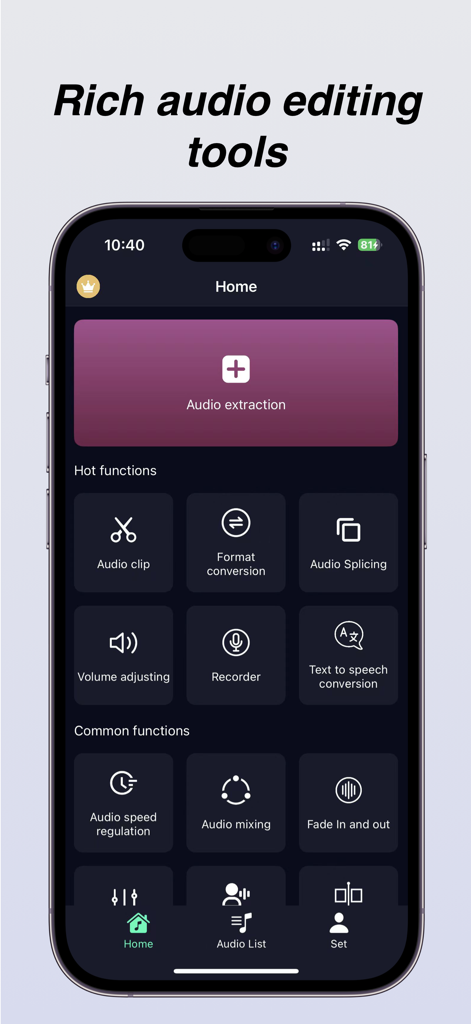
Home screen of the Audio Extractor app showcasing tools for audio extraction, clipping, and format conversion.

Home screen of the Audio Extractor app showcasing tools for audio extraction, clipping, and format conversion.

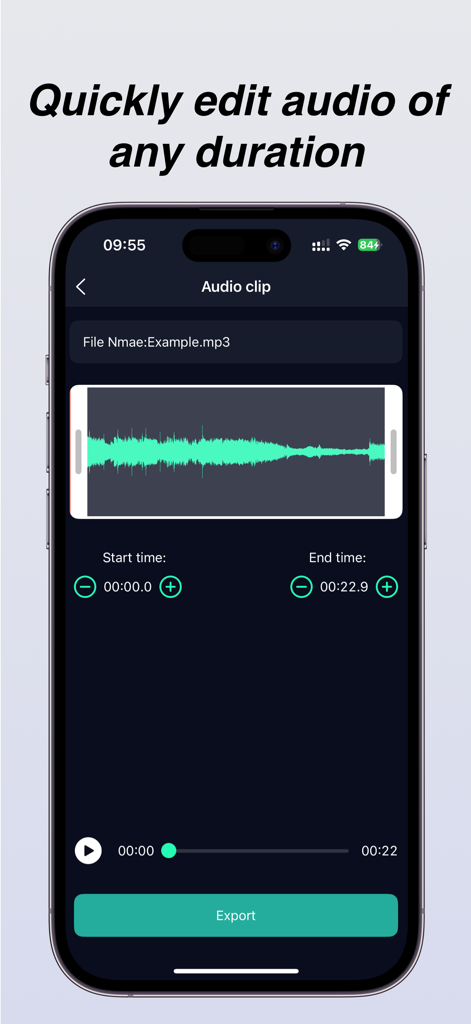
Audio clip editing screen with waveform display and export button

Audio clip editing screen with waveform display and export button

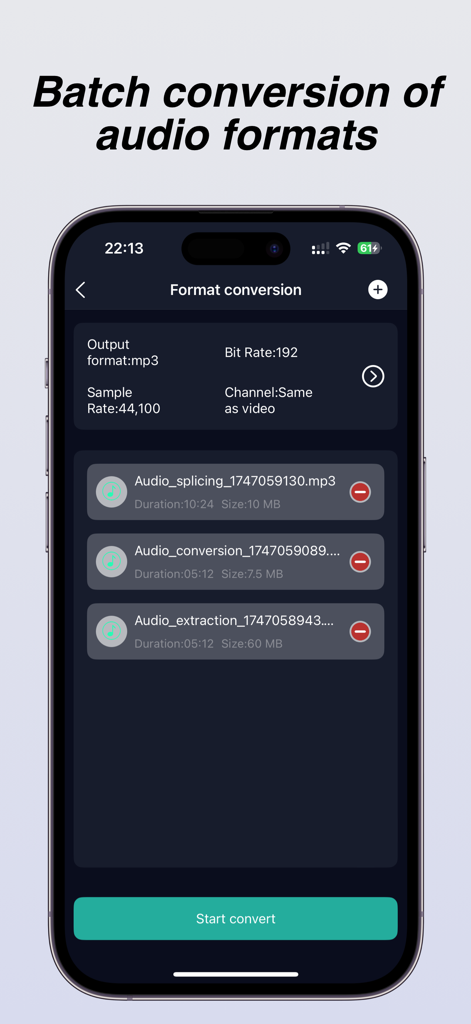
Interface of the Audio Extractor app showing the batch audio format conversion feature with settings for bitrate and sample rate.

Interface of the Audio Extractor app showing the batch audio format conversion feature with settings for bitrate and sample rate.

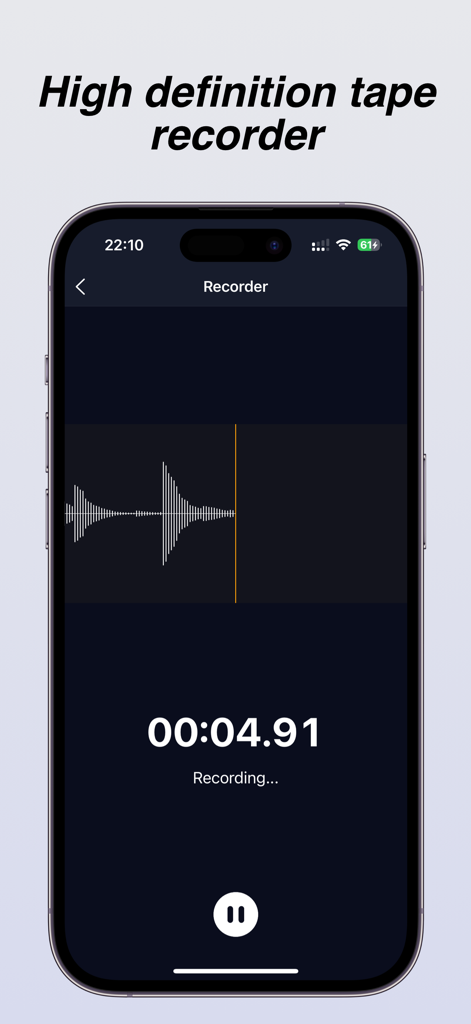
A high definition tape recorder interface with a live waveform and timer display

A high definition tape recorder interface with a live waveform and timer display

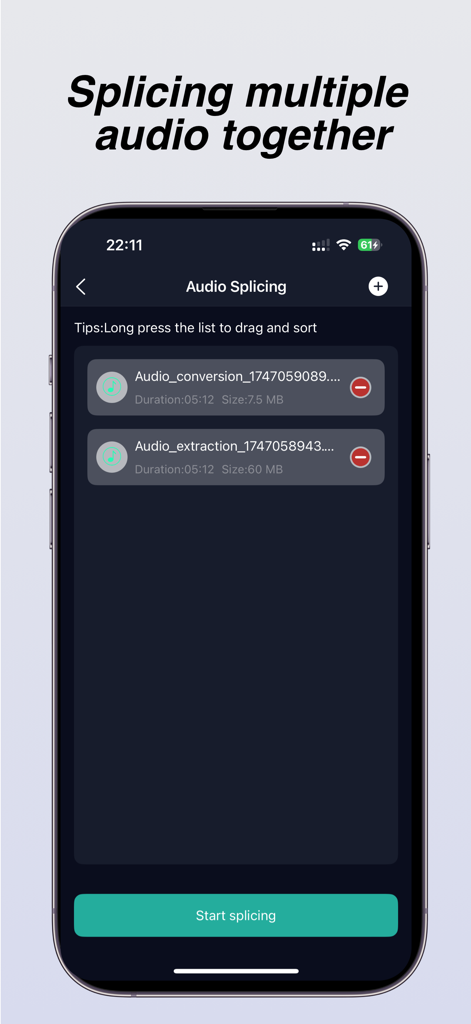
iPhone app screen showing the audio splicing feature used to merge multiple audio files together

iPhone app screen showing the audio splicing feature used to merge multiple audio files together

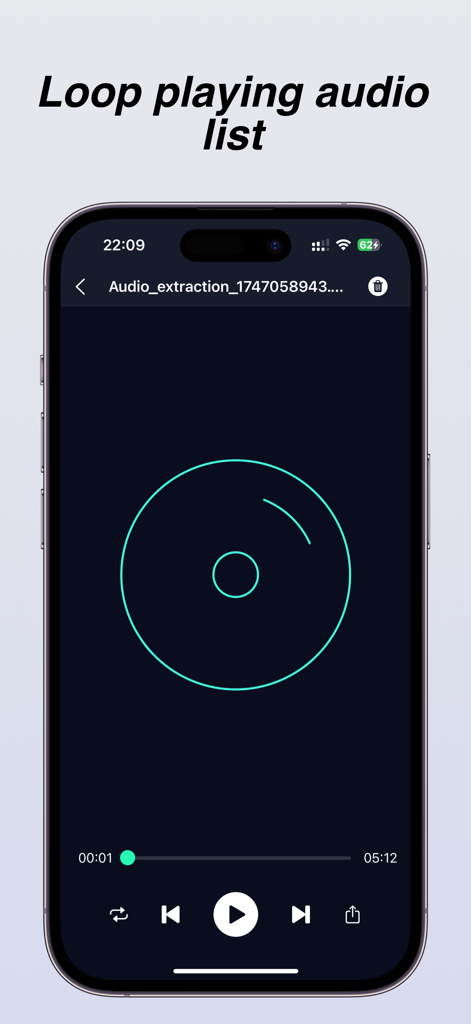
A smartphone display showing the audio player interface of the app with a loop playback feature and standard playback controls

A smartphone display showing the audio player interface of the app with a loop playback feature and standard playback controls

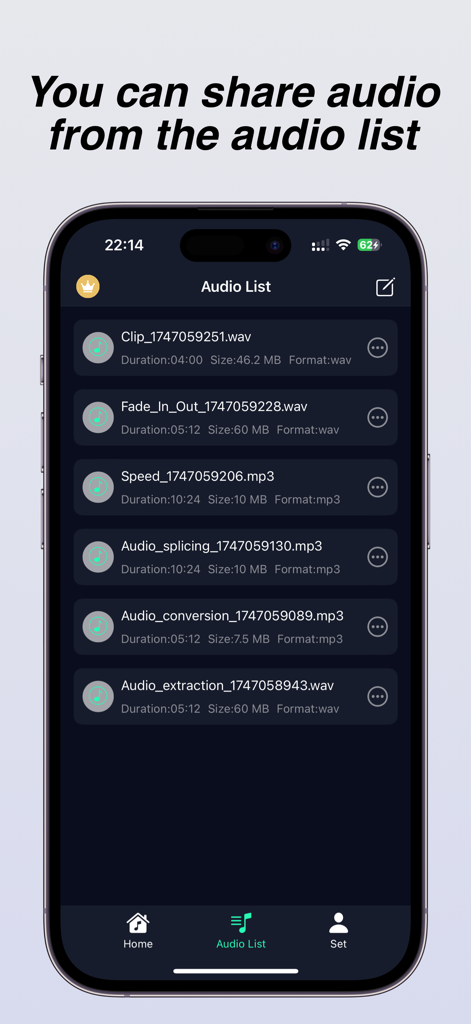
Mobile app interface showing a list of processed audio files like extraction and splicing for sharing

Mobile app interface showing a list of processed audio files like extraction and splicing for sharing

Your Mobile Audio Powerhouse

The tools that make this app stand out, trusted by 54K+ users.

Instant Video-to-Audio

Grab that trending sound or background music from any video in your camera roll. Save it as a high-fidelity MP3 with zero quality loss—perfect for custom ringtones.

✂️

Precision Studio Editing

Trim, merge, and mix tracks with 0.1-second accuracy. Add fade-ins, adjust playback speed, or layer background music to create content that stands out.

🔄

Universal Format Master

Convert any file into MP3, AAC, FLAC, or WAV. Customize bitrates and sampling rates to ensure your audio sounds professional on every platform.

Loved by users worldwide

Trusted by 54K+ people who love this app.

"

"I finally found a way to turn those trending TikTok sounds into custom ringtones without needing a computer. The extraction is instant, and the fade-in feature makes sure my phone doesn't scare me when it rings! It's literally the only tool I need for my iPhone's audio customization."

Riley J.
"

"As a mobile creator, this app is a lifesaver. I can grab high-quality audio from any video in my gallery, trim it to the millisecond, and convert it to WAV for my projects. The batch conversion and mixing tools have officially replaced three other apps on my home screen."

Marcus Chen

About the app

Everything you need to know about Audio Extractor-Audio Editing.

Description

Audio extractor is a simple and professional audio extraction and editing tool that can quickly extract sound from videos, while ensuring that the audio is not distorted or damaged. It also supports defining and extracting audio segments from the video. You can specify which audio segment to extract from the video. When you find a beautiful background music while watching a short video and want to set it as your phone ringtone but cannot obtain the source audio, you can download and save the short video to your phone album, and then use an audio extractor to extract the music from the video. After extraction, you can directly set it as the ringtone. At the same time, the audio extractor also provides professional audio processing tools such as audio format conversion, batch conversion of audio formats, audio merging and splicing, volume adjustment, audio acceleration and deceleration, fade in and fade out, audio mixing, recording, etc., which can meet most of your audio processing needs and no longer worry about downloading a push of applications just to process a song. Main features: [Audio Extraction] The audio extractor can quickly extract and save the audio from the video to the phone, and the extracted audio has the same sound quality as the original video, ensuring the quality of the audio [Audio Editing] The audio extractor provides audio cropping function, which extracts a selected segment from your favorite audio to generate a new audio file. It supports splitting and deleting the middle segment of the audio, accurate to 0.1 seconds, and supports loading long audio [Format Conversion] The audio extractor provides mutual conversion between multiple audio formats to meet your needs for different audio formats, and supports custom parameter settings such as bit rate, sampling rate, channel, etc. The supported formats include mp3, flac, aac, wav.m4a, wma, and many other commonly used audio formats [Audio Splicing] The audio extractor can merge and splice multiple audio files into one MP3 format audio file, and can manually drag and sort the list of audio files to be spliced. Volume adjustment The audio extractor can amplify and reduce the volume of MP3 or other format audio files (in decibels) Audio speed regulation The audio extractor can adjust the playback speed of audio files, achieving faster or slower playback of audio, helping you create personalized music, and supporting speed adjustment range of [0.5-2.0] [Fading in and out] The fade in/fade out function allows you to add fade in/fade out when making phone ringtones, so that the ringtone will not suddenly play loudly when the phone calls [Audio Mixing] The audio mixing function can add background music to existing music, making your music more distinctive [Recorder] You can record your desired voice anytime, anywhere, during meetings, class notes, business negotiations, and other occasions. Member subscription: Payment: The "continuous monthly/annual subscription" product is an automatic renewal product. After confirming the purchase, the fee will be deducted from your Apple iTunes account; Renewal: 24 hours before the expiration of your subscription period, Apple will automatically deduct the fee from your iTunes account, and the membership benefits will be automatically extended upon success; To cancel automatic renewal, please manually disable it in your Apple ID account settings at least 24 hours before the subscription period expires. Once disabled, no further charges will be made. The automatic renewal subscription price is ¥ 15 per month and ¥ 69 per year The non automatic renewal subscription price is: ¥ 9 for weekly members, ¥ 19 for monthly members, and ¥ 99 for annual members Privacy Policy: http://appmanager.cn/privacy/app/ios/privacy/audio_editor_privatestatement_ios.html User Agreement: http://appmanager.cn/privacy/app/ios/userAgreement/audio_editor_user_agreement_ios.html 【 Contact Us 】 Email: yuanshundevelop@163.com

Latest Version

1.8.0

Size

37.1 MB

First Released

May 23, 2024

Ready to Master Your Mobile Audio?

Join over 54,000 creators who extract viral sounds, design custom ringtones, and edit audio with professional precision—all from one powerful app.

Download on App Store
FAQ

Frequently Asked Questions

Everything you need to know about Audio Extractor-Audio Editing

How can I extract audio from a video using Audio Extractor-Audio Editing?

Yes, Audio Extractor-Audio Editing allows users to quickly extract sound from videos. It supports defining and extracting specific audio segments and saves the extracted audio to the phone with original sound quality.

What audio formats does Audio Extractor-Audio Editing support for conversion?

Audio Extractor-Audio Editing supports mutual conversion between various audio formats including mp3, flac, aac, wav.m4a, and wma. Users can also customize parameters like bit rate, sampling rate, and channel.

Can Audio Extractor-Audio Editing merge multiple audio files?

Yes, Audio Extractor-Audio Editing merges multiple audio files into a single MP3 format file. Users can manually drag and sort the list of audio files before splicing them together.

Does the Audio Extractor-Audio Editing app have a recorder function?

Yes, the Audio Extractor-Audio Editing app includes a recorder function. Users can record voice anytime during meetings, classes, or business negotiations directly within the application.

How much does a subscription for Audio Extractor-Audio Editing cost?

Audio Extractor-Audio Editing offers an automatic renewal subscription for ¥15 per month or ¥69 per year. Non-automatic renewal options are ¥9 weekly, ¥19 monthly, and ¥99 annually.

Can I set custom audio parameters in Audio Extractor-Audio Editing during format conversion?

Yes, Audio Extractor-Audio Editing allows custom parameter settings for audio format conversion. Users can adjust bit rate, sampling rate, and channel to meet specific audio format needs.

Can I adjust audio playback speed with Audio Extractor-Audio Editing?

Yes, Audio Extractor-Audio Editing allows users to adjust the playback speed of audio files. The speed adjustment range is between 0.5 and 2.0, enabling faster or slower audio playback.

Does Audio Extractor-Audio Editing support trimming audio files?

Yes, Audio Extractor-Audio Editing provides an audio cropping function. Users can extract selected segments, split, or delete middle sections of audio with 0.1-second accuracy, even for long audio files.

Where can I find the privacy policy for Audio Extractor-Audio Editing?

The privacy policy for Audio Extractor-Audio Editing is available at http://appmanager.cn/privacy/app/ios/privacy/audio_editor_privatestatement_ios.html.

How do I cancel the automatic renewal for Audio Extractor-Audio Editing?

To cancel automatic renewal for Audio Extractor-Audio Editing, disable it manually in your Apple ID account settings at least 24 hours before the subscription period expires.