MP3 Converter -Audio Extractor

MP3 Converter -Audio Extractor

Download on App Store
Spark by MWM logo
Logo of MP3 Converter -Audio Extractor
MP3 Converter - Audio Extractor: The All-in-One Studio for Your Mobile Audio

Instantly turn any video into high-quality MP3s, craft custom ringtones, and enhance your sound with AI denoising. Join 16 million users who master their media for offline listening and creative projects.

Publisher

妍 岳

Category

Music

Downloads

16M+

User Rating

4.8/5

Total Ratings

337K+

Locales

18

A Glimpse of the Power

Discover the interface used by 16M+ users.
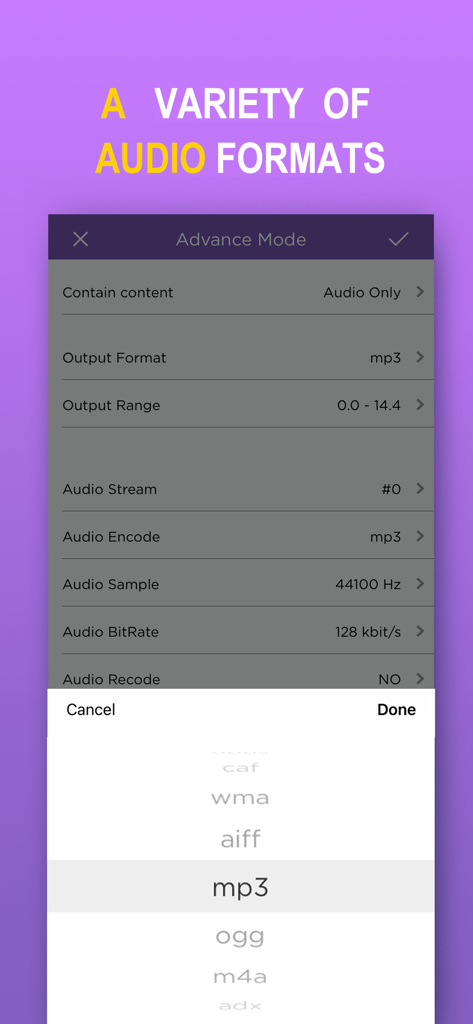
Advanced settings screen in the MP3 Converter app showing various audio output formats like MP3 OGG and M4A

Advanced settings screen in the MP3 Converter app showing various audio output formats like MP3 OGG and M4A

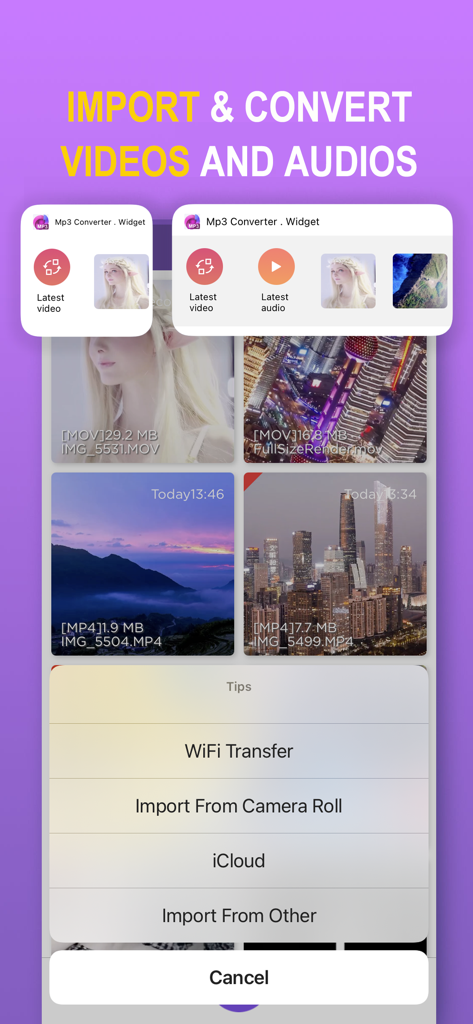
MP3 Converter app screen showing options to import videos from camera roll and iCloud

MP3 Converter app screen showing options to import videos from camera roll and iCloud

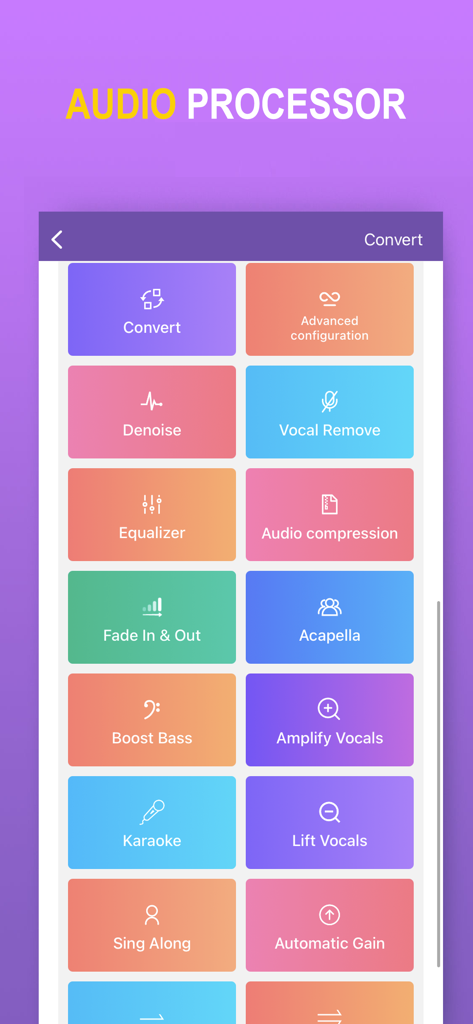
MP3 Converter app screen showing audio processing tools like vocal removal denoise and equalizer

MP3 Converter app screen showing audio processing tools like vocal removal denoise and equalizer

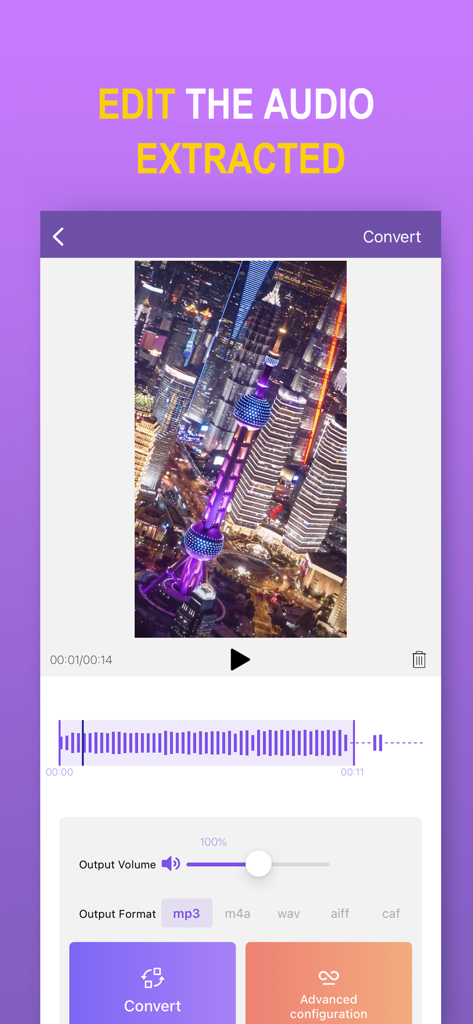
Interface of MP3 Converter app showing audio waveform editing and extraction settings from a video.

Interface of MP3 Converter app showing audio waveform editing and extraction settings from a video.

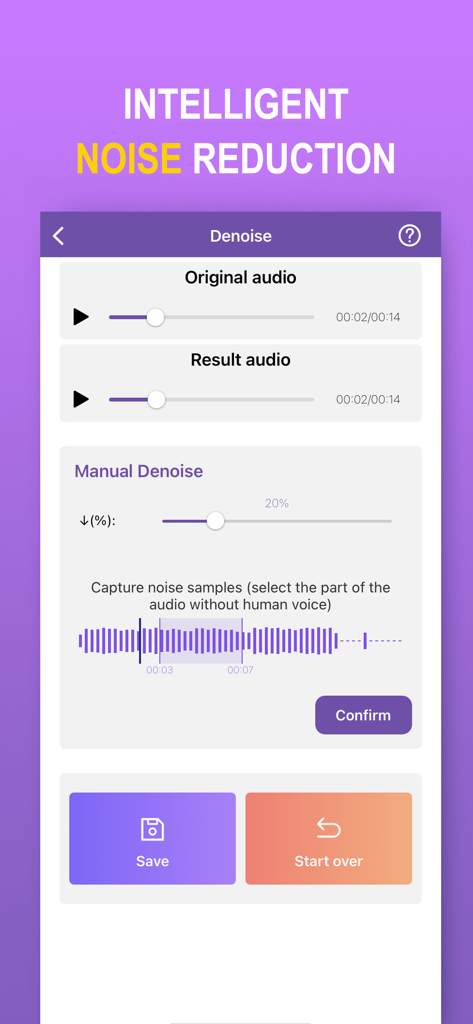
Interface of the MP3 Converter app showing the intelligent noise reduction and audio denoise tools

Interface of the MP3 Converter app showing the intelligent noise reduction and audio denoise tools

Master Your Audio Library

The tools that make this app stand out, trusted by 16M+ users.

Lightning-Fast Conversion

Turn any video into an MP3 instantly. Save storage and listen to your favorite social media content offline without needing a premium subscription.

🎵

Custom Ringtones & Alerts

Stand out from the crowd. Easily clip any audio track to create unique ringtones and notification sounds directly from your iPhone in seconds.

🪄

Pro-Level Audio Enhancements

Clean up recordings with AI denoising, remove vocals for karaoke, or boost the bass. Professional editing tools made simple for everyone.

Loved by users worldwide

Trusted by 16M+ people who love this app.

"

"Finally, an app that makes custom ringtones easy! I used to spend forever trying to sync files from my computer, but now I just convert any video and set it as my tone instantly. The audio quality is perfect, and the splicing tool is very intuitive. Definitely worth the download if you want to personalize your iPhone."

Jordan Miller
"

"This is my go-to for offline listening. I travel a lot for work, and being able to quickly turn my saved videos into MP3s for the plane is amazing. I also love the voice removal feature for making karaoke tracks on the fly. It's much faster than any desktop converter I've used before."

Chloe Rodriguez

About the app

Everything you need to know about MP3 Converter -Audio Extractor.

Description

MP3 Converter converts any video to MP3 audio and saves it on your phone so you can listen to it anytime and anywhere. Features: - Convert video to MP3. - Very fast and easy to use. - Supports most video formats. - Supports most audio formats. - Widget to quickly import video or play recent audio - Multiple audio clippers and splicers - Intelligent denoising function - Audio post-processing (voice removal, equalizer, bass enhancement, automatic gain, etc.) - Quickly set ringtones - Share your mp3 files via other apps. ========================== MP3 Converter Pro Unlimited Subscription ========================== - MP3 Converter Pro Unlimited use all features for free, including more format support, unlimited timelimit, richer import and export modes, and ads are automatically removed. - MP3 Converter Pro Unlimited subscription is billed annually at the rate correspnding to the selected plan. In addition, a one-time payment will be offered if needed, which is not one of the subscription plan. - Payment will be charged to Itunes Account at confirmation of purchase. - Subscriptions automatically renews unless auto-renew is turned off at least 24 hours before the end of the current period. - Account will be charged for renewal within 24-hours prior to the end of the current period, and identify the cost of the renewal. - Subscriptions may be managed by the user and auto-renewal may be turned off by going to the user's Account Settings after purchase. - Any unused portion of a free trial period, if offered, will be forfeited when the user purchases a subscription to that publication, where applicable. - Terms of use: https://vl2d7p74tu.feishu.cn/docx/Ma7xdszymo8gpDxBJbGcV0YCnab - Privacy Policy: https://vl2d7p74tu.feishu.cn/docx/HcHHdXlnvoV6sOxKl4ccErZYnr4 Feel free to contact us: globalfadeback@163.com Your problems or suggestions are important to us!

Latest Version

6.10

Size

124.0 MB

First Released

Dec 4, 2017

Join 16 Million Users and Unlock Unlimited Audio

The all-in-one tool to extract, edit, and enjoy your favorite soundtracks offline. Get started for free on iOS.

Download on App Store
FAQ

Frequently Asked Questions

Everything you need to know about MP3 Converter -Audio Extractor

What is the primary function of the MP3 Converter -Audio Extractor app?

The MP3 Converter -Audio Extractor app converts any video into MP3 audio format. It saves the audio to your phone, enabling offline listening.

Does MP3 Converter -Audio Extractor support various video and audio formats?

Yes, the MP3 Converter -Audio Extractor app supports converting most video formats and handles a wide range of audio formats for output.

Can users edit audio within the MP3 Converter -Audio Extractor app?

Yes, the MP3 Converter -Audio Extractor app includes multiple audio clippers and splicers. It also offers post-processing functions like equalization, bass enhancement, and vocal removal.

How can I remove background noise from audio using MP3 Converter -Audio Extractor?

The MP3 Converter -Audio Extractor app features an intelligent denoising function. This allows users to reduce or eliminate unwanted background noise from their audio files.

What are the benefits of an MP3 Converter Pro Unlimited subscription?

An MP3 Converter Pro Unlimited subscription unlocks all features, including more format support, unlimited time limits, richer import/export modes, and removes all advertisements.

Is a one-time payment option available for MP3 Converter -Audio Extractor Pro Unlimited?

Yes, in addition to annual billing, a one-time payment option is offered for MP3 Converter Pro Unlimited, separate from the subscription plans.

How are subscriptions managed for MP3 Converter -Audio Extractor?

Subscriptions for MP3 Converter -Audio Extractor are managed by the user. Auto-renewal can be turned off in the user's iTunes Account Settings after purchase.

Can I import videos from my camera roll or iCloud into MP3 Converter -Audio Extractor?

Yes, MP3 Converter -Audio Extractor allows importing videos from your Camera Roll and iCloud. Other import options like WiFi Transfer are also available.

Does the MP3 Converter -Audio Extractor app provide a widget for quick access?

Yes, MP3 Converter -Audio Extractor includes a widget. This widget allows users to quickly import videos or play recent audio files directly.

What audio formats can MP3 Converter -Audio Extractor output?

The MP3 Converter -Audio Extractor app can output various audio formats, including MP3, M4A, WAV, AIFF, CAF, WMA, OGG, and ADX.