EZAudioCut - Audio Editor Lite

EZAudioCut - Audio Editor Lite

Download on App Store
Spark by MWM logo
Logo of EZAudioCut - Audio Editor Lite
EZAudioCut: Pro-Level Audio Editing and Recording Made Mobile

Transform your iPhone or Apple Watch into a high-precision studio. Clean background noise with AI, apply professional effects, and export your next viral sound in seconds.

Download on App Store

Publisher

龙刚 李

Category

Music

Downloads

1M+

User Rating

4.8/5

Total Ratings

37K+

Locales

13

Studio Power in Your Pocket

Discover the interface used by 1M+ users.
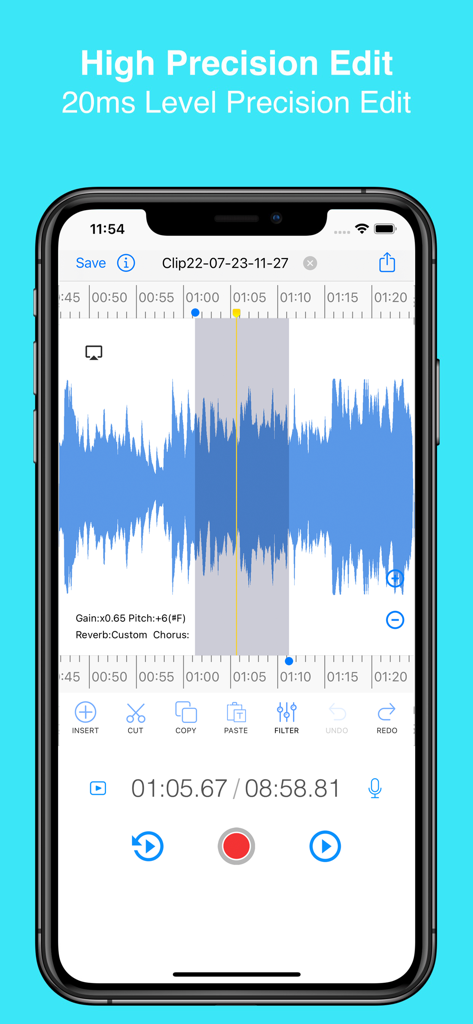
EZAudioCut mobile app interface showing high precision waveform editing with tools for cutting and filtering audio.

EZAudioCut mobile app interface showing high precision waveform editing with tools for cutting and filtering audio.

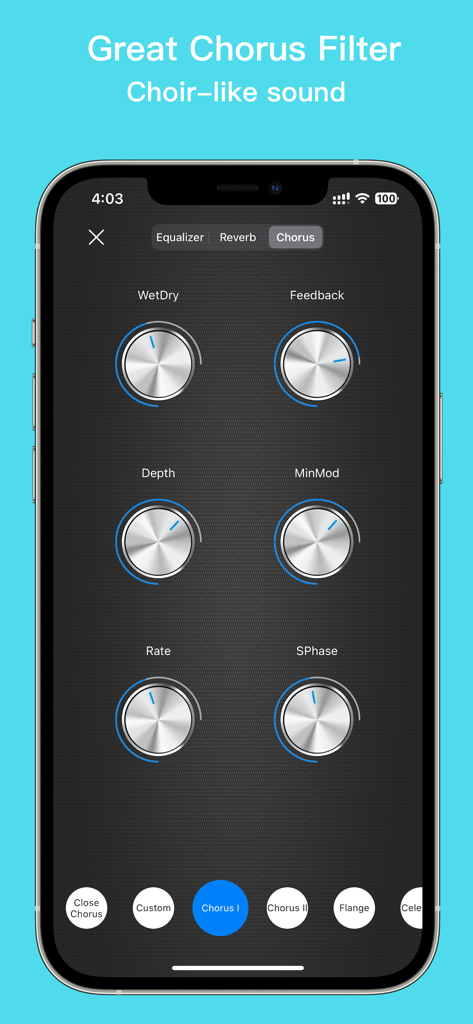
Chorus filter interface in the EZAudioCut app showing adjustable knobs for depth rate and feedback for choir-like audio effects

Chorus filter interface in the EZAudioCut app showing adjustable knobs for depth rate and feedback for choir-like audio effects

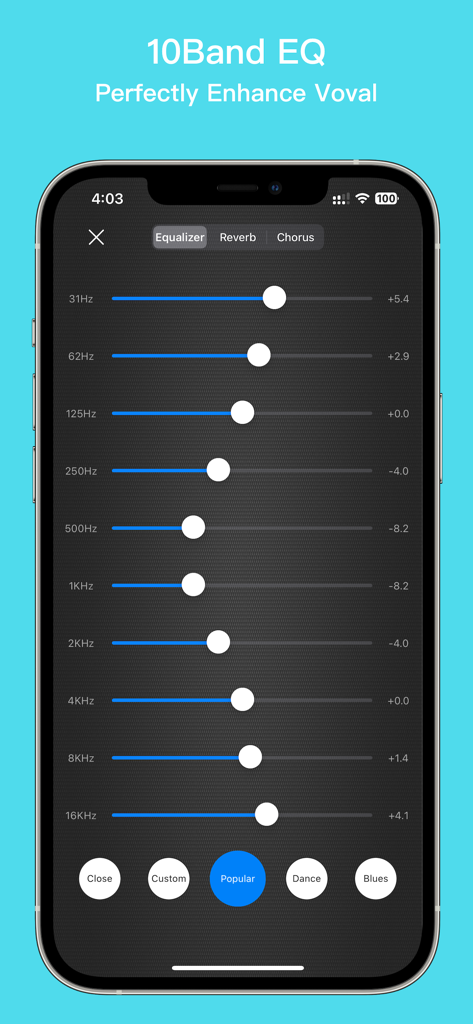
A 10-band equalizer interface in the EZAudioCut Lite app for professional vocal and audio enhancement

A 10-band equalizer interface in the EZAudioCut Lite app for professional vocal and audio enhancement

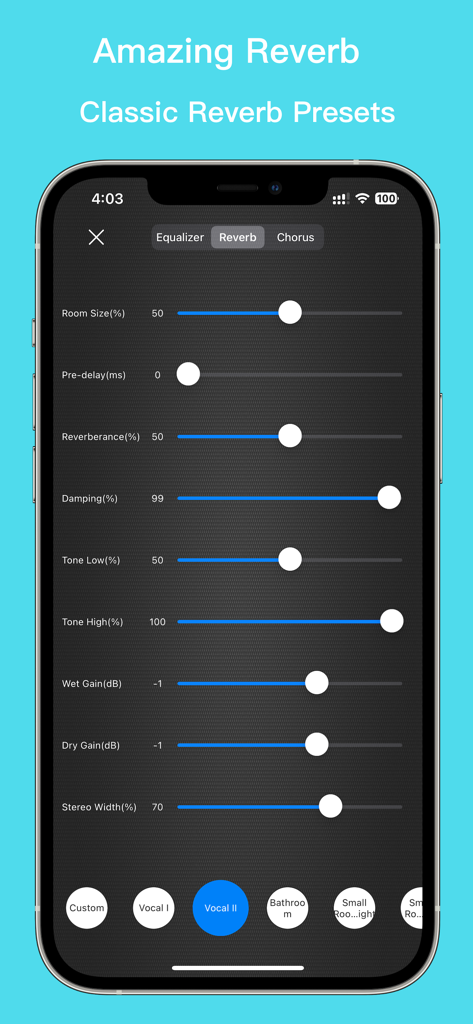
EZAudioCut app interface showing adjustable reverb settings including room size damping and presets for vocal and room effects

EZAudioCut app interface showing adjustable reverb settings including room size damping and presets for vocal and room effects

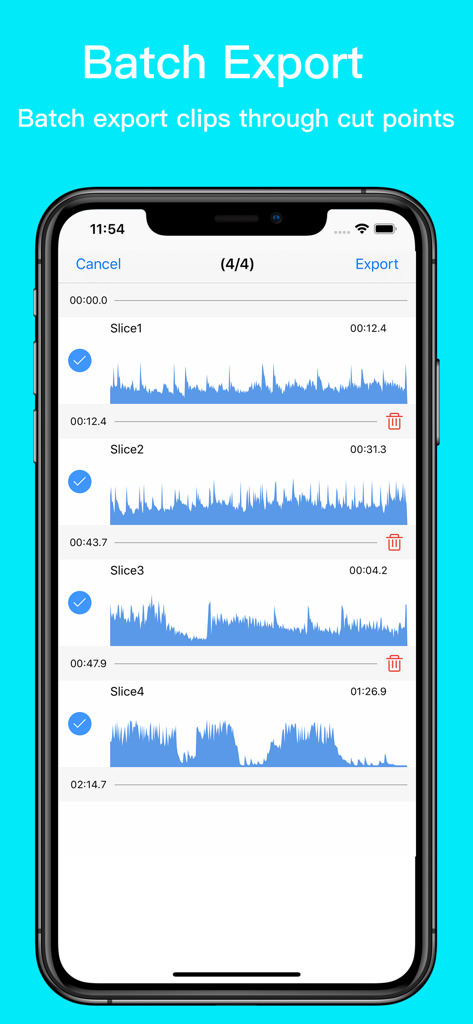
Interface of EZAudioCut showing multiple audio clips selected for batch export

Interface of EZAudioCut showing multiple audio clips selected for batch export

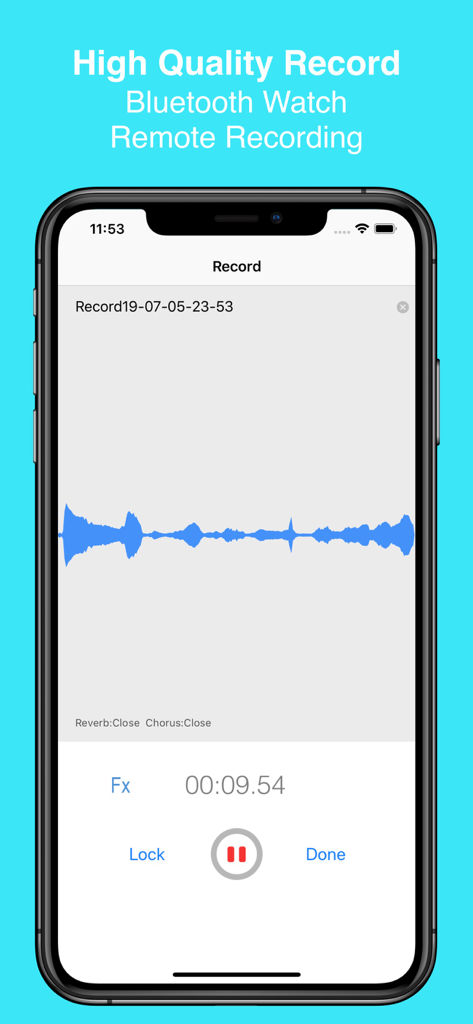
EZAudioCut app interface on iPhone showing a high quality audio recording session with a blue waveform

EZAudioCut app interface on iPhone showing a high quality audio recording session with a blue waveform

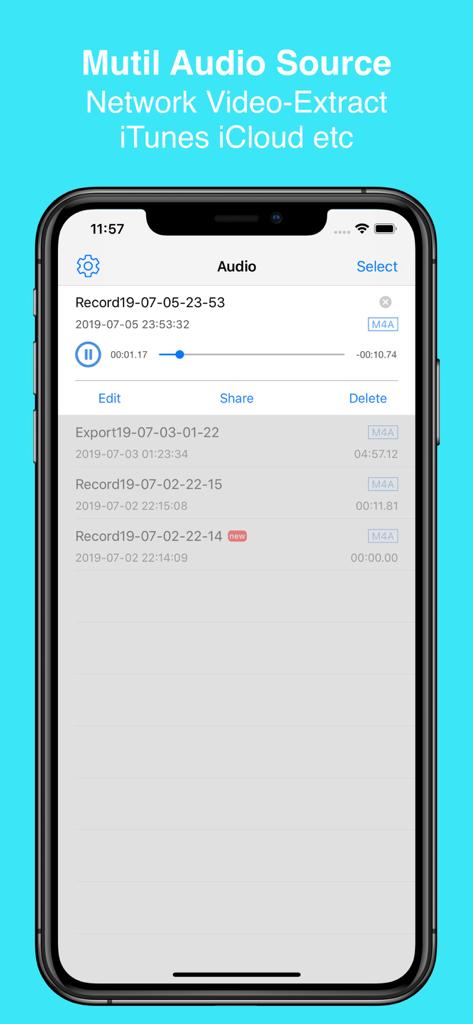
EZAudioCut app interface showing a list of recordings and options for importing audio from iTunes and iCloud.

EZAudioCut app interface showing a list of recordings and options for importing audio from iTunes and iCloud.

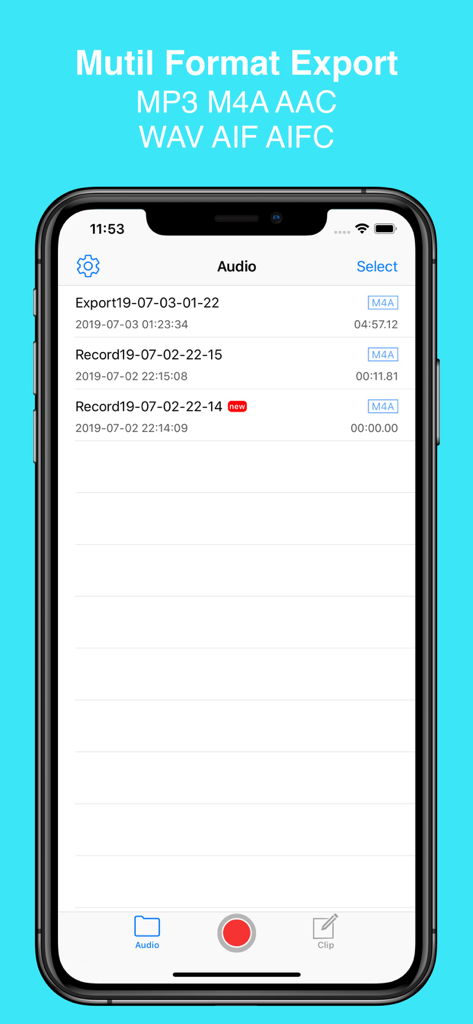
EZAudioCut app interface showing the audio file library with multiple export format options like MP3 and M4A

EZAudioCut app interface showing the audio file library with multiple export format options like MP3 and M4A

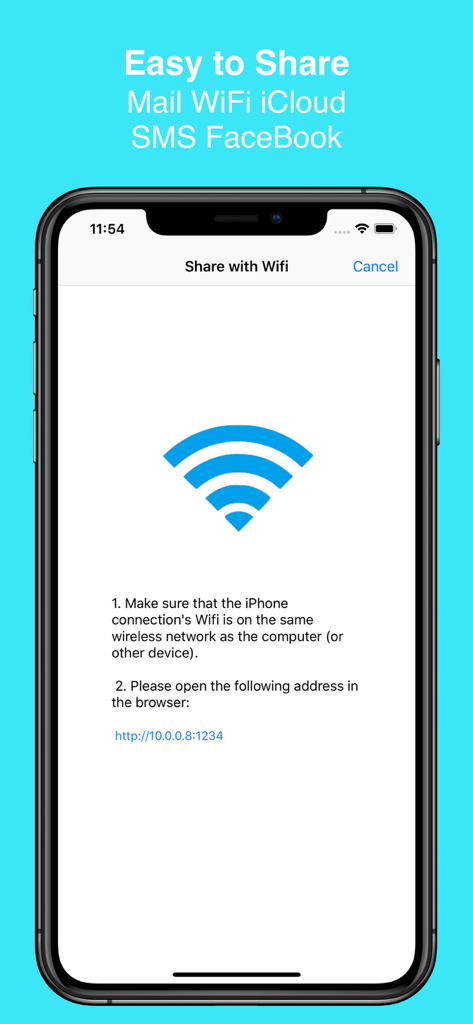
EZAudioCut app interface showing how to share audio files over a local WiFi network

EZAudioCut app interface showing how to share audio files over a local WiFi network

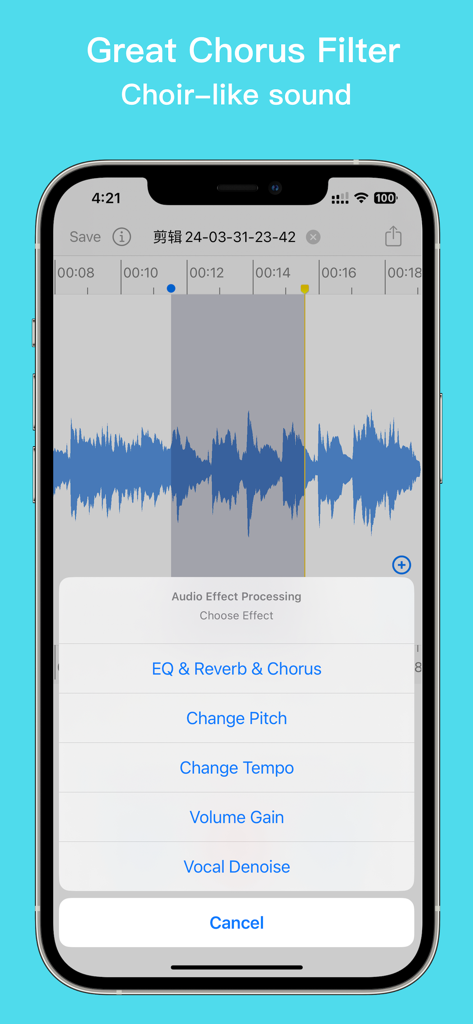
EZAudioCut app interface displaying the audio effect processing menu with chorus and reverb options

EZAudioCut app interface displaying the audio effect processing menu with chorus and reverb options

Professional Audio Editing Made Portable

The tools that make this app stand out, trusted by 1M+ users.

✂️

Surgical Precision Editing

Zoom deep into waveforms to cut, trim, and merge with frame-perfect accuracy. Every edit is non-destructive with unlimited undo and redo capabilities.

🤖

AI Neural Noise Reduction

Record anywhere from cafes to classrooms. Our Recurrent Neural Network technology identifies and removes background noise automatically for crystal clear results.

Complete Apple Ecosystem Sync

Harness the power of your gear. Record on Apple Watch, monitor via AirPods, and sync your projects seamlessly across iPhone, iPad, and iCloud.

Loved by users worldwide

Trusted by 1M+ people who love this app.

"

"I have tried dozens of mobile editors for my podcast snippets, but EZAudioCut is in a league of its own. The RNN Noise Reduction is a lifesaver when I am recording interviews in noisy cafes, and the high-precision zoom allows me to cut out filler words perfectly. It is basically a pro studio that fits in my pocket."

Caleb J., Digital Media Creator
"

"As a singer-songwriter, I love how easy it is to add professional reverb and chorus effects to my vocal ideas. The ability to record with my Apple Watch and then refine the pitch on my iPad is seamless. It has completely changed my practice routine and helps me create polished demos to share with my band instantly."

Sarah L., Independent Musician

About the app

Everything you need to know about EZAudioCut - Audio Editor Lite.

Description

EZAudioCut is a audio record and audio editor app for iPhone, iPad and Apple Watch. With EZAudioCut you can edit and record music, voice, and other audio recordings. You can edit audio files with . You can also add audio effects like pitch, reverb, gain. You can insert the recording indefinitely, and also it can be used as a recording pen , you can easily intercept and merge audio, add sound processing, support the removal of the clip operation, heavy Do, support ultra-high precision editing audio, editing audio, support real-time pre-listening effect. HIGH PRECISION EDIT Support high-precision zoom to clip audio, cut, undo, redo at any time. SUPPORTS MULTIPLE FORMATS Via of media file support import and export. (m4a,aac,mp2,mp3,wav,aif,mov,mp4 etc). A variety of sound quality export to meet different needs. UNLIMITED RECORDINGS Recording automatically after call. Record for as long as you want and as many times as you want. (No restrictions as long as you have enough available storage on your device). AUDIO ENHANCEMENT Reverb,Chorus,Gain,Time Stretch,Pitch to Audio. NOISE REDUCTION Recurrent Neural Network Noise Reduction. BLUETOOTH DEVICE SUPPORT Support AirPods and other Bluetooth headset to play and recording. SHARE Share audio or video by Email, Messages, WiFi, YouTube, Instagram, Snapchat. VIA AUDIO SOURCE SUPPORT ----------- Easy Audio Cut is an easy & simple recording and audio editing tools, you can insert the recording indefinitely, and also it can be used as a recording pen , you can easily intercept and merge audio, add sound processing, support the removal of the clip operation, heavy Do, support ultra-high precision editing audio, editing audio, support real-time pre-listening effect. Easy Audio Cut support the recording to add reverb effects, chorus effects, whether you record guitar playing or piano solo, or classroom lectures, poetry recitation, oral practice, give you a high quality recording. When you have some flaws in recording, it does not matter, you only need to cut off the defective part, record the the little. If you want to create your own personality ringtones, just need to import music to the phone, Easy Audio Cut help you accurately clip your unique ringtones. Easy Audio Cut support the reverb effect, make your singing is not dry, support multiple scenes preset reverb, like a concert like Live effect. Easy Audio Cut supports variable-speed playback and variable-speed (Time Stretch) export, pitch-shift playback, Pitch-derived audio, infinitely variable speed, and infinitely variable pitch. When you want the phone as a voice recorder, you only need to use the recorder mode to lock the recording. After the recording process to answer the call, Easy Audio Cut will automatically resume recording, no need to restart the recording. 1. Support import file from the other App to Easy Audio Cut audio library. 2. Support import file from the iTunes audio library and iCloud Driver. 3. Support audio Edit, the effect of real-time preview function, pre-listening process to dynamically adjust the effect of the parameters. 4. Support the recorder mode, support the lock recording, recording process automatically resume after the recording, recording pause function, the recorder to add the effect of the function. 5. Support Wifi LAN share audio, SMS sharing, E-mail sharing, and third-party software ( Twitter,WeChat, etc.) to share (AirDrop). 6. Support from iCloud import audio editing and export audio to iCloud. 7. Support a variety of formats audio into the easy to cut audio library (m4a, aac, aiff, wav mp3, mp2, ALAC, etc). 8. Support export m4a, mp3, aac, wav, aiff , etc, format to share. 9. Support volume adjustment(volume gain). 10.Supports stepless speed change from 0.5x to 3x, supports audio transposition, and supports 0.5x to 2x linear transposition. 12. Support watches disconnect the phone connection, offline recording, audio import clips. 13. Support watch record in background.

Latest Version

3.4.1

Size

58.7 MB

First Released

Nov 28, 2017

Ready to Level Up Your Audio?

Join over 1 million creators using EZAudioCut to record, clean, and edit with studio-grade precision directly on your iPhone, iPad, or Apple Watch.

Download on App Store
FAQ

Frequently Asked Questions

Everything you need to know about EZAudioCut - Audio Editor Lite

Does EZAudioCut provide high-precision audio editing?

Yes, EZAudioCut supports ultra-high precision editing, including zooming to clip audio. It offers 20ms level precision for detailed adjustments.

What audio formats does EZAudioCut support for import and export?

EZAudioCut supports multiple formats for import and export, including m4a, aac, mp2, mp3, wav, aif, mov, mp4, aiff, and ALAC.

Can EZAudioCut record audio for unlimited durations?

Yes, EZAudioCut allows unlimited recordings in terms of duration and quantity, provided sufficient storage is available on your device. It also supports recording automatically after calls.

What audio effects are available in EZAudioCut?

EZAudioCut provides various audio effects like Reverb, Chorus, Gain, Time Stretch, and Pitch. It also includes Noise Reduction using Recurrent Neural Network technology.

Does EZAudioCut support recording with Bluetooth devices like AirPods?

Yes, EZAudioCut supports Bluetooth devices, including AirPods, for both playing and recording audio.

How can users share audio files from EZAudioCut?

Users can share audio or video files from EZAudioCut via Email, Messages, WiFi, YouTube, Instagram, Snapchat, SMS, and third-party apps like Twitter and WeChat, including AirDrop.

Can EZAudioCut be used to create custom ringtones?

Yes, EZAudioCut helps users accurately clip music to create unique personality ringtones. You simply import the music to your phone.

What kind of equalizer features does EZAudioCut offer?

EZAudioCut offers a 10-band equalizer to perfectly enhance vocals and other audio. It includes various presets like Popular, Dance, and Blues.

Can EZAudioCut import audio from iCloud?

Yes, EZAudioCut supports importing audio files from iCloud Drive. It also allows exporting edited audio directly to iCloud.

Does EZAudioCut support real-time preview of audio effects?

Yes, EZAudioCut supports real-time preview of audio effects. Users can dynamically adjust effect parameters during the pre-listening process.

Can EZAudioCut change the speed and pitch of audio?

Yes, EZAudioCut supports variable-speed playback and export (0.5x to 3x) and pitch-shift playback. It allows for infinitely variable speed and pitch adjustments.

What are the Apple Watch features for EZAudioCut?

EZAudioCut for Apple Watch allows offline recording and audio import clips even when disconnected from the phone. It also supports background recording.

Does EZAudioCut offer batch export capabilities?

Yes, EZAudioCut allows for batch exporting of audio clips. Users can export multiple segments through defined cut points.

Can EZAudioCut perform noise reduction on recordings?

Yes, EZAudioCut includes Recurrent Neural Network Noise Reduction technology to clean up audio recordings.

Can users perform undo and redo actions in EZAudioCut?

Yes, EZAudioCut supports undo and redo operations at any time during the editing process, including clipping audio.