
MP3 Converter - video2mp3


Extract high-quality audio from videos, batch convert formats, and trim clips with precision. The fast, professional toolkit built for creators and music lovers to power their mobile workflow.
Publisher
Category
MusicDownloads
264K+User Rating
Total Ratings
4K+Locales
2Discover the interface used by 264K+ users.
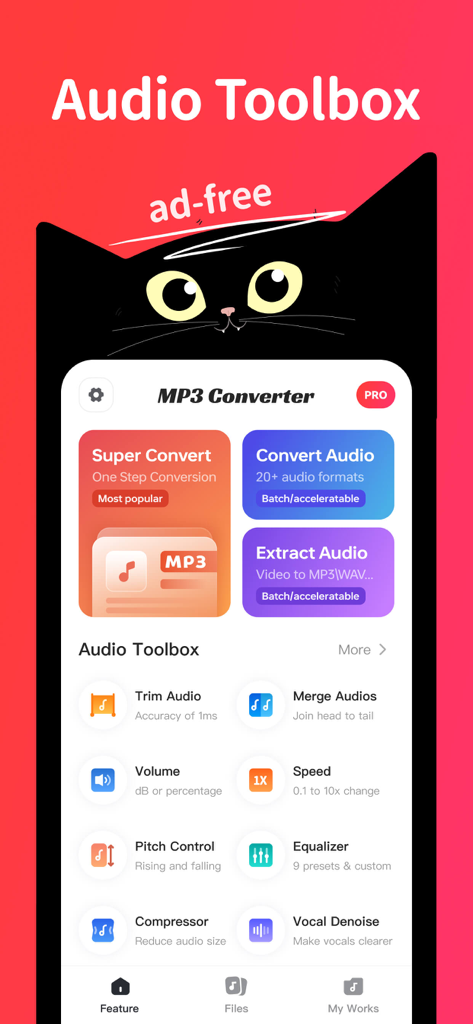
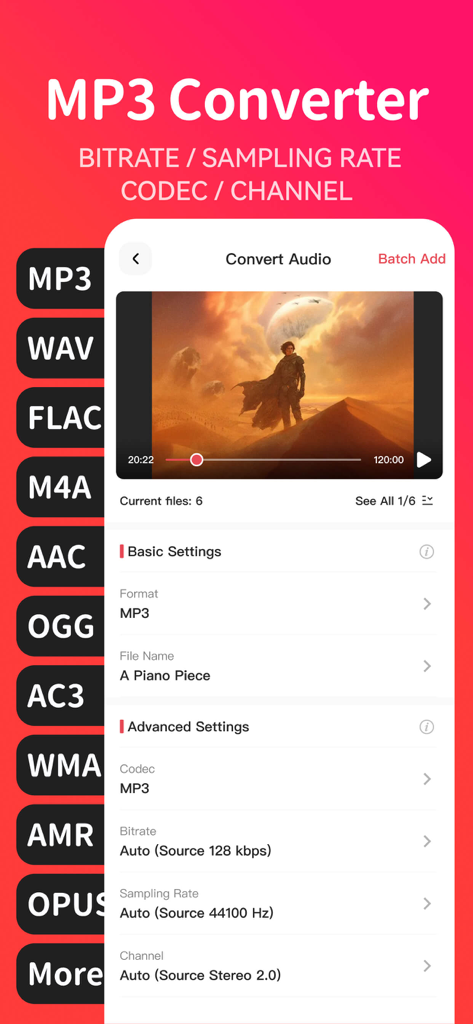
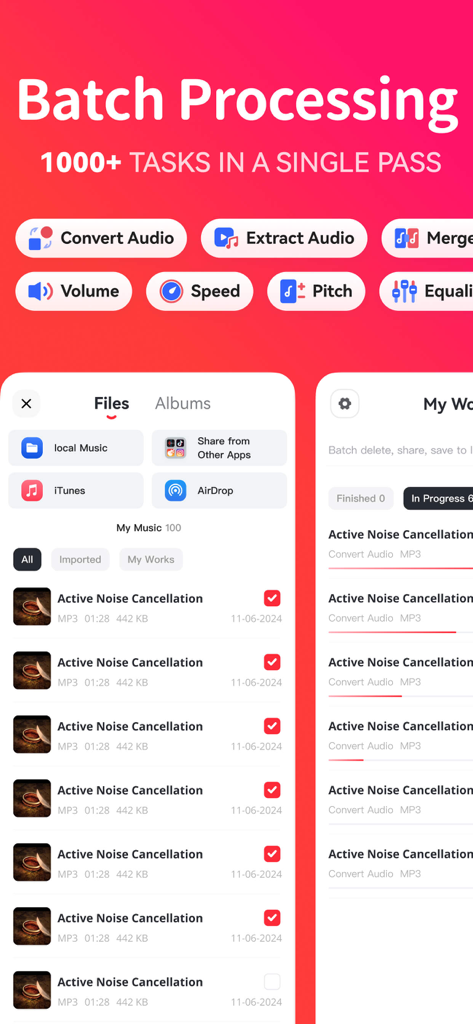
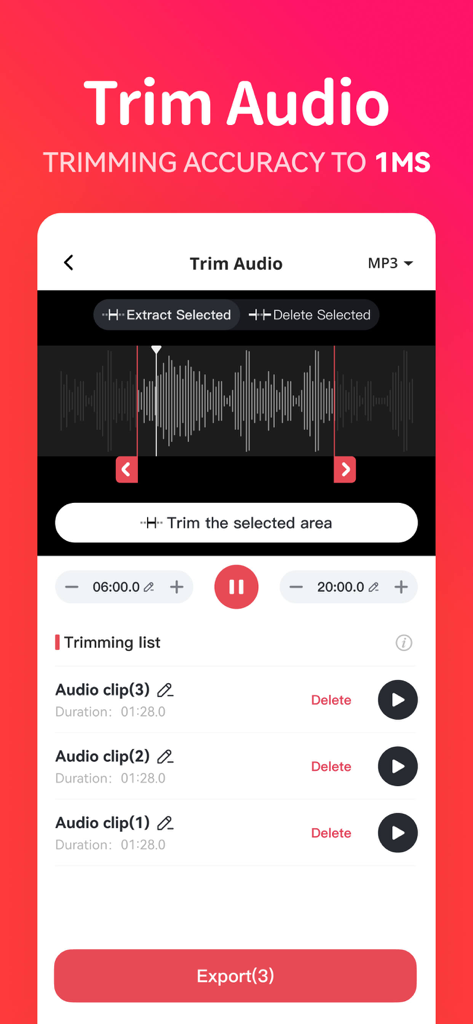
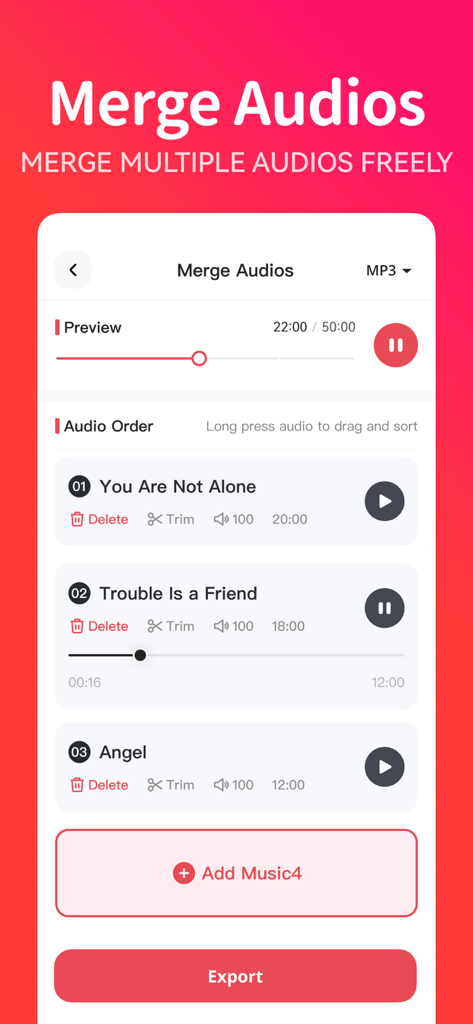
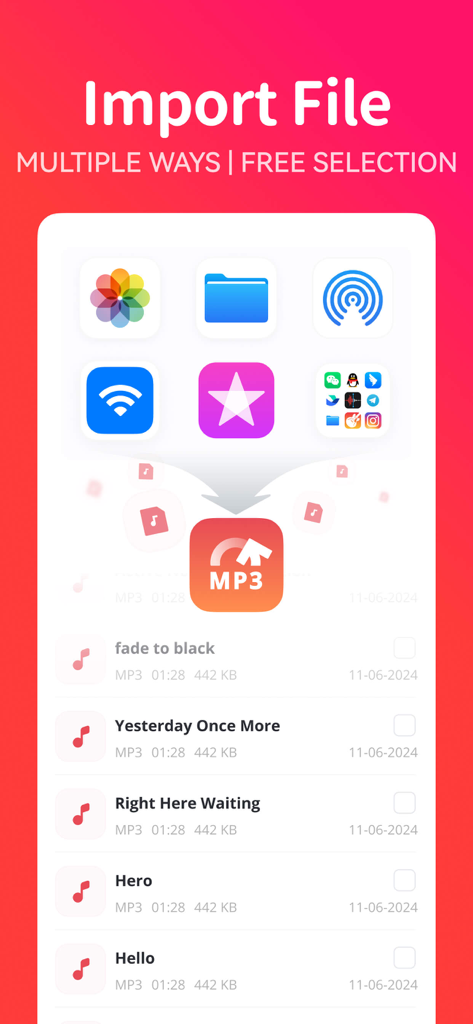
The tools that make this app stand out, trusted by 264K+ users.
Turn any video into a crystal-clear audio file. Perfect for capturing viral social media sounds, YouTube lectures, or background music for your next project.
Cut audio with millisecond accuracy or combine multiple tracks into one. Create custom ringtones and seamless mixes without ever touching a computer.
Stop wasting time on manual tasks. Process dozens of files at once with customizable bitrates and support for pro formats like FLAC, WAV, and AAC.
Trusted by 264K+ people who love this app.
"As a creator, I am constantly needing to pull audio from video clips for my edits. This app makes it so easy to extract, trim, and merge sounds directly on my iPhone. The batch processing is a total game-changer for my workflow!"
"I love how I can customize the bitrate and sampling rate for my conversions. It is rare to find a mobile tool that offers this much control over audio quality. Perfect for keeping my music library organized and high-res while on the go."
Everything you need to know about MP3 Converter - video2mp3.
Description
Latest Version
1.3.6
Size
119.2 MB
First Released
Sep 8, 2024
Join over 264,000 creators and power users. Extract, convert, and trim your audio with professional precision—all from your iPhone.
Everything you need to know about MP3 Converter - video2mp3
MP3 Converter - video2mp3 is an audio processing application. It supports audio conversion, video-to-audio extraction, cutting, and merging features. The app provides a convenient and efficient experience for various audio processing needs.
Yes, MP3 Converter - video2mp3 converts audio formats. It supports conversion to MP3, AAC, M4A, OGG, AMR, WAV, FLAC, and WMA without limitations. Users also customize bitrate, sampling rate, and channels.
Yes, MP3 Converter - video2mp3 includes an Audio Extractor feature. It converts video files to audio formats like MP3, AAC, M4A, and WAV. This allows users to extract audio from videos.
Yes, MP3 Converter - video2mp3 offers audio trimming and merging functionalities. Users set trimming start and end times with millisecond accuracy and merge multiple audio files into one.
MP3 Converter - video2mp3 supports converting almost all common audio formats. This includes WAV, FLAC, AAC, OGG, MP3, M4A, AMR, WMA, and AC3. It meets diverse conversion requirements.
Yes, MP3 Converter - video2mp3 supports batch processing. Users process multiple audio files simultaneously for conversions, extractions, or merging. This saves time and energy for large tasks.
MP3 Converter - video2mp3 offers multiple import methods. Users import music from local audio, albums, other apps, Airdrop, or Wi-Fi transfer. Music selection is easy for conversion.
Yes, MP3 Converter - video2mp3 includes advanced audio editing. It features volume adjustment, speed control, pitch control, an equalizer with 9 presets, compressor, and vocal denoise.
Yes, MP3 Converter - video2mp3 is ad-free. The application provides an uninterrupted audio processing experience without advertisements.
The privacy policy for MP3 Converter - video2mp3 is available online. Users can access it through the provided URL: https://app-api.zhnaudioconvglobal.com/html/ios/en/privacy_policy.html.
Apps with similar features and user experience

妍 岳

妍 岳

Fitness Labs SRL

ZHN Co., Ltd.

龙刚 李

正军 刘

Wuhan Net Power Technology Co., Ltd

俊鹏 位

昱江 郭

