Scan Hero: PDF Scanner

Scan Hero: PDF Scanner

Download on App StoreDownload on Google Play
Spark by MWM logo
Logo of Scan Hero: PDF Scanner

Scan Hero: Your Professional Pocket Office for Instant Scanning & Signing

Join over 29 million professionals who digitize, edit, and share documents in seconds. Eliminate the paperwork hassle with high-quality OCR, secure E-signatures, and seamless cloud synchronization—no bulky equipment required.

Publisher

Mosaic S.r.l.

Category

Business

Downloads

28M+

User Rating

4.6/5

Total Ratings

661K+

Locales

14

Efficiency at a Glance

Discover the interface used by 28M+ users.

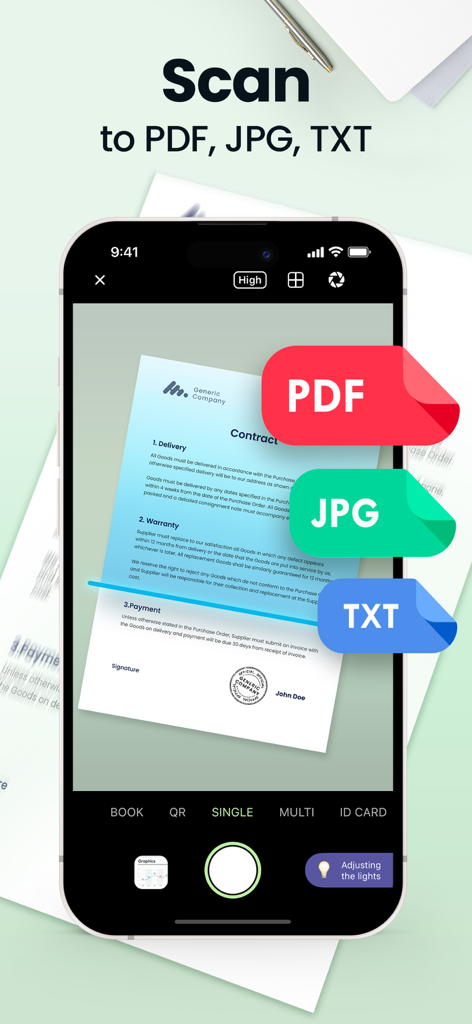
Smartphone screen showing Scan Hero app scanning a contract document into PDF JPG and TXT formats

Smartphone screen showing Scan Hero app scanning a contract document into PDF JPG and TXT formats

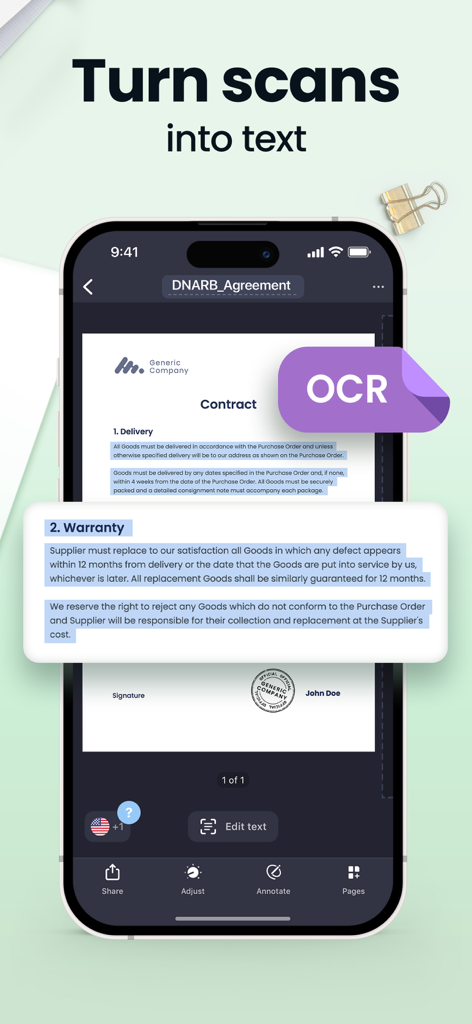
Scan Hero app interface showing the OCR feature extracting text from a scanned contract

Scan Hero app interface showing the OCR feature extracting text from a scanned contract

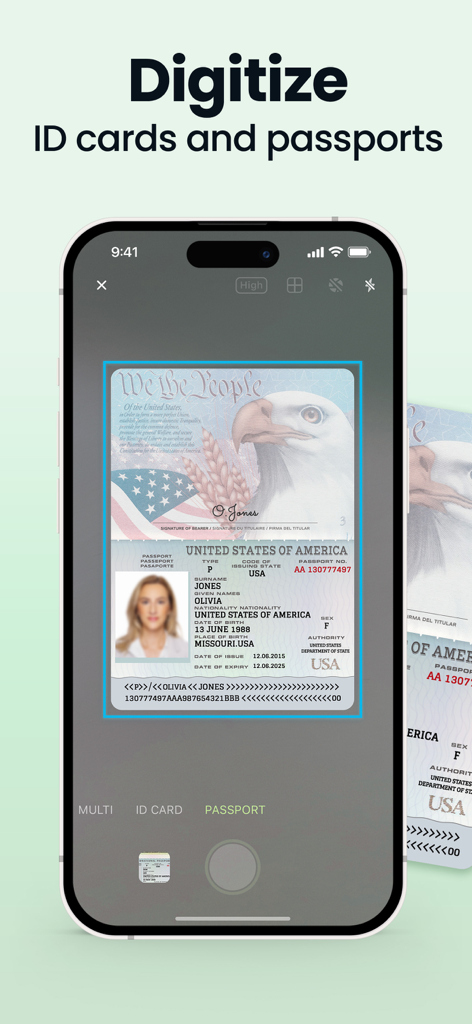
A smartphone using Scan Hero app to digitize a US passport.

A smartphone using Scan Hero app to digitize a US passport.

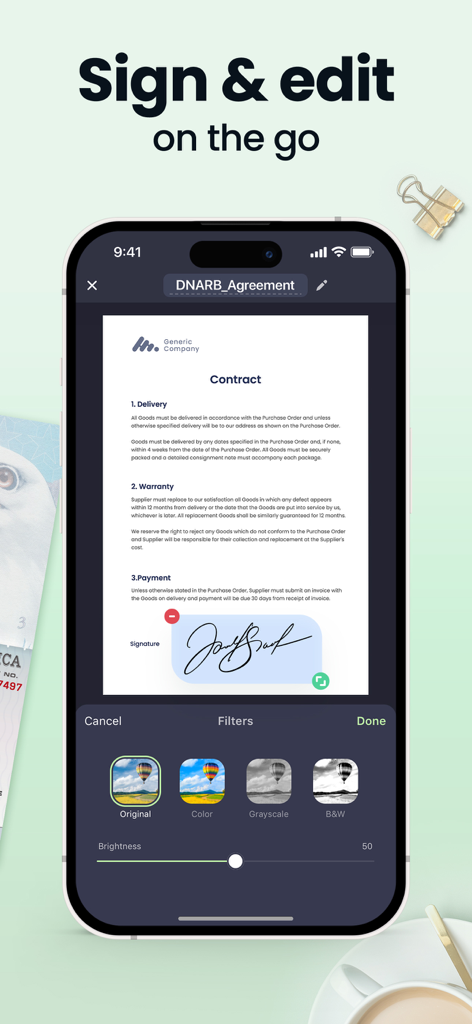
Smartphone screen showing the Scan Hero app interface with an e-signature on a contract and document editing filters.

Smartphone screen showing the Scan Hero app interface with an e-signature on a contract and document editing filters.

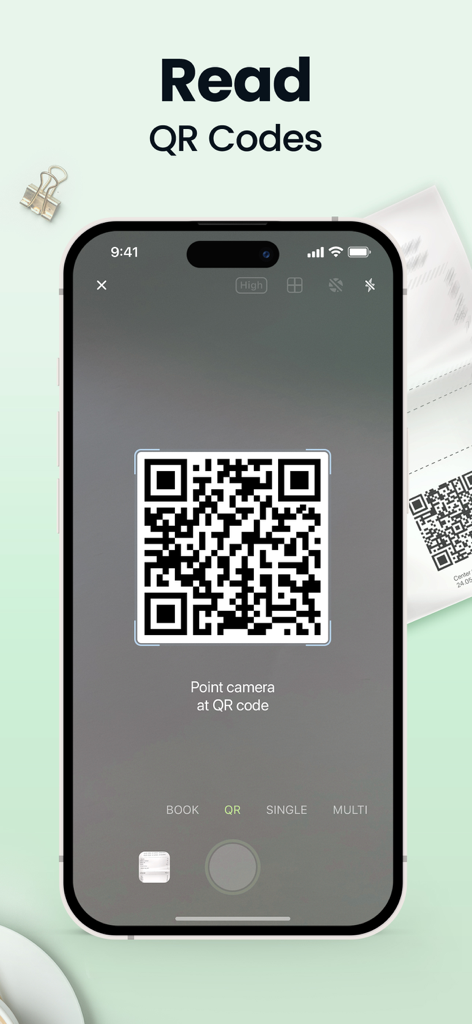
Scan Hero app interface showing the QR code scanning feature on a smartphone screen

Scan Hero app interface showing the QR code scanning feature on a smartphone screen

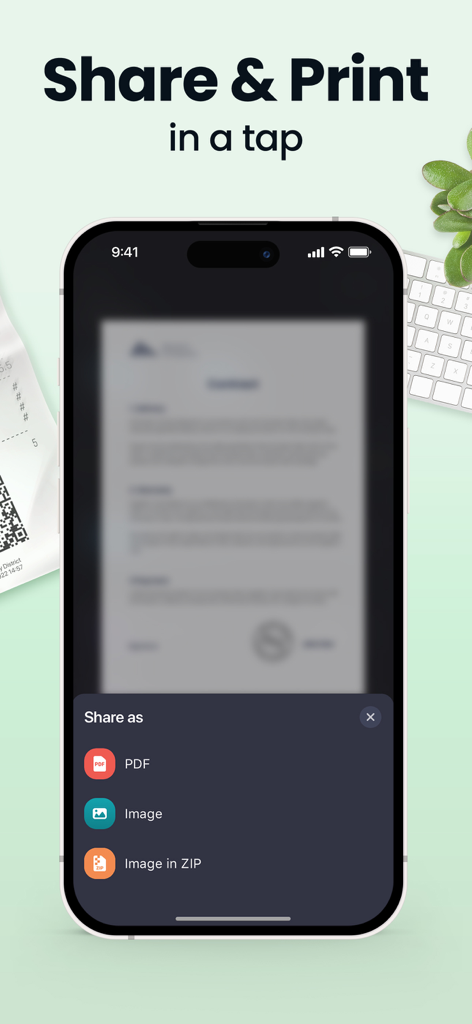
Scan Hero app interface showing document sharing options for PDF and image formats

Scan Hero app interface showing document sharing options for PDF and image formats

Master Your Paperwork in Seconds

The tools that make this app stand out, trusted by 28M+ users.

✍️

Sign and Close Deals Anywhere

Skip the printer. E-sign contracts, add highlights, and hide sensitive information directly on your screen to keep your business moving.

🔍

Turn Scans Into Editable Text

Use advanced OCR technology to extract text from your documents instantly. Stop retyping notes and start repurposing your data with one tap.

📄

Professional Quality, No Effort

Auto-crop and HD enhancement ensure your PDFs look perfect every time. From ID cards to multi-page books, capture everything with precision.

Loved by users worldwide

Trusted by 28M+ people who love this app.

"

"Scan Hero has been a total game-changer for my real estate business. I can scan contracts, sign them on the spot, and send them to clients in seconds. No more hunting for a printing shop or dealing with bulky office equipment while I'm out in the field."

Sarah Jenkins
"

"As a grad student, the OCR and Book Mode are absolute lifesavers. I can digitize library excerpts and extract text directly into my research notes with incredible accuracy. It is easily the most reliable productivity tool in my academic arsenal."

Marcus Thorne

About the app

Everything you need to know about Scan Hero: PDF Scanner.

Description

Looking for a mobile assistant? Try the Scan Hero app to corral your paperwork and scan documents on the go! Scan Hero helps you run your business in the ever-changing digital world. Scan documents to PDF, then sign, edit, and share them – no heavy equipment needed! Manage paperwork hassle-free from anywhere – the office, remotely, or from home. Stay one step ahead when it comes to document management. Loved by more than 29 million users. SCAN DOCUMENTS - Scan any document automatically or manually and save it as a PDF file or image. - Try various Camera Modes to scan specific types of documents. - Adjust the quality and file size of your scans: choose low, medium, or high quality. - Import documents right from Photos for further editing and sharing. TRY CAMERA MODES - Single Mode captures a single page. - Multi Mode scans two pages at once. - Passport & ID Card Modes digitize your ID-documents. - Book Mode scans a two-page spread of a book. - QR Mode reads QR codes with your device’s Camera. MAKE EDITS - Re-crop scans, change page perspective and borders, apply filters, adjust contrast, and correct or change the orientation. - Organize and reorder pages in multipage documents. MANAGE SCANS - Print scanned documents and clipboard text wirelessly. - Share scans separately or send a number of files in one PDF file via Mail or iMessage. - Save all your scans to Photos or iCloud and synchronize them between all of your iOS devices. - Protect your files with Face ID or passcode. LEVEL UP WITH PREMIUM FEATURES - Recognize and extract text from your scans with OCR (Optical Character Recognition) technology. Available for texts in English, Simplified Chinese, Traditional Chinese, Spanish, Turkish, Russian, French, Italian, German, Dutch, Swedish, Polish, Norwegian, Japanese, and Portuguese. - Fine-tune scans by selecting HD quality while scanning. - Sign scans right on the screen of your device. Create and save one or more signatures, and add them to scans whenever you need. - Highlight the key points of your scans. - Secure private information in scanned documents using the Hide tool. - Scan and share without limits. *For advanced editing and file management, you can also try our PDF Hero app! Subscription payments will be charged to your App Store account at confirmation of your purchase. Subscriptions will automatically renew and you will be charged unless auto-renew is turned off or unless you cancel at least 24 hours prior to the end of the current subscription or trial period. Any unused portion of a free trial period will be forfeited when you purchase a premium subscription during the free trial period. The cost of renewal depends on the Subscription Plan you choose. Subscriptions and auto-renewal may be managed by going to Account Settings after purchase or by contacting Customer Support. Privacy Policy: https://support.bendingspoons.com/privacy.html?app=1017261655 Terms of Service: https://support.bendingspoons.com/tos.html?app=1017261655 Got questions or suggestions? Please don’t hesitate to email us at support@scanhero.app

Latest Version

4.24.34

Size

246.9 MB

First Released

Feb 16, 2016

Ready to Join 29 Million Productive Professionals?

Download Scan Hero today and turn your device into a powerful mobile office. Scan, sign, and share your documents in seconds, wherever work takes you.

Download on App StoreDownload on Google Play
FAQ

Frequently Asked Questions

Everything you need to know about Scan Hero: PDF Scanner

What is the Scan Hero app?

Scan Hero is a mobile assistant application for scanning documents to PDF or image. It allows users to edit, sign, and share documents, simplifying paperwork management on the go.

What file formats does Scan Hero support for saving scanned documents?

Scan Hero saves scanned documents as PDF files or images. Premium features also enable text extraction from scans using OCR technology.

Can Scan Hero digitize ID cards and passports?

Yes, Scan Hero provides specific "Passport & ID Card Modes" within its camera features. These modes are designed to efficiently digitize identification documents directly from your device.

Does Scan Hero include OCR (Optical Character Recognition)?

Yes, Scan Hero offers OCR technology as a Premium Feature. It recognizes and extracts text from your scanned documents, supporting multiple languages like English, Spanish, and German.

Can users sign documents within the Scan Hero app?

Yes, Scan Hero allows users to sign scans directly on their device screen. This premium feature enables creation and saving of multiple signatures for easy application to documents.

How does Scan Hero secure my scanned files?

Scan Hero protects your files using Face ID or a passcode. This security measure helps ensure the privacy and confidentiality of your scanned documents within the app.

How do Scan Hero subscriptions work?

Scan Hero subscriptions are charged to your App Store account upon purchase and auto-renew. Cancellation is required at least 24 hours before the current period ends to avoid renewal charges.

Is it possible to print documents using Scan Hero?

Yes, Scan Hero enables users to print scanned documents and clipboard text wirelessly. This functionality is part of the app's comprehensive document management features.

What specific camera modes are available in Scan Hero?

Scan Hero provides "Camera Modes" including Single, Multi, Passport & ID Card, Book, and QR. These modes are optimized for various scanning needs, from single pages to QR codes.

Does Scan Hero offer a free trial for premium features?

Yes, Scan Hero offers a free trial period. Any unused portion of a free trial is forfeited upon purchasing a premium subscription during that trial period.