
Send Anywhere - File Transfer



Bridge the gap between your iPhone and any device. Transfer original-quality photos, videos, and music instantly with a secure 6-digit key—no accounts, no limits, and no friction.
Publisher
Category
ProductivityDownloads
16M+User Rating
Total Ratings
481K+Locales
3Discover the interface used by 16M+ users.
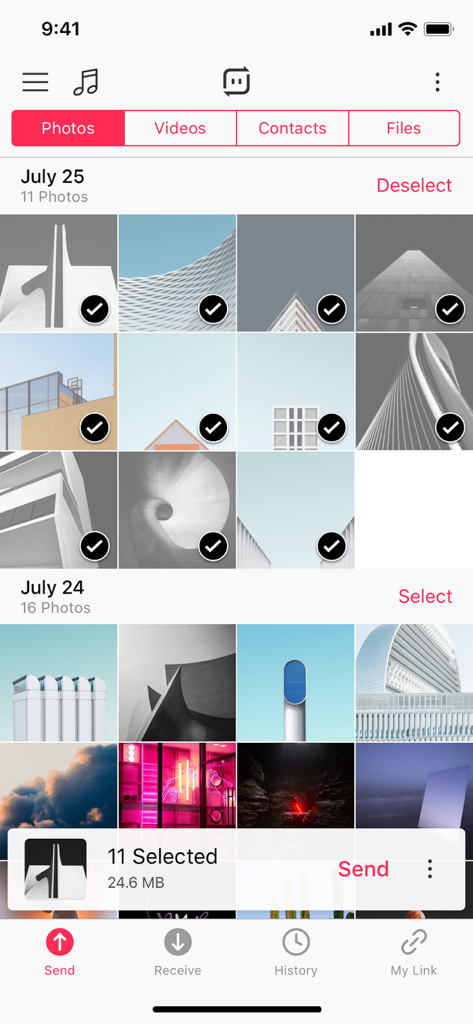
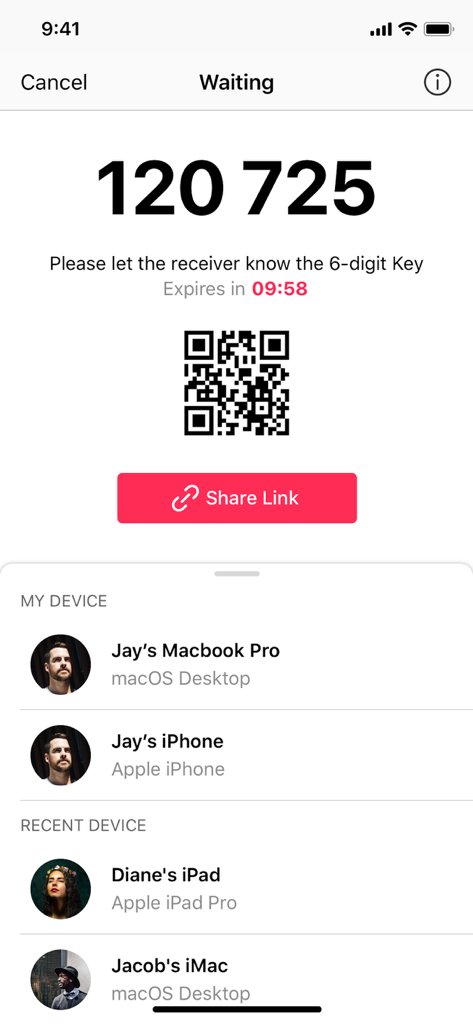
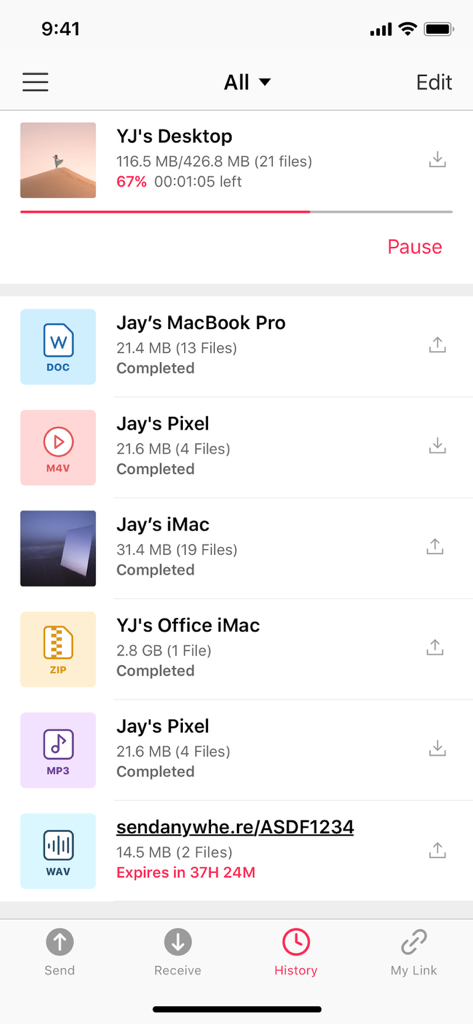
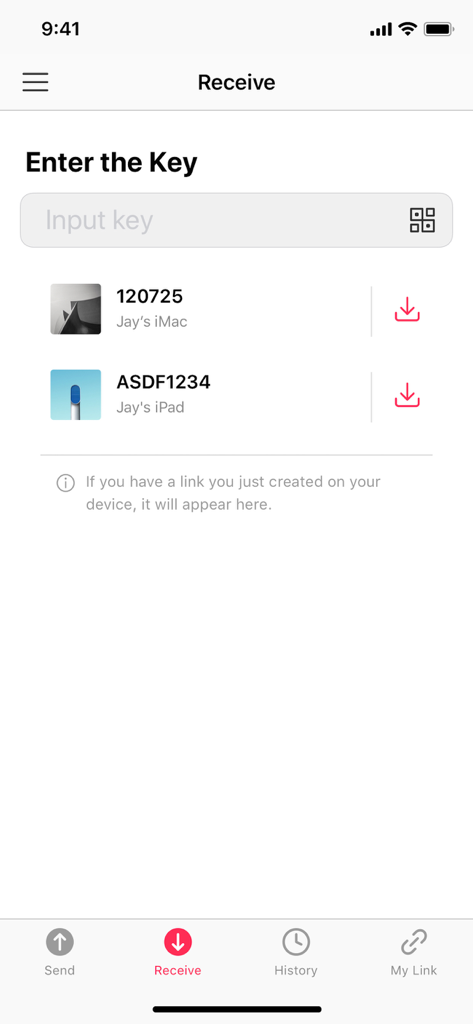
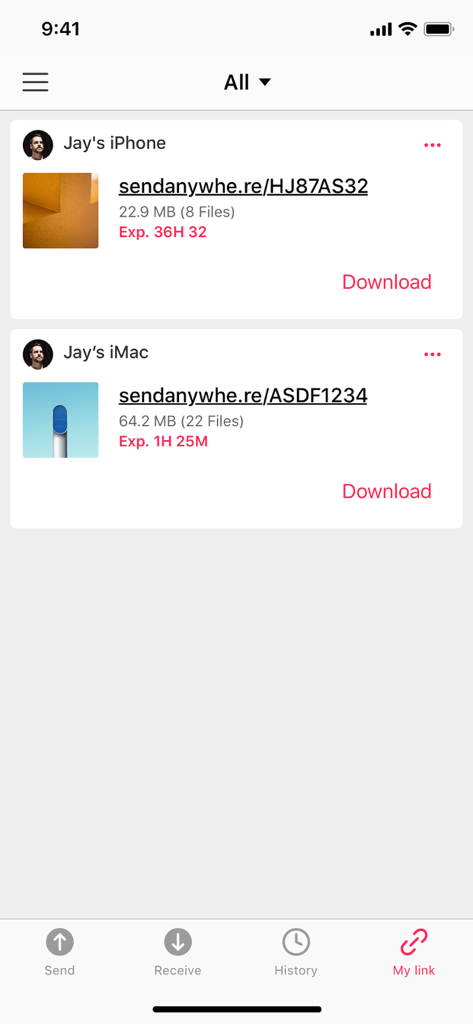
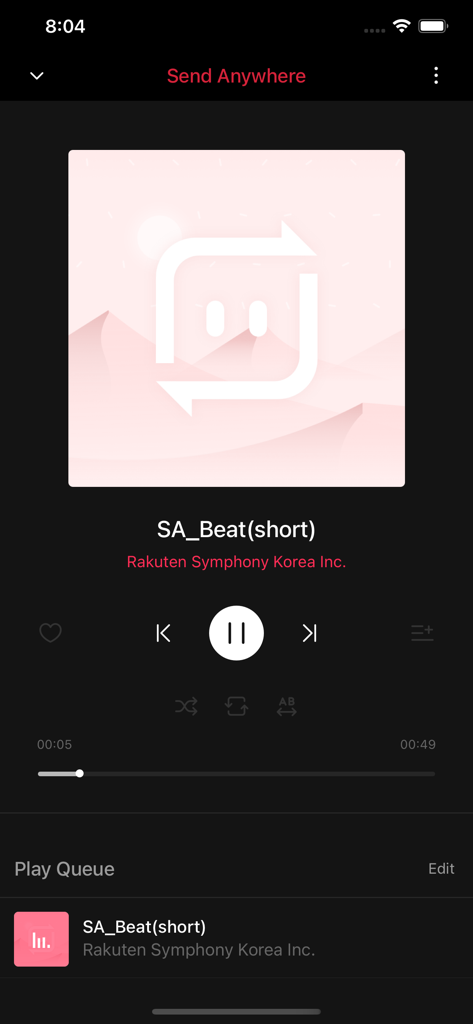
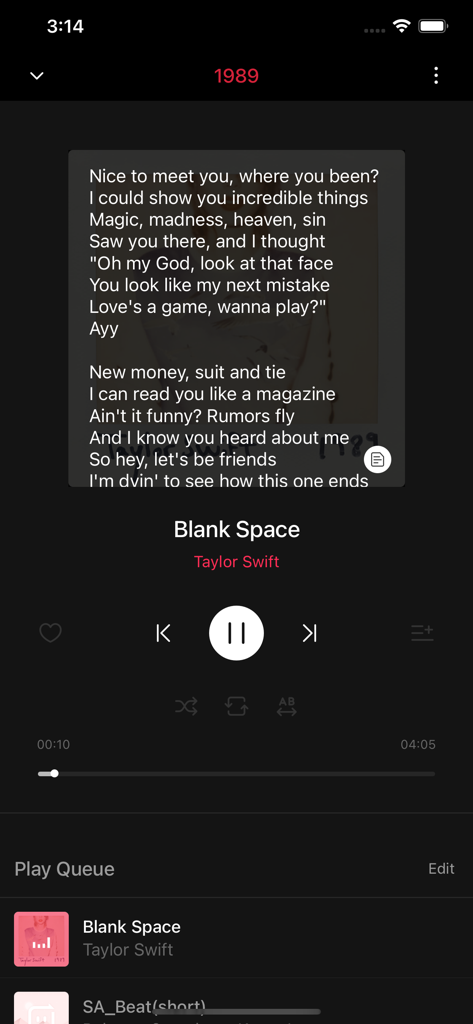
The tools that make this app stand out, trusted by 16M+ users.
Skip the signup process. Just enter a simple security code to send or receive files directly between devices in seconds.
Keep your photos and 4K videos in their original quality. No more blurry messages or restrictive file size limits.
Seamlessly move files between your iPhone and Windows PC or Android devices without the hassle of iTunes or bulky cables.
Trusted by 16M+ people who love this app.
"As a freelance videographer, moving 4K footage from my iPhone to my Windows workstation used to be a nightmare. Send Anywhere changed everything. I get original file quality without compression, and I don't even need to log in. It's significantly faster than any cloud service I've used for one-off transfers."
"I love that I can send study guides and media to my friends' devices instantly using just a 6-digit key. Since I use a PC and an iPhone, AirDrop isn't an option for me, but this app makes the cross-platform transfer seamless. Being able to play my music files directly in the app is a huge bonus!"
Everything you need to know about Send Anywhere - File Transfer.
Description
Latest Version
23.6.1
Size
153.9 MB
First Released
Jan 31, 2013
Join over 16 million users sending photos, videos, and music in original quality across any device. No accounts, no cables, and no registration required—just instant, high-speed sharing.
Everything you need to know about Send Anywhere - File Transfer
Send Anywhere is an app for easy, quick, and unlimited file sharing. It allows users to send photos, videos, music, and other files in original size instantly to any device without login.
Yes, Send Anywhere is free to use. It allows users to send files instantly and without any cost, as stated in the app description.
No, Send Anywhere does not require users to log in or register to utilize its file sharing services. Transfers can begin immediately upon opening the app.
Send Anywhere facilitates file transfers using a 6-digit security key or a shareable link. The key is entered on the receiving device for instant file delivery, while links are valid for 48 hours.
A 6-digit key in Send Anywhere is a security code generated after selecting files to send. Entering this key on the receiving device initiates the instant file transfer.
Share Links generated by Send Anywhere are valid for 48 hours. After this period, the link expires, and the files can no longer be accessed through it.
Yes, Send Anywhere allows sending files "To Device" by sending a notification to receiving devices. This enables them to receive files without needing to enter a key.
Yes, Send Anywhere can play received music files directly within the app. Users can also create music playlists and share them with friends.
Yes, Send Anywhere supports playing received video files using its simple video player. It also includes support for multi-language subtitles during playback.
Users can send feedback about Send Anywhere by using the 'Send Feedback' menu within the app or by emailing support@send-anywhere.com.
Apps with similar features and user experience

Wetransfer B.V.

Blip Studio Inc.

Lindong Network Technology(Beijing) Co.,Ltd.

梦洋 崔

Best Free and Fun Games, LLC

军甫 贺

Mobileware Studio SL

SHAREit Technologies Co. Ltd

Tien Do Nam