TurboScan™ Pro: PDF scanner

TurboScan™ Pro: PDF scanner

Download on App StoreDownload on Google Play
Spark by MWM logo
Logo of TurboScan™ Pro: PDF scanner

TurboScan™ Pro: The Reliable, Privacy-First PDF Scanner for Professionals

Turn your iPhone into a powerful document hub. Get ultra-fast, high-quality scans in seconds with zero data collection and a no-nonsense workflow designed for your efficiency.

Publisher

Piksoft Inc.

Category

Business

Downloads

908K+

User Rating

4.9/5

Total Ratings

490K+

Locales

10

Precision in Every Pixel

Discover the interface used by 908K+ users.

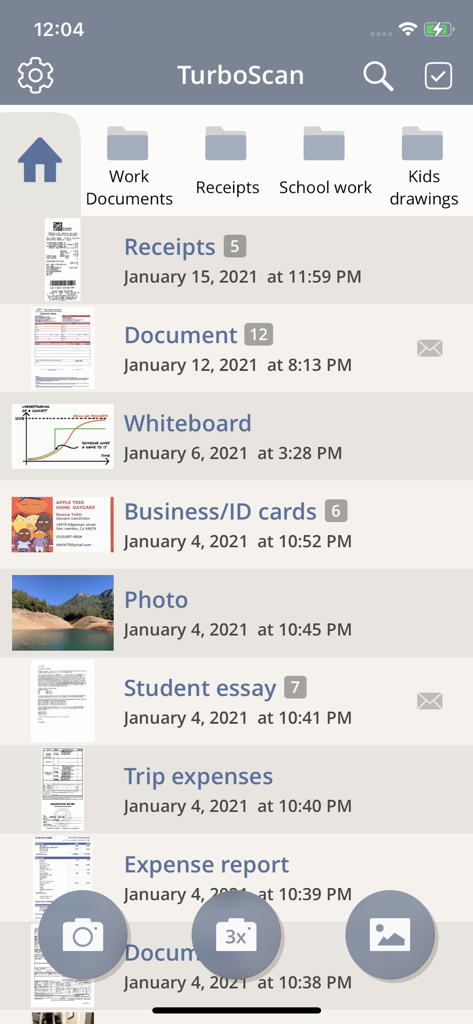
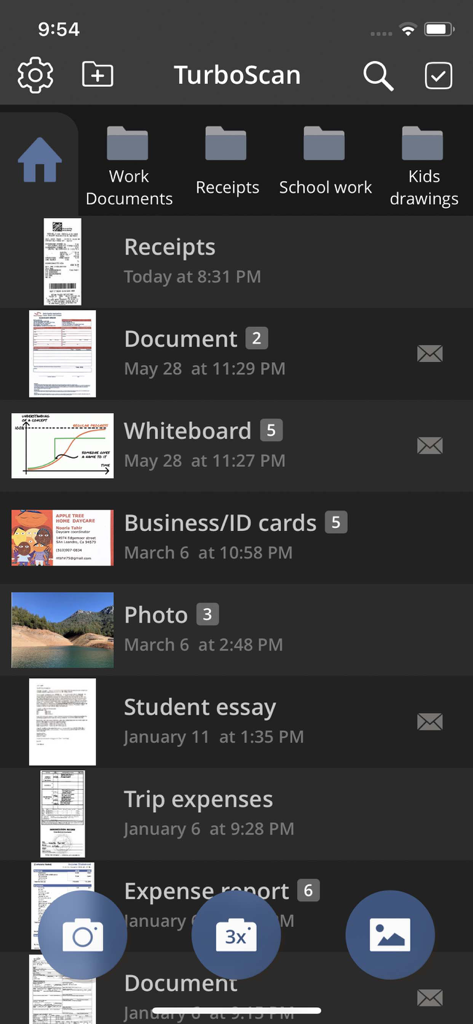
Main screen of the TurboScan Pro app showing organized folders and a list of scanned PDF documents including receipts and essays.

Main screen of the TurboScan Pro app showing organized folders and a list of scanned PDF documents including receipts and essays.

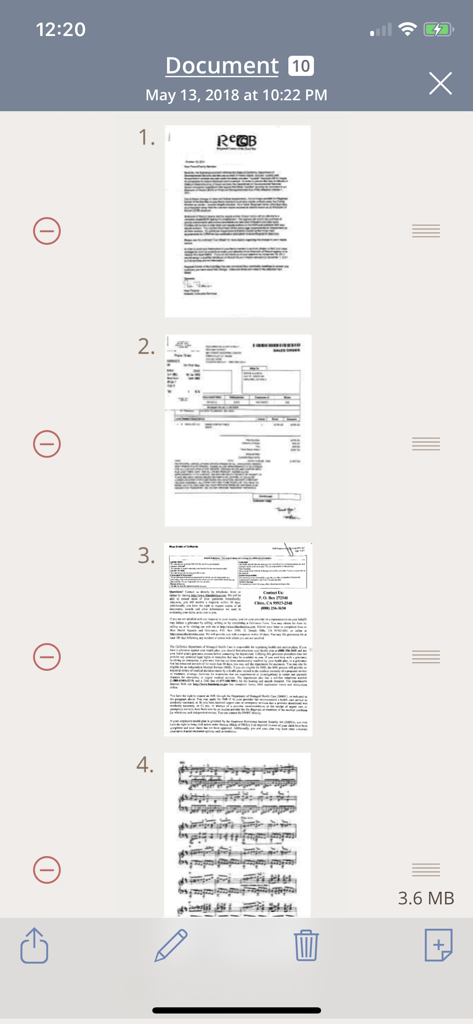
TurboScan Pro interface showing a list of multiple scanned document pages including a letter and an invoice

TurboScan Pro interface showing a list of multiple scanned document pages including a letter and an invoice

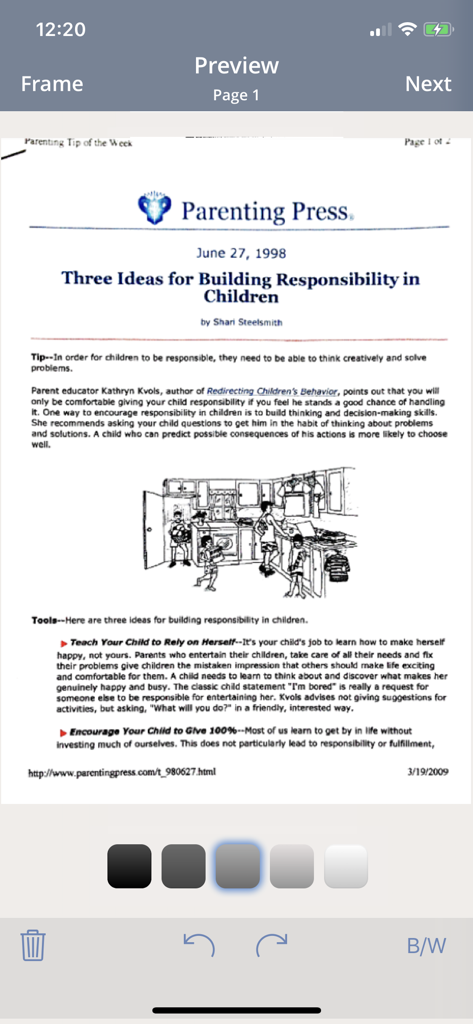
TurboScan Pro interface showing a scanned document preview with editing tools

TurboScan Pro interface showing a scanned document preview with editing tools

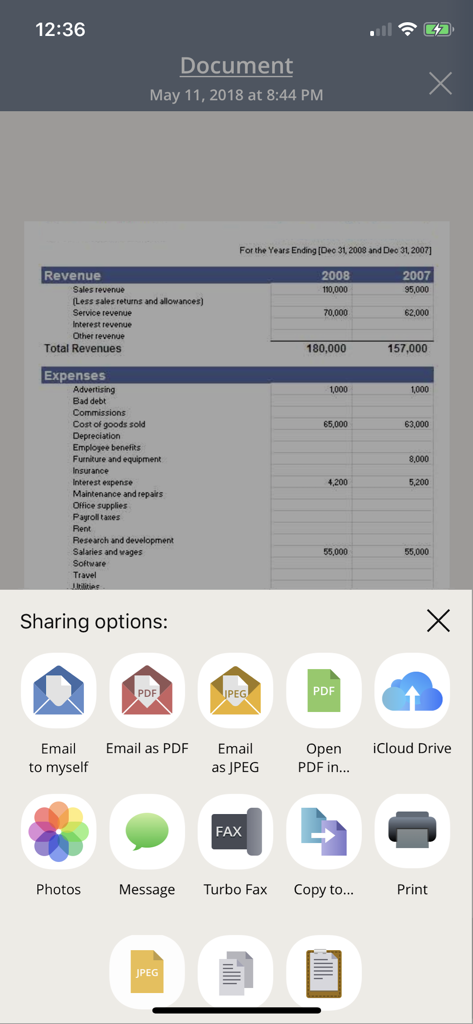
Sharing options menu in the TurboScan Pro app showing features like email to myself and cloud storage for scanned documents

Sharing options menu in the TurboScan Pro app showing features like email to myself and cloud storage for scanned documents

TurboScan Pro app screen with scanned documents organized in folders

TurboScan Pro app screen with scanned documents organized in folders

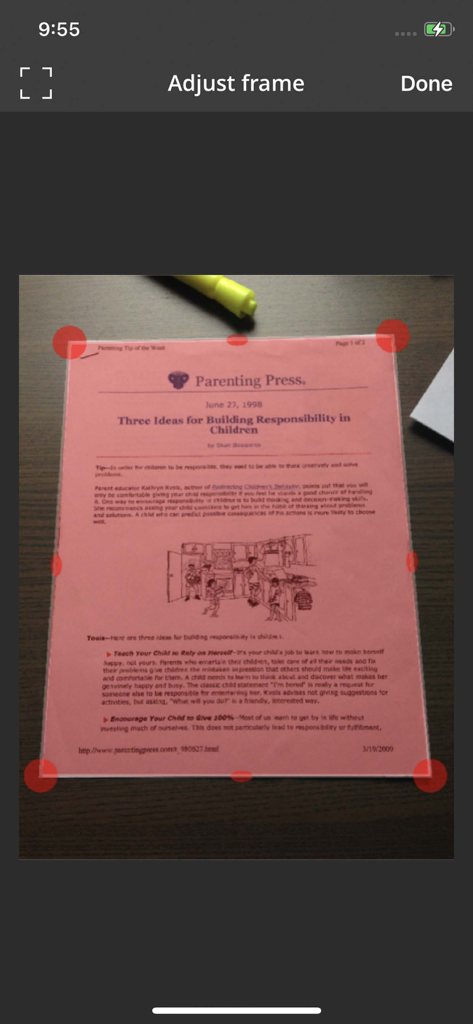
Interface of TurboScan Pro showing adjustable red corner handles for manual document cropping and perspective correction on a scanned pink flyer.

Interface of TurboScan Pro showing adjustable red corner handles for manual document cropping and perspective correction on a scanned pink flyer.

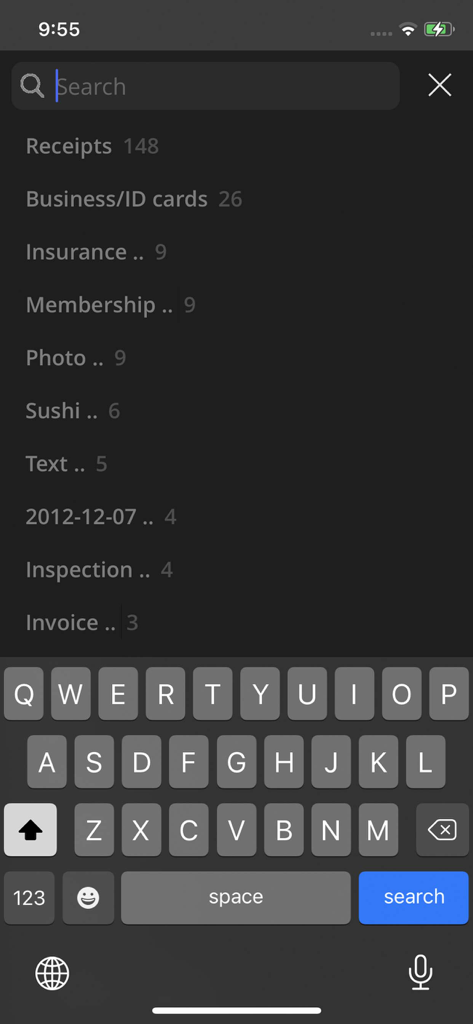
Search interface in TurboScan Pro showing document categories like receipts and business cards

Search interface in TurboScan Pro showing document categories like receipts and business cards

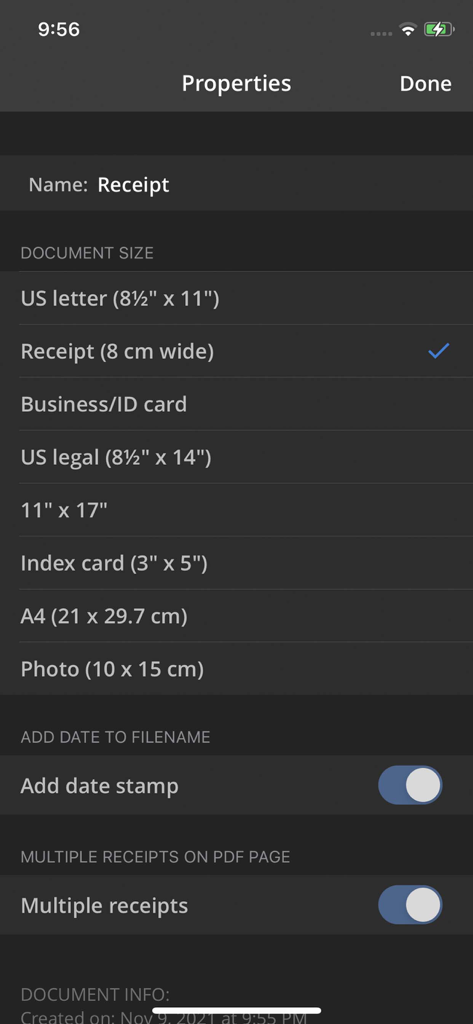
TurboScan Pro document properties screen showing scan size and receipt options.

TurboScan Pro document properties screen showing scan size and receipt options.

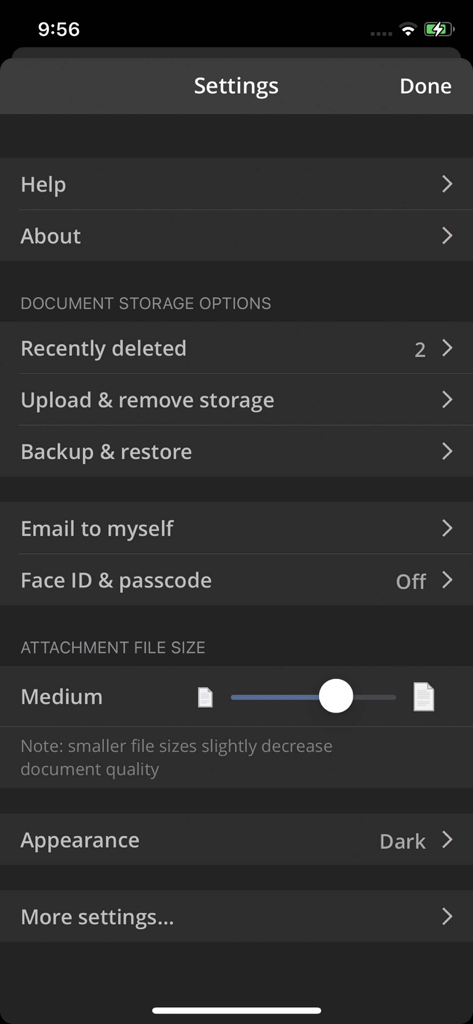
Settings screen of the TurboScan Pro app displaying document storage and security options

Settings screen of the TurboScan Pro app displaying document storage and security options

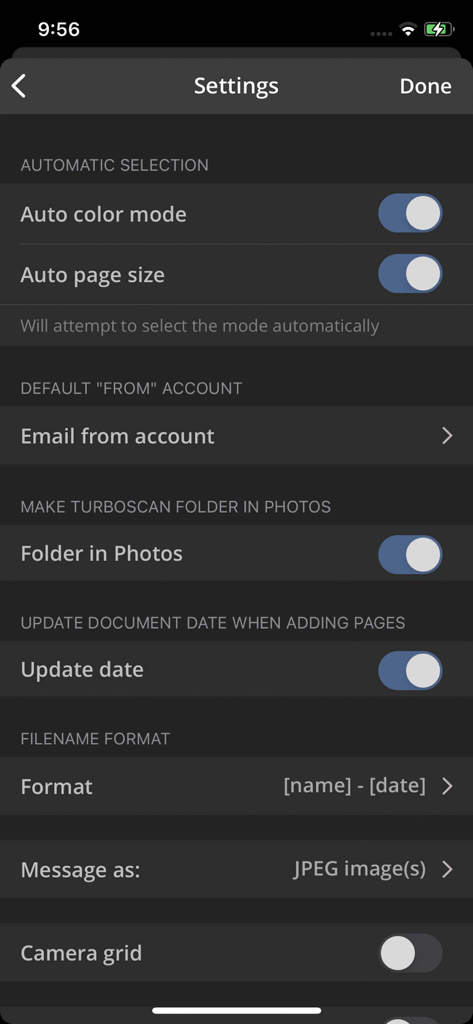
Settings menu of TurboScan Pro app showing scan automation and file format options

Settings menu of TurboScan Pro app showing scan automation and file format options

Professional Tools for Your Mobile Office

The tools that make this app stand out, trusted by 908K+ users.

Ultra-Fast 3-Second Scanning

Save time with our high-speed algorithms that detect edges and correct perspective instantly. Perfect for high-volume paperwork and busy schedules.

🔒

Total Privacy by Design

Your sensitive documents stay on your device. We collect zero data and process everything locally, keeping your legal and financial information secure.

📧

The 'Email to Myself' Shortcut

Streamline your workflow with one-tap delivery. Send scans directly to your inbox without navigating complex menus, ideal for remote and hybrid workers.

Loved by users worldwide

Trusted by 908K+ people who love this app.

"

"Finally, a scanner app that doesn't try to charge me every month! I've been using TurboScan for years to manage my business receipts and invoices. The 'Email to myself' feature is a lifesaver, and the scans are so crisp they look like they came from a flatbed office scanner. Plus, knowing my data stays private on my device is the ultimate peace of mind."

Sarah Jenkins, Independent Consultant
"

"In real estate, speed and clarity are everything. I'm constantly scanning closing documents in poorly lit rooms, and SureScan is a total game changer—it gets the text sharp every single time. It's incredibly fast, intuitive, and the multi-page PDF merging makes sending contracts a breeze. It's easily the most reliable tool in my mobile office."

Michael Ross, Senior Real Estate Agent

About the app

Everything you need to know about TurboScan™ Pro: PDF scanner.

Description

TurboScan turns your iPhone into a full-featured and powerful scanner for documents, receipts, books, photos, whiteboards, and more. You can quickly and accurately scan your multipage documents in high quality PDFs or JPEGs, name, organize and send them anywhere. • Featured in The NY Times, CNN Money and The Telegraph. • “Absolutely the best... I've tried other scanner apps and this one is the only way to go. Never going back to the other apps… TurboScan sets the standard for scanning apps.” - User review. • “…Would recommend this flawless and incredibly useful and perfectly executed app” - User review. TurboScan uses advanced and fast algorithms to accurately detect document edges, straighten them (correct perspective), eliminate shadows and set a perfect contrast for black on white text. Color and photo modes are also available. TurboScan boasts a powerful yet easy to use interface. Our handy "Email to myself" feature lets you quickly send documents with one tap. TurboScan also offers SureScan, our proprietary scanning mode for sharper scans (especially useful in low-light conditions.) SureScan automatically takes three pictures of the same document, giving you a guaranteed perfect result every time. We do not collect any data from TurboScan and all scanning happens on your iPhone. The confidentiality of your data is never compromised. TURBOSCAN FEATURES: • Automatic document detection and capture with perspective correction • Features SureScan for the sharpest scans • Document naming, folder organization and smart search • “Email to myself” feature for quick, regular emails • Add and reorder pages at any time • Arrange multiple receipts or cards on a single PDF page for printing, easy viewing, etc. • Send faxes using our Turbo Fax app • Easily email & message documents or separate pages as PDF & JPEG • Save documents or pages to Photos • Face/Touch ID & passcode lock for increased security • Upload, auto-upload or backup documents to iCloud Drive • Open PDFs or JPEGs in Google Drive and other PDF cloud apps • Combine scans via Merge or copy & paste separate pages • Conveniently AirDrop documents to your Mac and other devices • Print documents via AirPrint • Ultra-fast scanning (under 3 seconds per page) • Features VoiceOver for visually impaired users • We do not collect any user data in TurboScan TIPS ON SCANNING • Make sure your document is flat. • Use flash in low light conditions, but avoid glare with glossy documents. We support Ukraine. We're constantly improving TurboScan, and we value our customers' opinions and feedback. Please email us at support@turboscanapp.com with any questions or suggestions. Thank you!

Latest Version

3.3.8

Size

19.8 MB

First Released

Dec 7, 2009

Join the Million+ Professionals Who Scan with Confidence

Get the sharpest PDF scanner that respects your privacy. No accounts, no data collection, and no monthly fees—just fast, flawless results every time.

Download on App StoreDownload on Google Play
FAQ

Frequently Asked Questions

Everything you need to know about TurboScan™ Pro: PDF scanner
Does TurboScan Pro collect user data?

No, TurboScan does not collect any user data. All scanning processes occur directly on your iPhone, ensuring the confidentiality of your information.

What is SureScan in TurboScan Pro PDF scanner?

SureScan is a proprietary scanning mode in TurboScan Pro. It automatically captures three images of the same document, producing sharper scans, especially beneficial in low-light conditions.

Does TurboScan Pro have security features like Face ID?

Yes, TurboScan Pro offers Face/Touch ID and passcode lock for enhanced security. This feature helps protect your scanned documents on your iPhone.

What types of documents can TurboScan Pro scan?

TurboScan Pro can scan various items, including documents, receipts, books, photos, and whiteboards. It supports outputting scans as high-quality PDFs or JPEGs.

How can I share documents from TurboScan Pro?

Users can share documents from TurboScan Pro via email, messages, AirDrop, or by printing with AirPrint. It also supports saving to Photos, iCloud Drive, Google Drive, and other cloud apps.

Can I organize and search for documents in TurboScan Pro?

Yes, TurboScan Pro allows users to name documents, organize them into folders, and utilize a smart search function for efficient retrieval of scanned files.

Does TurboScan Pro offer accessibility features like VoiceOver?

Yes, TurboScan Pro features VoiceOver support, designed to assist visually impaired users in navigating and utilizing the application.

Can I send faxes using TurboScan Pro?

Yes, TurboScan Pro facilitates sending faxes through its integration with the companion Turbo Fax app.

Does TurboScan Pro combine multiple receipts into one PDF?

Yes, TurboScan Pro offers the option to arrange multiple receipts or cards onto a single PDF page, which is useful for printing or convenient viewing.

How fast does TurboScan Pro scan documents?

TurboScan Pro processes scans rapidly, completing each page in under 3 seconds. This ensures quick document digitalization.