Alight Motion

Alight Motion

Download on App StoreDownload on Google Play
Spark by MWM logo
Logo of Alight Motion

Alight Motion: Professional Motion Design & Video Animation

Unleash your creative potential with pro-grade keyframe animation, visual effects, and video compositing. Join the movement of elite mobile creators and bring your vision to life right from your pocket.

Publisher

Bending Spoons Apps ApS

Category

Photo & Video

Downloads

27M+

User Rating

4.3/5

Total Ratings

222K+

Locales

18

Pro Tools in Your Pocket

Discover the interface used by 27M+ users.
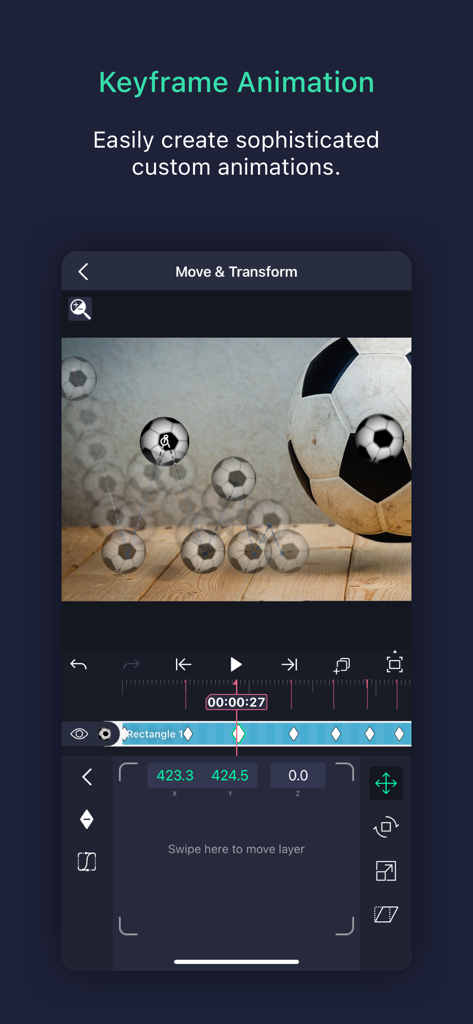
Keyframe animation interface in Alight Motion showing motion paths for a soccer ball video project

Keyframe animation interface in Alight Motion showing motion paths for a soccer ball video project

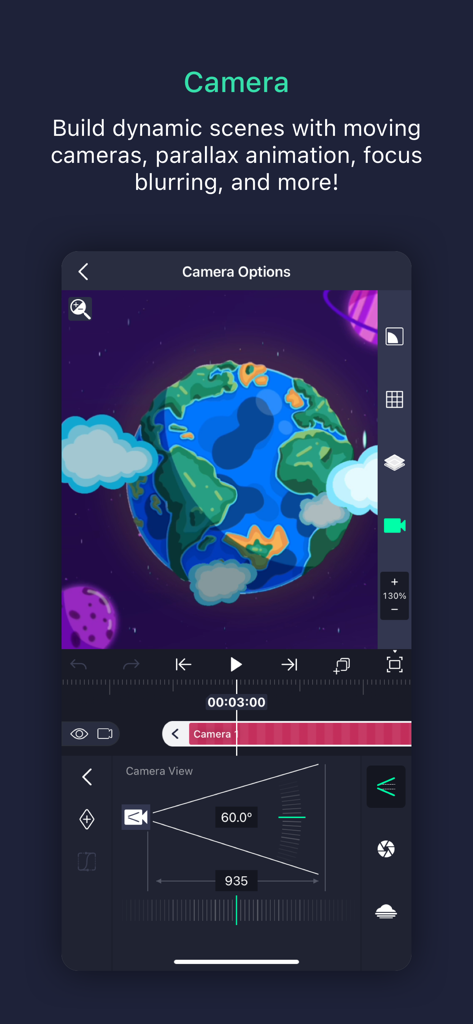
Interface showing camera options for motion graphics and parallax animation in Alight Motion

Interface showing camera options for motion graphics and parallax animation in Alight Motion

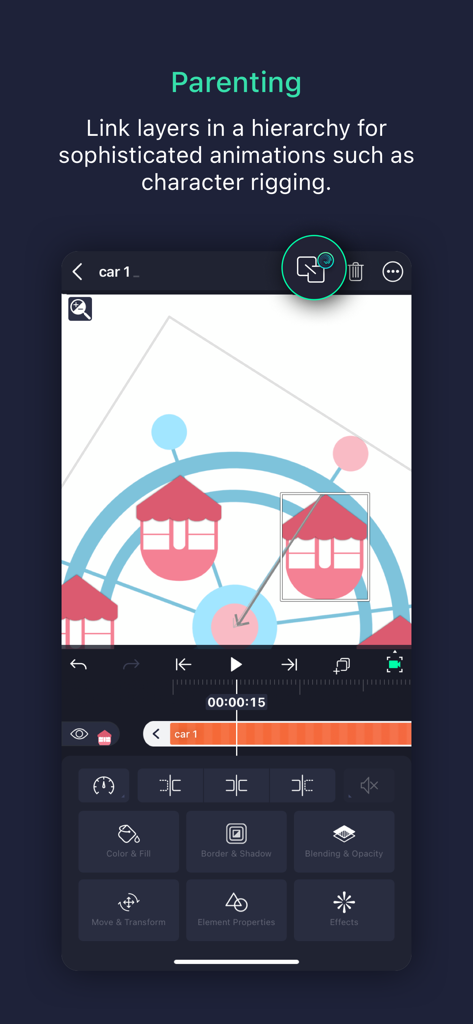
Alight Motion mobile app showing the parenting feature for linking layers and character rigging

Alight Motion mobile app showing the parenting feature for linking layers and character rigging

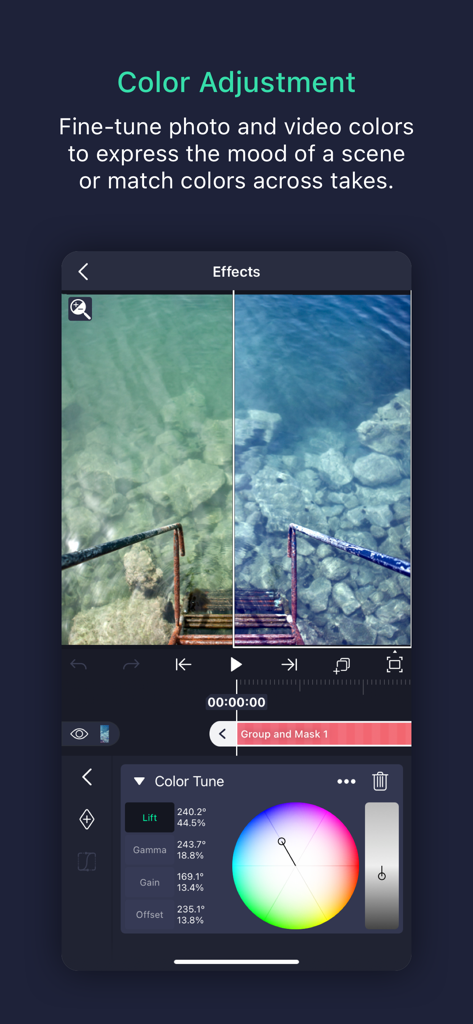
Alight Motion app showing professional color adjustment tools with a color wheel and a split screen preview of color grading

Alight Motion app showing professional color adjustment tools with a color wheel and a split screen preview of color grading

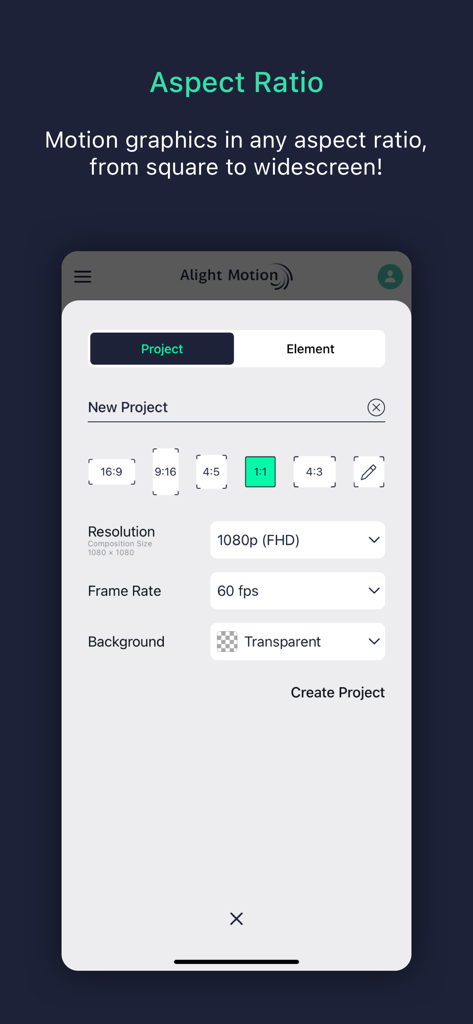
New project setup in Alight Motion showing aspect ratio resolution and frame rate options

New project setup in Alight Motion showing aspect ratio resolution and frame rate options

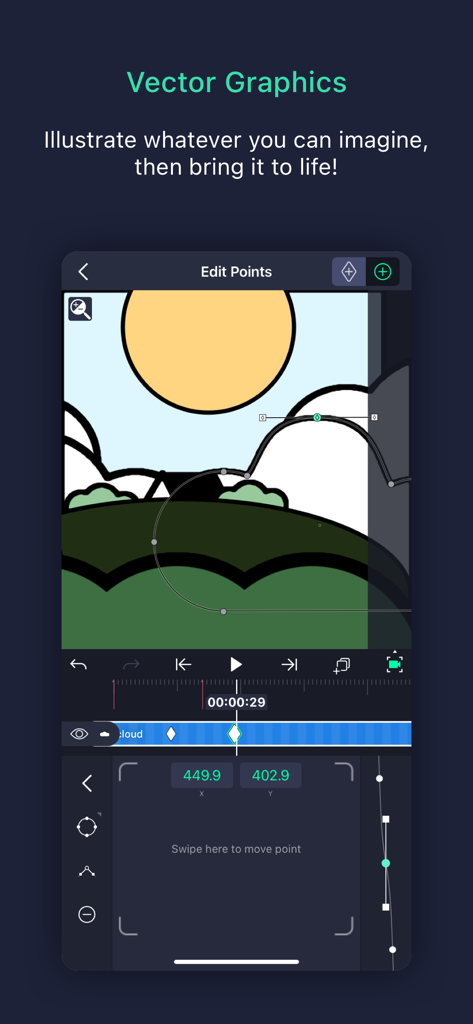
Alight Motion app screen for editing vector graphics points on a landscape illustration

Alight Motion app screen for editing vector graphics points on a landscape illustration

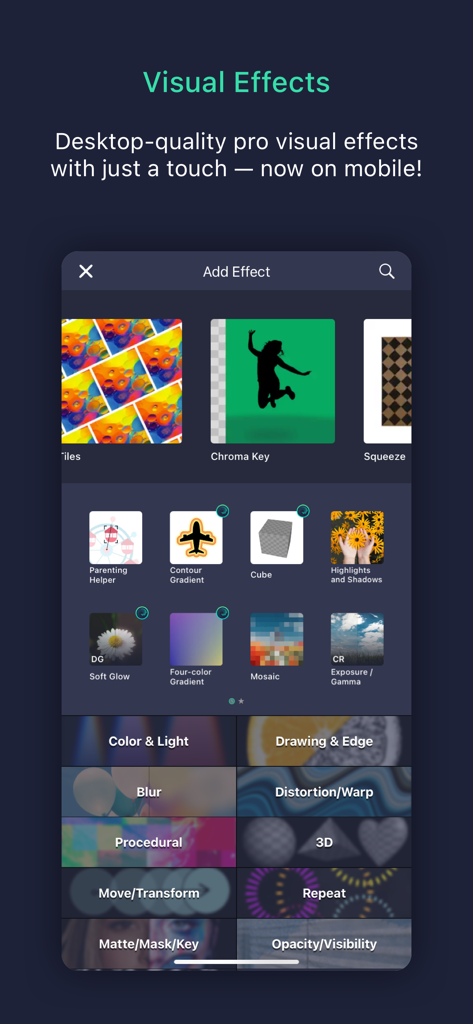
Alight Motion app screen displaying a library of professional visual effects for mobile video editing.

Alight Motion app screen displaying a library of professional visual effects for mobile video editing.

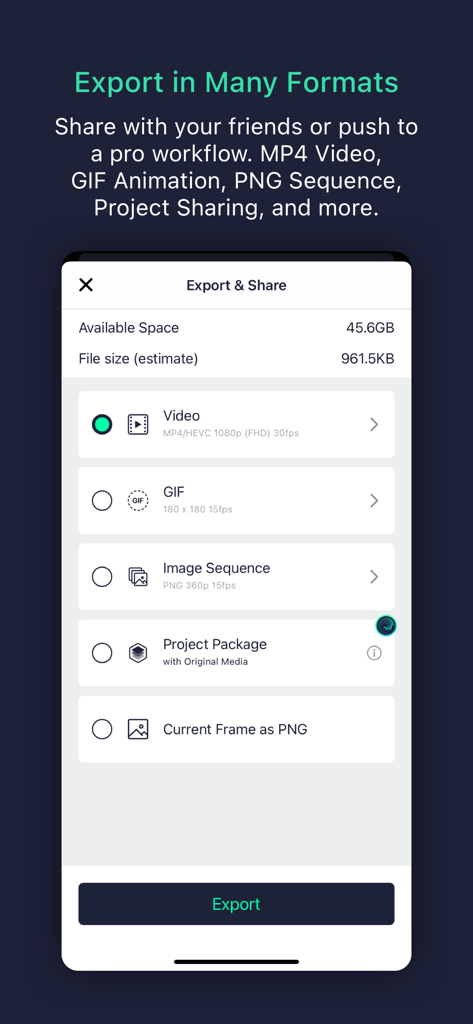
Alight Motion export and share menu showing video, GIF, and project file options.

Alight Motion export and share menu showing video, GIF, and project file options.

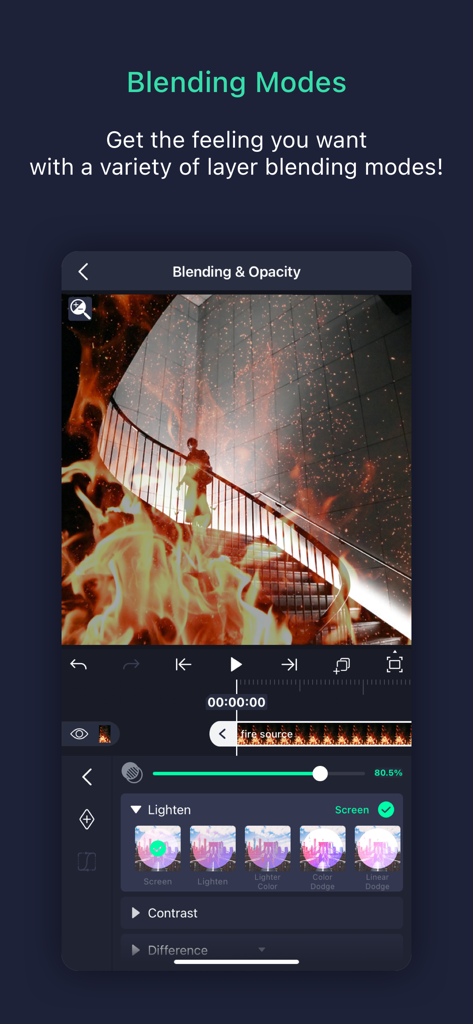
Alight Motion video editing interface demonstrating layer blending modes and opacity settings for visual effects.

Alight Motion video editing interface demonstrating layer blending modes and opacity settings for visual effects.

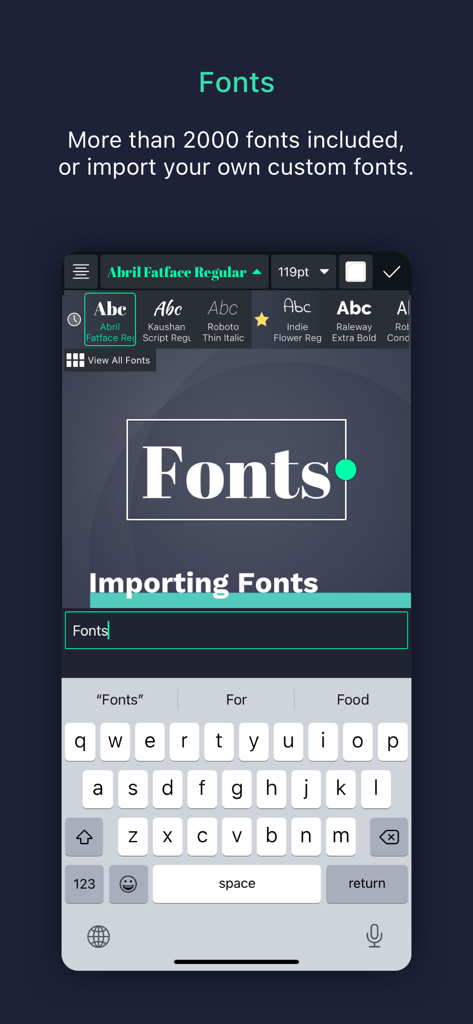
Alight Motion screen showing the font selection menu with custom importing options and on-screen keyboard.

Alight Motion screen showing the font selection menu with custom importing options and on-screen keyboard.

Pro-Grade Motion Design on the Go

The tools that make this app stand out, trusted by 27M+ users.

🎯

Precision Keyframe Animation

Master every frame. Use custom easing curves and keyframes to create fluid, professional-level motion that sets your content apart from the crowd.

Hollywood-Grade Visual Effects

Access 160+ advanced building blocks. Layer masks, adjust colors, and apply velocity-based motion blur to achieve a high-end cinematic aesthetic.

📦

Community & Preset Sharing

Don't start from scratch. Share project packages or use viral community presets to accelerate your workflow and collaborate with the world's best editors.

Loved by users worldwide

Trusted by 27M+ people who love this app.

"

"I've been making anime edits for years and nothing compares to Alight Motion. The keyframe control and velocity graphs give my videos that professional 'After Effects' look right from my iPhone. It's the only app that lets me truly express my creativity and stand out in the fandom community without needing a high-end PC."

Chloe R.
"

"As a freelance social media manager, Alight Motion is a total game changer for my workflow. Being able to handle vector graphics and complex masking on my iPad Pro means I can deliver high-quality motion graphics to clients while I'm on the go. It's the most powerful mobile tool for creators who refuse to settle for basic templates."

Marcus J.

About the app

Everything you need to know about Alight Motion.

Description

Be part of the movement! Alight Motion is the first professional motion design app for your smartphone for iPhone, iPad, and Mac, bringing you professional-quality animation, motion graphics, visual effects, video editing, video compositing, and more! • Multiple layers of graphics, video, and audio • Vector and bitmap support (edit vector graphics right on your phone!) • 160+ basic effect building blocks that can be combined to create sophisticated visual effects • Keyframe animation available for all settings • Link parent and child layers and rig character joints • Cameras that pan, zoom, and support focus blur and fog • Grouping and Masking • Color Adjustment • Animation easing for more fluid motion: Pick from presets or build your own timing curves • Bookmarks for ease of editing • Velocity-based motion blur • Export MP4 video, GIF animation, PNG sequences, and stills • Share project packages with others • Solid color and gradient fill effects • Border, shadow, and stroke effects • Custom font support • Copy and paste entire layers or just their style • Save your favorite elements for easy re-use in future projects Alight Motion is free to use with basic features and a watermark on videos you create. There are several paid membership options in the app to remove the watermark and access a regularly updated library of premium effects and features. These subscription membership options are charged when you select to purchase them, and renew automatically unless canceled at least 24 hours prior to the beginning of the next subscription period. After purchasing, subscriptions can be managed in your Apple ID settings. You can find more information about subscriptions at https://alightcreative.com/support Terms of Service: alightcreative.com/tos Privacy Policy: alightcreative.com/privacy

Latest Version

6.2.47

Size

182.5 MB

First Released

Dec 21, 2019

Ready to Out-Edit the Rest?

Join over 27 million creators and start building professional-grade motion graphics, visual effects, and keyframe animations right on your phone. Download Alight Motion for free and bring your vision to life today.

Download on App StoreDownload on Google Play
FAQ

Frequently Asked Questions

Everything you need to know about Alight Motion

What is Alight Motion?

Alight Motion is a professional motion design app for iPhone, iPad, and Mac. It provides tools for animation, motion graphics, visual effects, video editing, and compositing on a smartphone.

Is Alight Motion free to use?

Yes, Alight Motion is free to use with basic features. However, projects created in the free version will include a watermark. Paid membership options are available to remove the watermark and access premium features.

How do I remove the watermark from Alight Motion videos?

To remove the watermark from videos created with Alight Motion and unlock a full library of premium effects and features, users must purchase one of the paid membership options available within the app.

Does Alight Motion support keyframe animation?

Yes, Alight Motion fully supports keyframe animation for all settings, enabling users to create sophisticated custom animations. This feature is a core component of the app's motion design capabilities.

What export options are available in Alight Motion?

Alight Motion allows users to export projects as MP4 video, GIF animation, PNG sequences, and still images. The app also supports sharing project packages for collaborative workflows.

Can Alight Motion edit vector graphics?

Yes, Alight Motion provides full support for vector graphics. Users can edit vector graphics directly on their smartphone, making it possible to illustrate and bring vector-based designs to life.

What camera features does Alight Motion offer?

Alight Motion offers dynamic camera features including panning, zooming, and support for focus blur and fog effects. These tools enable users to build complex scenes and add depth to their animations.

How does Alight Motion manage layers for animation?

Alight Motion supports multiple layers for graphics, video, and audio. It also features 'Parenting,' which allows users to link layers hierarchically for sophisticated animations, including character rigging.

Where can I manage my Alight Motion subscription?

Alight Motion subscriptions are managed through your Apple ID settings after purchase. Subscriptions automatically renew unless canceled at least 24 hours prior to the start of the next billing period.

Does Alight Motion allow custom fonts?

Yes, Alight Motion supports custom fonts. The app includes over 2000 fonts, and users have the option to import their own custom fonts to personalize their motion graphic projects.