iLovePDF - PDF Editor & Scan

iLovePDF - PDF Editor & Scan

Download on App StoreDownload on Google Play
Spark by MWM logo
Logo of iLovePDF - PDF Editor & Scan

iLovePDF: The All-in-One PDF Powerhouse for Your Pocket

Scan, convert, edit, and e-sign documents in seconds. Join millions of professionals and students who use our top-rated tools to boost productivity anywhere, anytime.

Download on App Store

Publisher

ILOVEPDF S.L.

Category

Productivity

Downloads

11M+

User Rating

4.8/5

Total Ratings

652K+

Locales

25

Your Workflow, Simplified

Discover the interface used by 11M+ users.

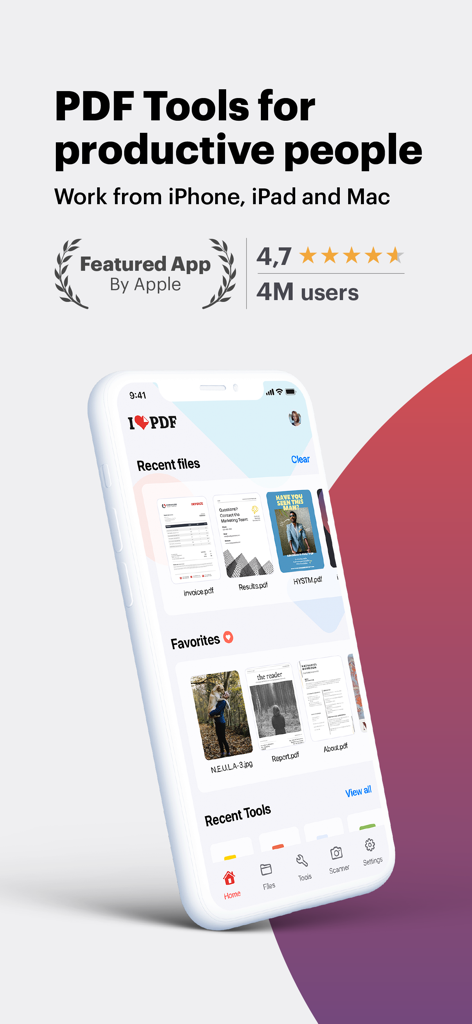
iLovePDF app interface on iPhone showing PDF tools for productive people

iLovePDF app interface on iPhone showing PDF tools for productive people

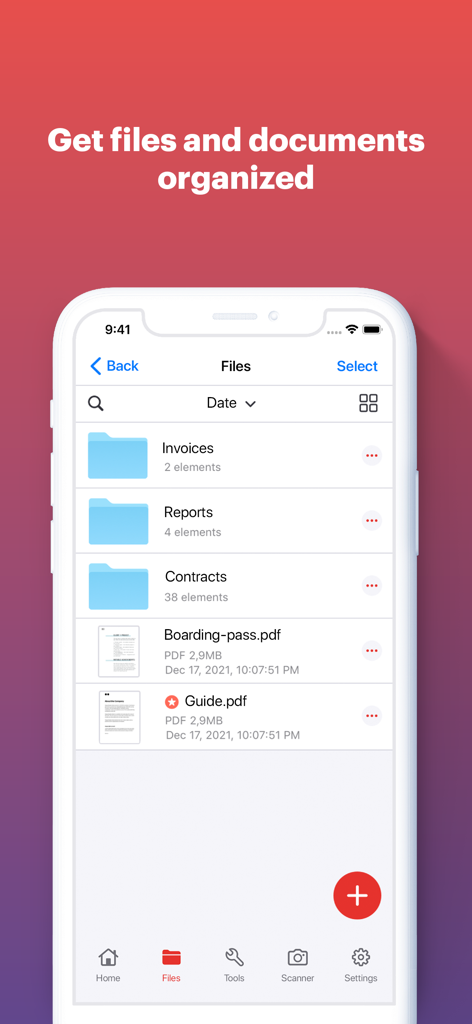
iLovePDF app screen showing organized document folders and PDF files on a mobile phone interface

iLovePDF app screen showing organized document folders and PDF files on a mobile phone interface

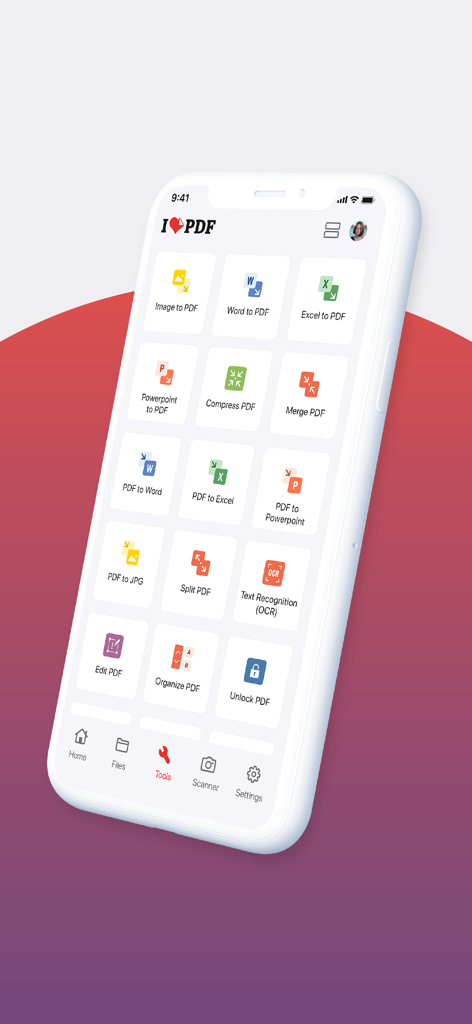
Smartphone screen displaying the iLovePDF app dashboard with various document processing tools like PDF converter and editor.

Smartphone screen displaying the iLovePDF app dashboard with various document processing tools like PDF converter and editor.

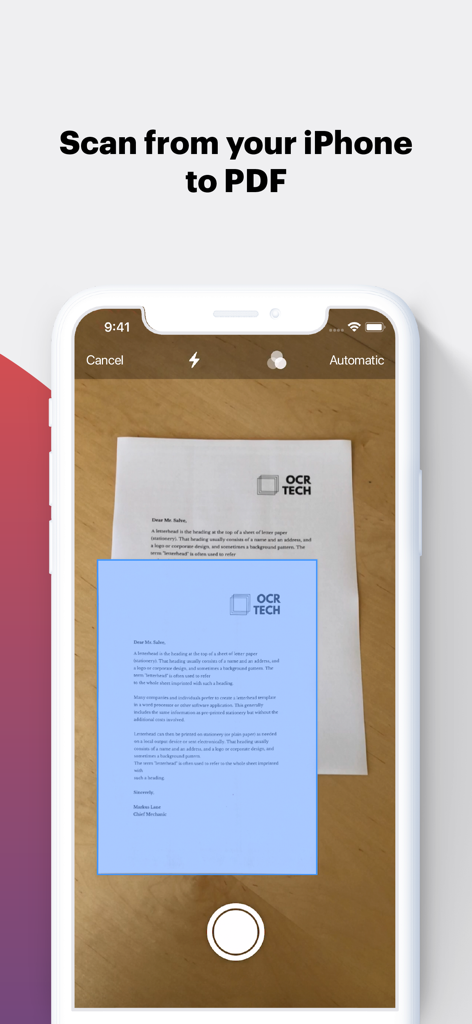
Scanning a document to PDF using an iPhone.

Scanning a document to PDF using an iPhone.

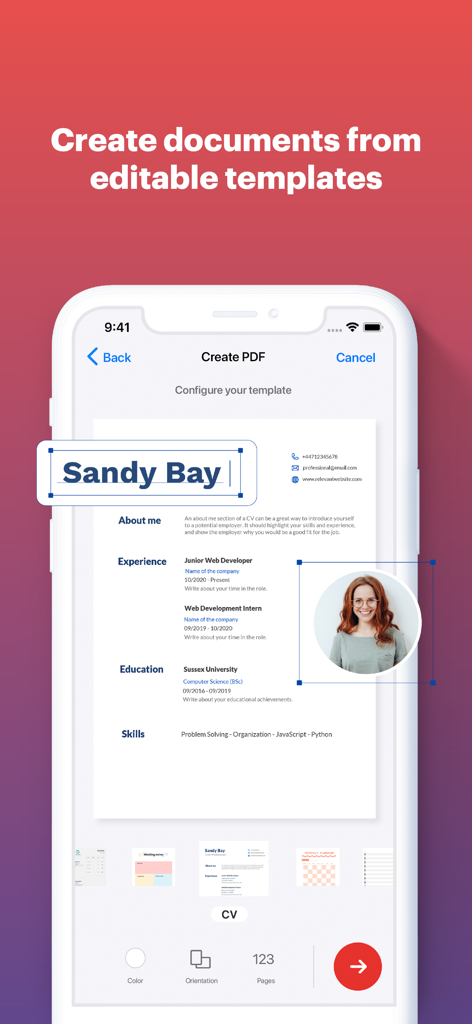
Creating a resume from an editable template using the iLovePDF mobile app

Creating a resume from an editable template using the iLovePDF mobile app

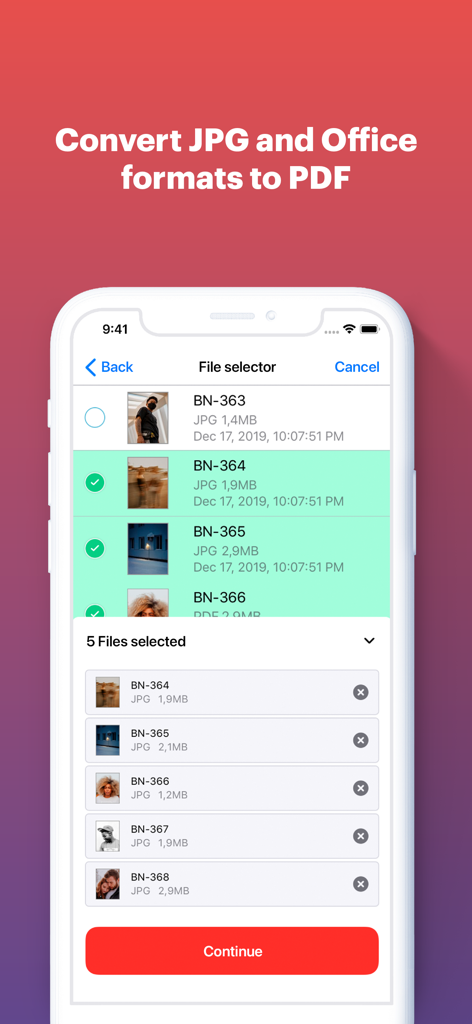
An iPhone screen displaying the iLovePDF file selector with multiple JPG images selected for conversion to PDF

An iPhone screen displaying the iLovePDF file selector with multiple JPG images selected for conversion to PDF

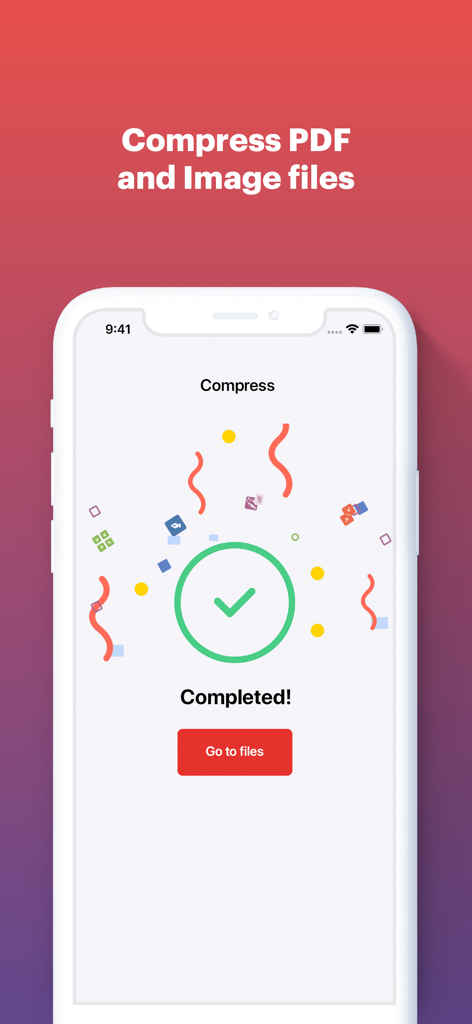
Screen showing completed PDF compression in the iLovePDF app

Screen showing completed PDF compression in the iLovePDF app

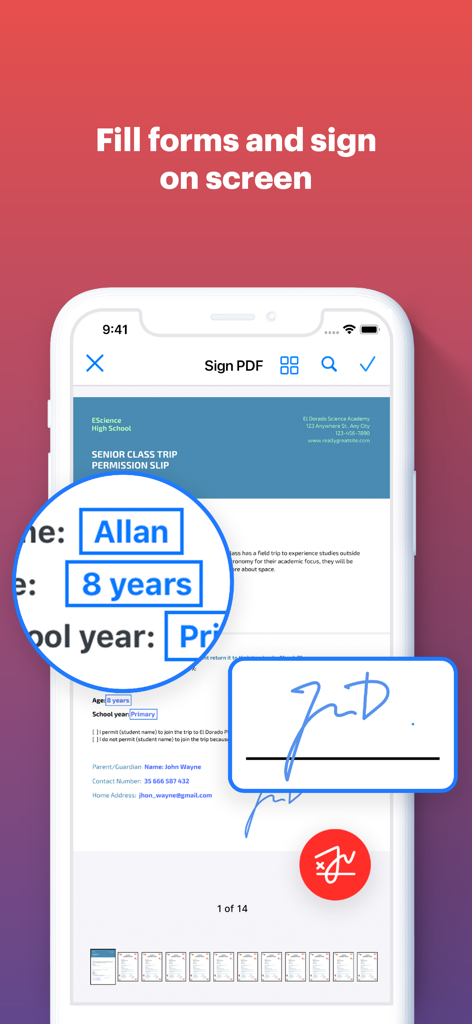
A smartphone displaying the iLovePDF app interface for filling out document forms and adding a digital signature on screen.

A smartphone displaying the iLovePDF app interface for filling out document forms and adding a digital signature on screen.

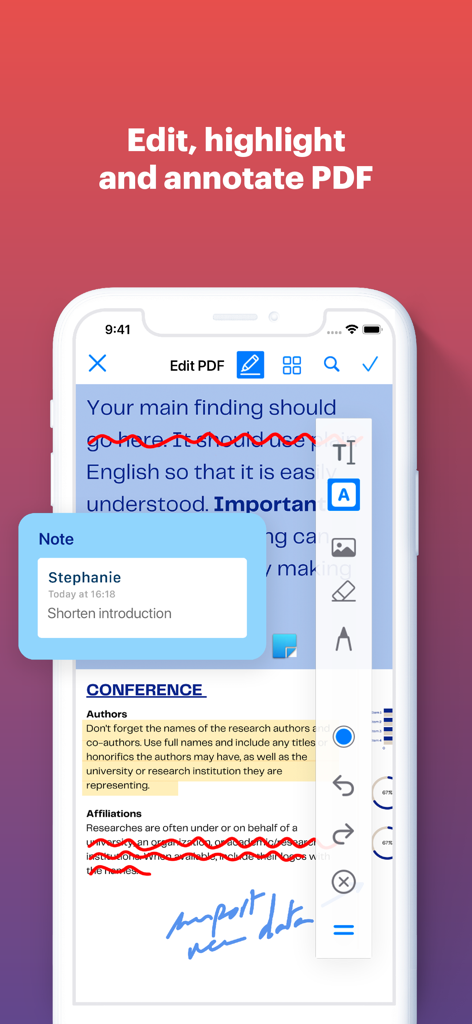
Smartphone screen showing iLovePDF app features for editing and annotating a PDF document

Smartphone screen showing iLovePDF app features for editing and annotating a PDF document

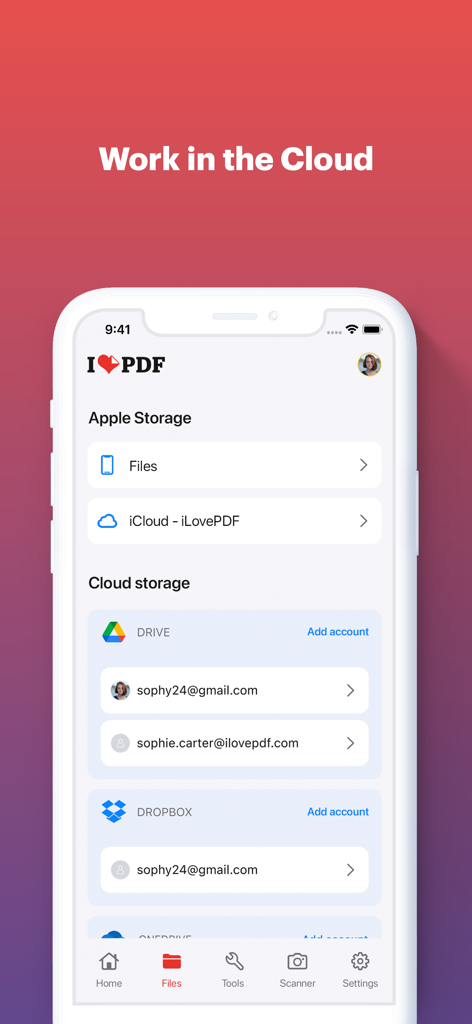
Screenshot of the iLovePDF mobile app interface showing options to connect and manage documents from iCloud, Google Drive, and Dropbox.

Screenshot of the iLovePDF mobile app interface showing options to connect and manage documents from iCloud, Google Drive, and Dropbox.

Everything you need for your PDF workflow

The tools that make this app stand out, trusted by 11M+ users.

📸

Portable High-Res Scanner

Ditch the bulky hardware. Turn your phone into a powerful scanner with OCR to instantly digitize and extract text from receipts, notes, and contracts.

✍️

Easy E-Sign & Form Filling

Close deals faster by signing documents and filling out forms with your finger. No printing, scanning, or mailing required for your high-stakes tasks.

☁️

Cloud-Powered Efficiency

Seamlessly connect to Google Drive and Dropbox. Merge, compress, and convert files directly from the cloud and sync your progress across all your devices.

Loved by users worldwide

Trusted by 11M+ people who love this app.

"

"As a freelance consultant, I'm always on the move. iLovePDF has been a game-changer for my workflow. I can scan contracts, add a professional watermark, and e-sign documents directly from my phone while waiting for a flight. It’s basically a portable office that saves me hours of desktop work every week."

Sarah Jenkins, Independent Consultant
"

"Being a grad student means dealing with hundreds of research papers. The OCR feature is incredibly accurate for digitizing my library notes, and the merge tool is perfect for compiling my final submissions. It integrates perfectly with my Google Drive, making it the most essential productivity app on my iPad."

Marcus Thompson, University Researcher

About the app

Everything you need to know about iLovePDF - PDF Editor & Scan.

Description

Read, convert, annotate and sign PDF in just a few seconds with this handy document scanner and editor. Boost your productivity with every tool you need to work on the go. PHONE SCANNER • iPhone and iPad Scanner: Snap a photo of anything and save it to PDF. Multipage PDF option available. • Text recognition (OCR):Turn any scanned text or image into PDF with high accuracy. PDF CONVERTER • JPG to PDF: Take a picture of a document and save it to PDF. • MS Office Converter: Convert office documents to PDF files. Turn your PDF files into editable Office formats such as Word, Excel, Powerpoint. • Extract images from PDF: Extract images from your PDF document with high quality. Convert your own images to single or multiple PDF files. PDF EDITOR • Annotate PDF: Simply highlight the relevant text in your PDF. Add notes and annotations to PDF document, leave comments, draw or insert images to PDF. Choose your format of annotation. • Fill and sign forms: Quickly fill out a PDF form typing text and e-sign it using your finger. • PDF Reader: View, edit and modify PDF files stored in the Cloud or on your device whenever you need. OPTIMIZE, ORGANIZE AND PROTECT DOCUMENTS • Compress PDF: Reduce the filesize of your document while keeping visual quality. • Merge PDF: Combine multiple documents into a single PDF file. • Split PDF: Split PDF pages or extract pages to multiple PDF documents with high quality. • Rotate PDF: Rotate specific PDF pages and adjust their fit within your document. • PDF Protection: Remove or add PDF passwords. • Add page numbers to PDF: Customize your PDF files. Choose position, typography, and size of your page numbers. • Watermark PDF: Choose an image or a text and add it to your PDF document. Select position, transparency or typography for the best result. Connect to your Google Drive and Dropbox account to select and share documents from the Cloud. Upgrade to Premium and enjoy all the benefits with this all-in-one versatile PDF editor. iLovePDF Premium is available for purchase via an auto-renewable subscription as follows: • Annual or Monthly subscription available. • Payment will be charged to your iTunes account. • Account will be charged for renewal within 24-hours prior to the end of the current period. • Subscriptions may be managed and discontinued by the user. Account Settings after purchase: • No cancellation of the current subscription is allowed during an active subscription period. • Any unused portion of a free trial period, if offered, will be forfeited when the user purchases a subscription. Terms of use: https://www.ilovepdf.com/help/terms Privacy Policy: https://www.ilovepdf.com/help/privacy

Latest Version

3.13.0

Size

277.1 MB

First Released

Sep 20, 2017

Join 11+ Million Professionals Working Smarter

Get the all-in-one PDF toolkit to scan, sign, and convert documents in seconds—wherever your work takes you.

Download on App StoreDownload on Google Play
FAQ

Frequently Asked Questions

Everything you need to know about iLovePDF - PDF Editor & Scan
What is iLovePDF - PDF Editor & Scan?

iLovePDF - PDF Editor & Scan is an application for reading, converting, annotating, and signing PDFs on iPhone and iPad. It includes a document scanner, PDF converter, editor, and tools for optimizing and organizing documents.

Does iLovePDF - PDF Editor & Scan include a document scanner?

Yes, iLovePDF - PDF Editor & Scan includes a phone scanner for iPhone and iPad. Users can snap photos of documents and save them as single or multipage PDFs, featuring Text Recognition (OCR).

Can iLovePDF - PDF Editor & Scan convert files to PDF?

Yes, iLovePDF - PDF Editor & Scan converts various file types to PDF. It supports JPG to PDF, MS Office documents to PDF, and can turn PDFs into editable Office formats like Word, Excel, and PowerPoint.

What editing features does iLovePDF - PDF Editor & Scan offer?

iLovePDF - PDF Editor & Scan provides comprehensive editing features. Users can annotate, highlight text, add notes, draw, insert images, fill and sign forms, and view/modify PDF files.

How can I organize documents using iLovePDF - PDF Editor & Scan?

iLovePDF - PDF Editor & Scan offers tools to organize and optimize documents. These include compressing, merging, splitting, rotating PDFs, adding page numbers, watermarking, and password protection.

Does iLovePDF - PDF Editor & Scan support cloud storage?

Yes, iLovePDF - PDF Editor & Scan connects to Google Drive and Dropbox accounts. Users can select and share documents directly from these cloud services.

How do I access premium features in iLovePDF - PDF Editor & Scan?

Users access iLovePDF Premium features through an auto-renewable subscription. Both annual and monthly subscription options are available for purchase via an iTunes account.

Can I manage my iLovePDF - PDF Editor & Scan subscription?

Yes, users can manage and discontinue their iLovePDF Premium subscriptions. This is done through Account Settings after purchase, as specified in the app's billing policy.

Does iLovePDF - PDF Editor & Scan have OCR?

Yes, iLovePDF - PDF Editor & Scan features Text Recognition (OCR). This allows users to turn any scanned text or image into a PDF with high accuracy.

Which devices does iLovePDF - PDF Editor & Scan support?

iLovePDF - PDF Editor & Scan supports iPhone and iPad devices. It provides document management, editing, and scanning functionalities optimized for these iOS platforms.