WPS Office: PDF, Docs, Sheets

WPS Office: PDF, Docs, Sheets

Download on App Store
Spark by MWM logo
Logo of WPS Office: PDF, Docs, Sheets

WPS Office: The AI-Powered All-in-One Suite for Mobile Productivity

Stop switching between apps. Effortlessly create, edit, and sign PDFs, Docs, and Sheets with integrated AI that drafts, summarizes, and polishes your work wherever you are.

Publisher

KINGSOFT OFFICE SOFTWARE CORPORATION LIMITED

Category

Productivity

Downloads

27M+

User Rating

4.8/5

Total Ratings

175K+

Locales

14

Efficiency in Action

Discover the interface used by 27M+ users.
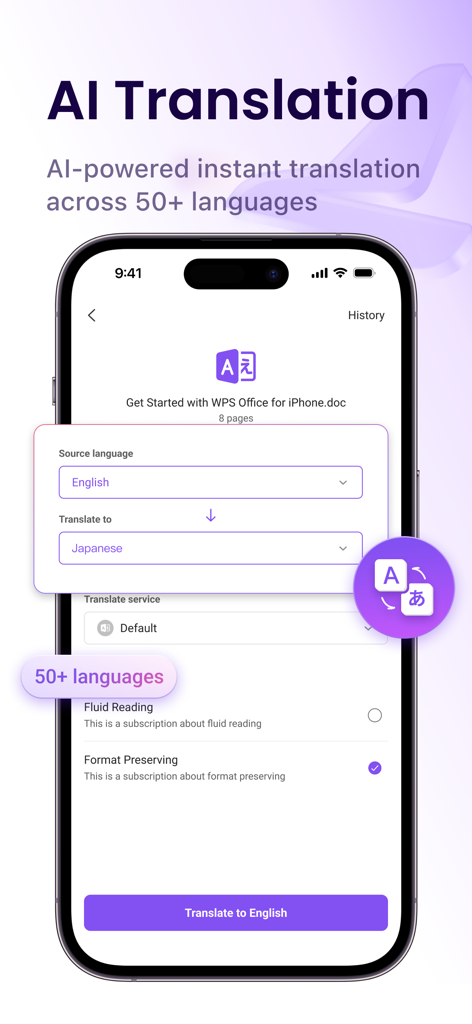
WPS Office AI-powered document translation across 50 plus languages

WPS Office AI-powered document translation across 50 plus languages

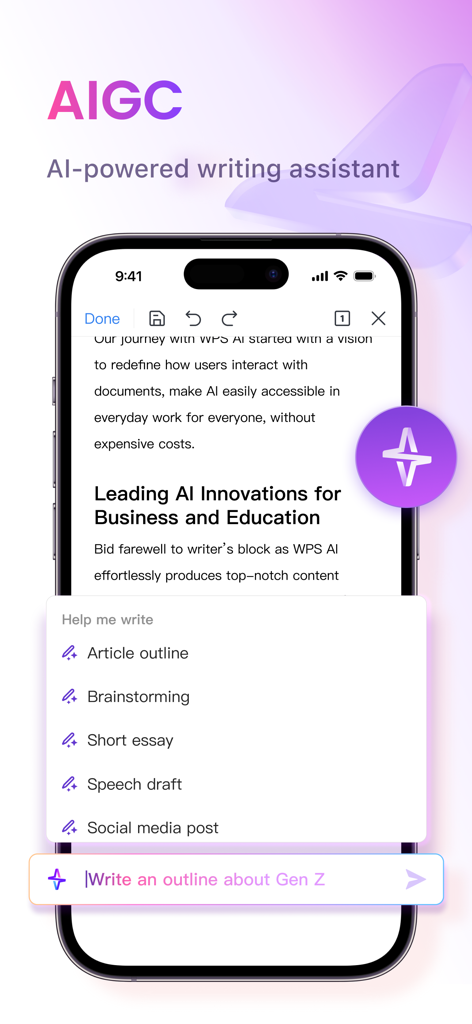
Smartphone screen showing WPS Office AI writing features including article outlining and brainstorming options.

Smartphone screen showing WPS Office AI writing features including article outlining and brainstorming options.

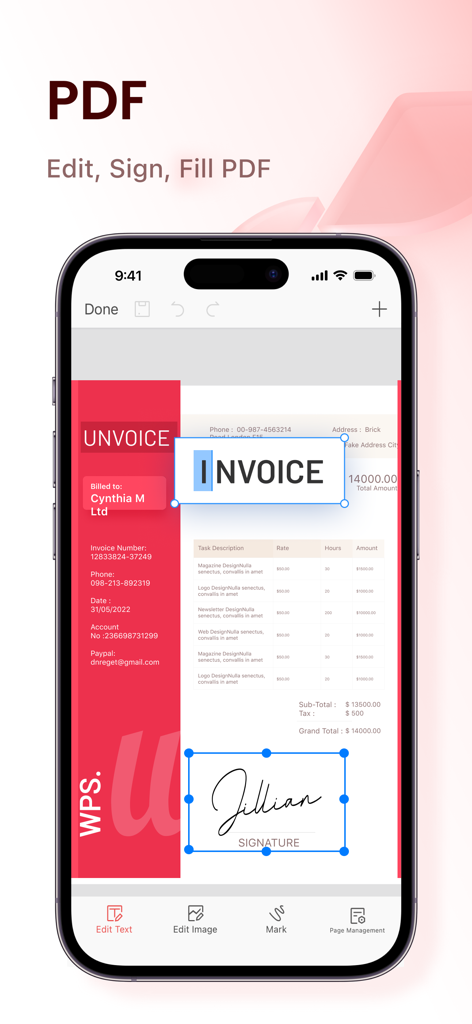
WPS Office app interface on iPhone showing tools to edit text and add a digital signature to a PDF invoice

WPS Office app interface on iPhone showing tools to edit text and add a digital signature to a PDF invoice

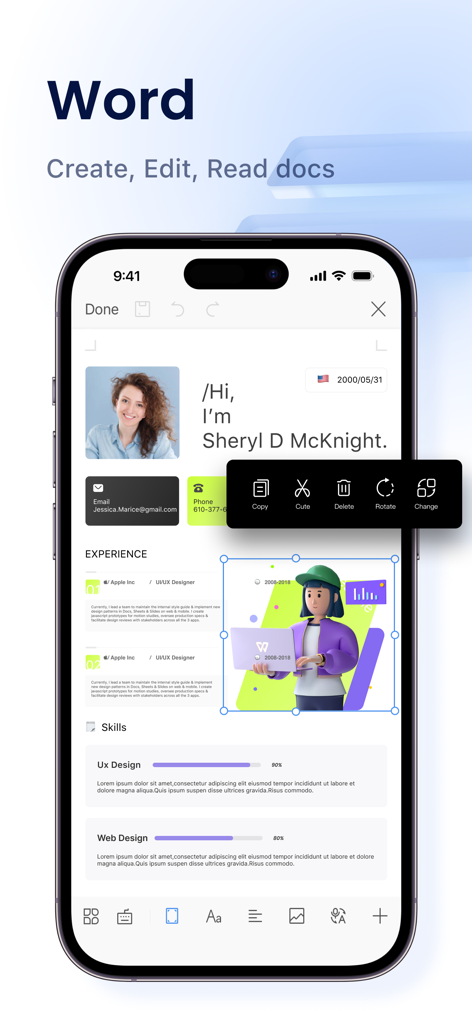
Mobile word processor interface in WPS Office showing resume editing on an iPhone

Mobile word processor interface in WPS Office showing resume editing on an iPhone

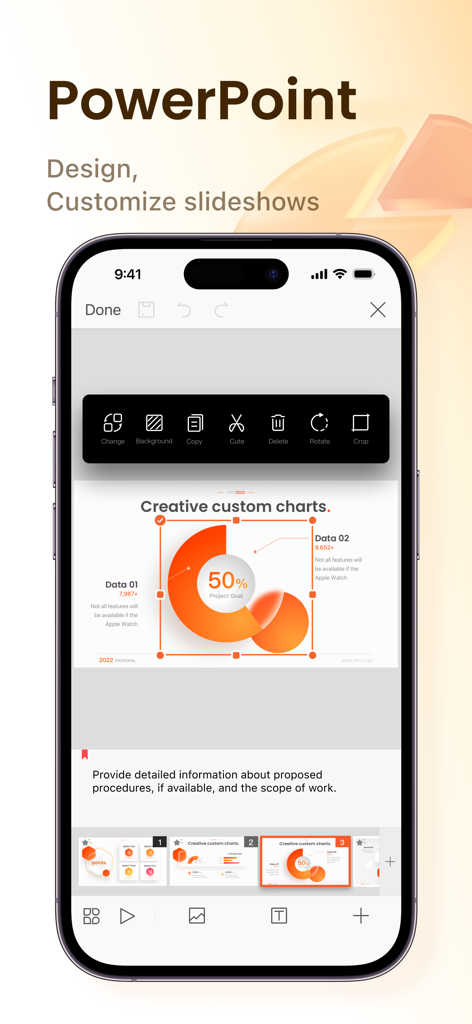
WPS Office app interface showing how to design and customize PowerPoint slides on an iPhone

WPS Office app interface showing how to design and customize PowerPoint slides on an iPhone

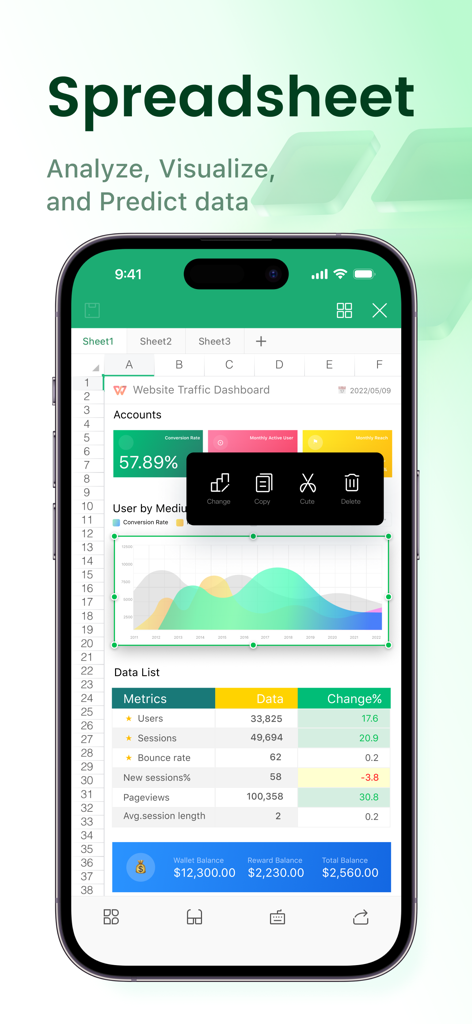
WPS Office spreadsheet dashboard showing charts and data on an iPhone

WPS Office spreadsheet dashboard showing charts and data on an iPhone

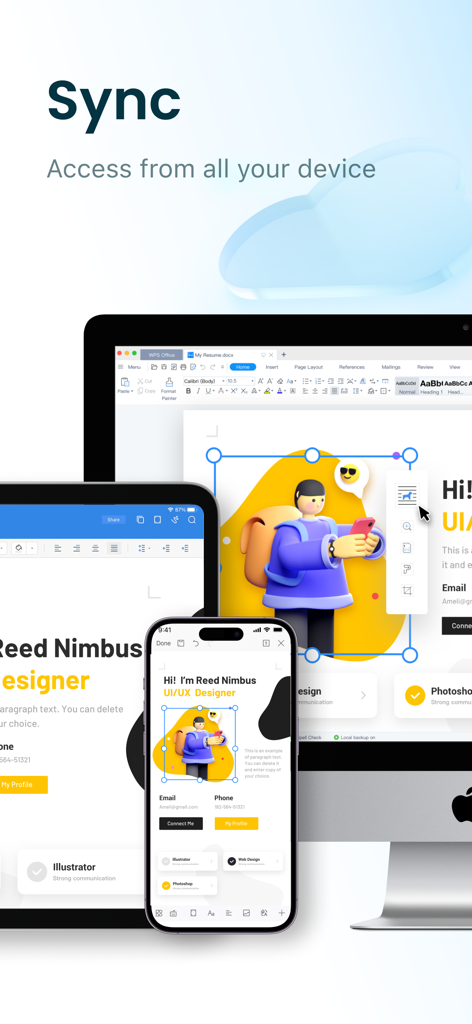
WPS Office cloud synchronization showing a resume document updated across a computer tablet and smartphone

WPS Office cloud synchronization showing a resume document updated across a computer tablet and smartphone

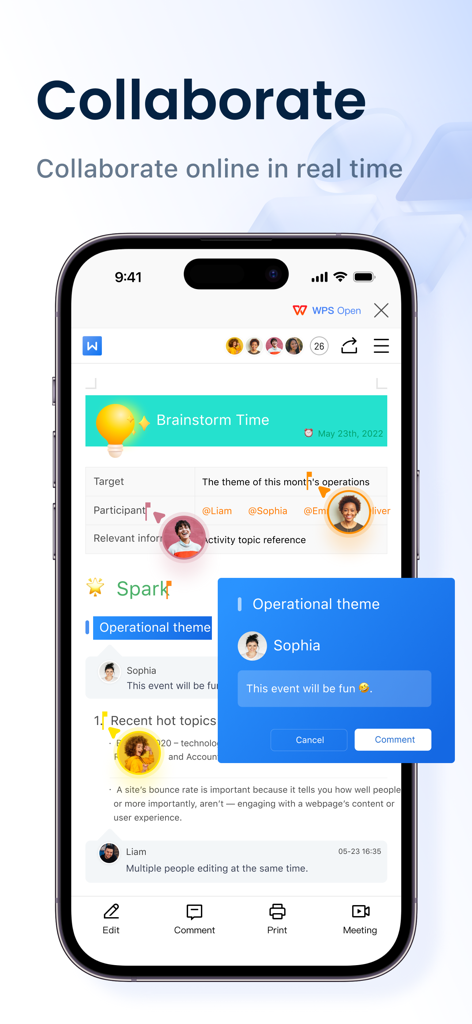
WPS Office app interface showing real time online collaboration on an iPhone

WPS Office app interface showing real time online collaboration on an iPhone

Everything You Need, All in One App

The tools that make this app stand out, trusted by 27M+ users.

📑

Universal Compatibility

Flawlessly open and edit Microsoft Office, Google Docs, and Adobe PDF files. Keep your formatting intact without the expensive subscription costs.

🤖

Next-Gen WPS AI

Supercharge your productivity. Use built-in AI to draft content, rewrite professional emails, and summarize complex PDF reports in seconds.

✍️

Mobile PDF Powerhouse

Scan physical docs, edit text directly within PDFs, and add secure e-signatures. Turn your iPhone or iPad into a complete document workstation.

Loved by users worldwide

Trusted by 27M+ people who love this app.

"

"WPS Office has completely replaced my laptop for client meetings. The AI-powered PDF tools make summarizing long reports effortless, and having Word, Excel, and Powerpoint in one app is a massive space-saver. It's faster and more intuitive than the big-name competitors I used to pay for."

Elena Rodriguez, Digital Marketing Consultant
"

"This is hands down the best app for any student using an iPad. The built-in document scanner and PDF editor are essential for my coursework, and the cloud sync keeps all my files updated across my devices. Plus, the AI rewriting tool helps me polish my essays on the fly."

Jordan Smith, Graduate Student

About the app

Everything you need to know about WPS Office: PDF, Docs, Sheets.

Description

WPS Office is an all-in-one free office suite on iPhone and iPad, integrates all office document processor functions: Word, Spreadsheet, Powerpoint, PDF, WPS AI, Memo, and Docs Scanner in one application, and is fully compatible with Microsoft Word, Excel, PowerPoint, Google Docs and Adobe PDF formats. WPS AI revolutionizes your workflow by offering functions like AI-generated content, rewriting, AI-powered PDF tools and more. 【WPS Office Highlight Features】 All-in-One Free Office Suite App • Integrate with Memo, Document, Spreadsheet, Presentation, and PDF • Fully compatible with Microsoft Office (Word, PowerPoint, Excel, Epub, and TXT), Google Docs, Sheets, Slides, Adobe PDF, and OpenOffice WPS AI-generated content and rewriting • Provides instant and high-quality content or tailored answers according to your prompt • Offers professional rewriting and polishing work AI-powered PDF Reader and PDF Editor • Edit PDF text and images easily • Magically convert PDF to editable Word/Excel/Powerpoint files • Sign and fill PDF documents, e-signature is legal & secure • Engage in conversations with the WPS AI and gain insights, summaries, outlines, tailored answers and translations about the PDF as you like Make Presentations on-the-go • Dozens of new Presentation layouts, animation, and transition effects • Make presentations using WIFI, NFC, DLNA, and Miracast • Touch-controlled laser pointer, Ink feature let you draw on slides while in presentation mode Easy to Use and Powerful Spreadsheet • Complete predefined formulas makes you do basic data analysis and digital operations more conveniently Connect to Cloud Drive • Automatically save office documents to the clouds: Dropbox, Google Drive, Box, Evernote, and OneDrive. Keep your all documents always up-to-date via cloud service and accessible from any devices Documents Encryption • Support documents encryption, keep your office documents & data safe Share/Transfer Documents • Easy to share office documents via WIFI, NFC, DLNA, Email, Instant Messaging, WhatsApp, Telegram, Facebook and Twitter Supports 51 languages and All Office File Formats • File Formats: doc, docx, wpt, dotm, docm, dot, dotx / xls, xlsx, xlt, xltx, csv, xml, et, ett / PDF / ppt, pot, dps, dpt, pptx, potx, ppsx / txt / log, lrc, c, cpp, h, asm, s, java, asp, bat, bas, prg, cmd, Zip Ensure Hardware Device's Power Saving • The software coding promises never lagging the operation of your mobile operating system 【Auto-renew Subscription Notification】 Auto-renew Subscription Cycle: There are 3 different lengths of auto-renew subscription cycles, including 1 month, 3 months, and 1 year. Please choose the subscription cycle you need and confirm before payment. Payment: Payment will be charged to your iTunes、App Store account at purchase confirmation. Cancellation of Subscription: You can turn off auto-renew at any time from your iTunes/App Store account settings; you must do so at least 24 hours before the end of the current subscription period to avoid being billed for the next cycle. No cancellation of the current subscription is allowed during the active period. Privacy Policy: https://www.wps.com/privacy-policy/ Terms of Auto-Renew Subscription Service: https://www.wps.com/auto-renewal-terms/

Latest Version

11.37.30

Size

604.1 MB

First Released

Dec 13, 2019

Ready to Supercharge Your Mobile Workflow?

Join 27 million users and get the all-in-one, AI-powered office suite for free. Edit, sign, and create Docs, Sheets, and PDFs anywhere, anytime.

Download on App Store
FAQ

Frequently Asked Questions

Everything you need to know about WPS Office: PDF, Docs, Sheets

What is WPS Office?

WPS Office is a free all-in-one office suite for iPhone and iPad. It integrates Word, Spreadsheet, Powerpoint, PDF, WPS AI, Memo, and Docs Scanner functions in one application.

Is WPS Office compatible with Microsoft Office files?

Yes, WPS Office is fully compatible with Microsoft Office formats including Word, Excel, PowerPoint, Google Docs, and Adobe PDF. It handles various file types for seamless document management.

What AI capabilities are available in WPS Office?

WPS Office includes WPS AI, offering AI-generated content, rewriting, and AI-powered PDF tools. It provides instant content, professional polishing, insights, summaries, and translations for PDFs.

Can WPS Office users edit and sign PDF documents?

Yes, WPS Office allows users to easily edit PDF text and images. It supports signing and filling PDF documents, with e-signatures being legal and secure within the application.

Does WPS Office integrate with cloud storage services?

Yes, WPS Office connects to popular cloud drives such as Dropbox, Google Drive, Box, Evernote, and OneDrive. It automatically saves documents to the cloud for accessibility across devices.

How many languages does WPS Office support for AI translation?

WPS Office supports AI-powered instant translation across more than 50 languages. This feature allows users to translate documents directly within the application.

Is real-time collaboration supported in WPS Office?

Yes, WPS Office supports real-time online collaboration, allowing multiple users to work together on documents simultaneously. This feature enhances team productivity.

Does WPS Office include a comprehensive spreadsheet application?

Yes, WPS Office features a powerful spreadsheet application. It provides complete predefined formulas, making basic data analysis and digital operations convenient for users.

How do I cancel an auto-renewing subscription for WPS Office?

To cancel your WPS Office auto-renewing subscription, turn it off from your iTunes/App Store account settings. You must do this at least 24 hours before the current period ends.

Can WPS Office convert PDF files into editable formats?

Yes, WPS Office can magically convert PDF files into editable Word, Excel, or Powerpoint documents. This feature allows users to modify content from PDFs easily.

Does WPS Office offer document encryption for security?

Yes, WPS Office supports document encryption. This feature helps keep your office documents and data safe and secure within the application.