CamScanner - PDF Scanner App

CamScanner - PDF Scanner App

Download on App StoreDownload on Google Play
Spark by MWM logo
Logo of CamScanner - PDF Scanner App

CamScanner - Your Intelligent Portable Office in Your Pocket

Trusted by over 300 million professionals and students to scan, convert, and sign documents on the go. Turn any paper into a high-quality PDF with advanced OCR technology and secure cloud sharing.

Publisher

INTSIG Information Co., Ltd

Category

Productivity

Downloads

229M+

User Rating

4.9/5

Total Ratings

12M+

Locales

58

Precision in Every Scan

Discover the interface used by 229M+ users.

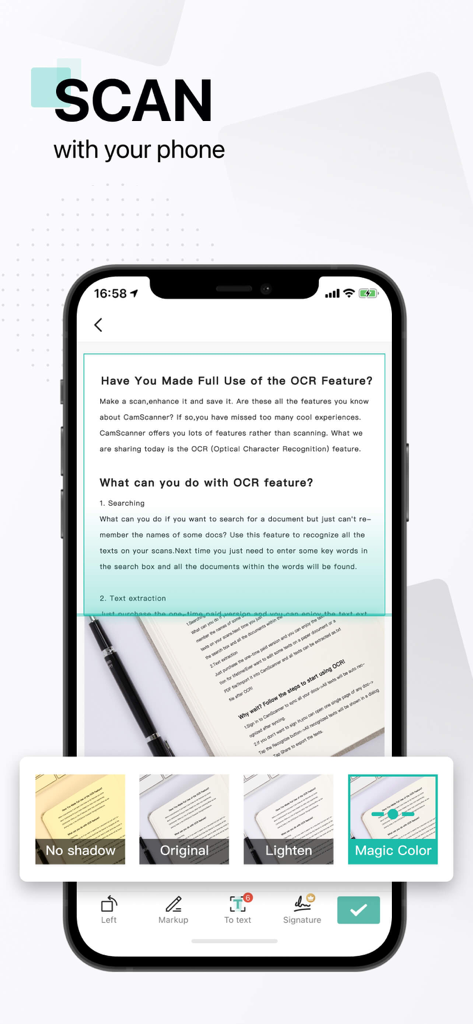
Mobile phone screen showing the CamScanner app scanning a text document with OCR capabilities and image filter options

Mobile phone screen showing the CamScanner app scanning a text document with OCR capabilities and image filter options

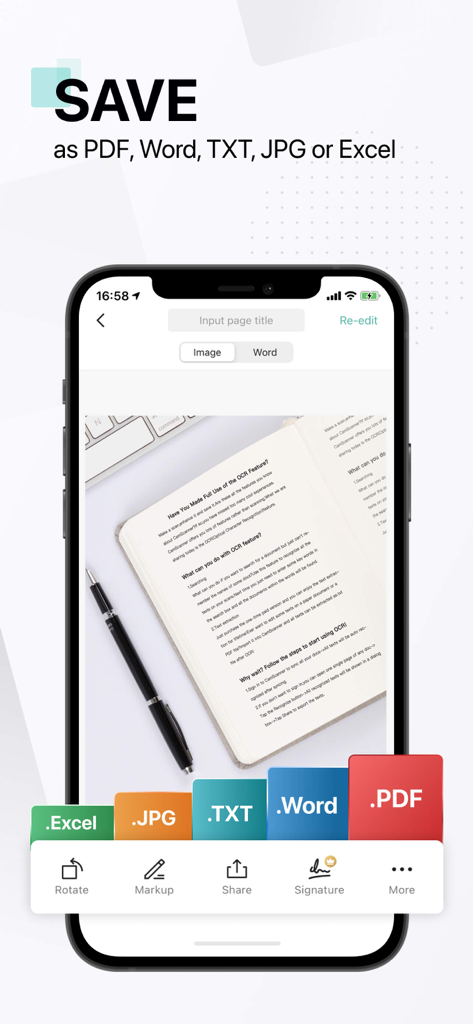
A smartphone screen displaying the CamScanner app interface with document export options for PDF Word TXT JPG and Excel

A smartphone screen displaying the CamScanner app interface with document export options for PDF Word TXT JPG and Excel

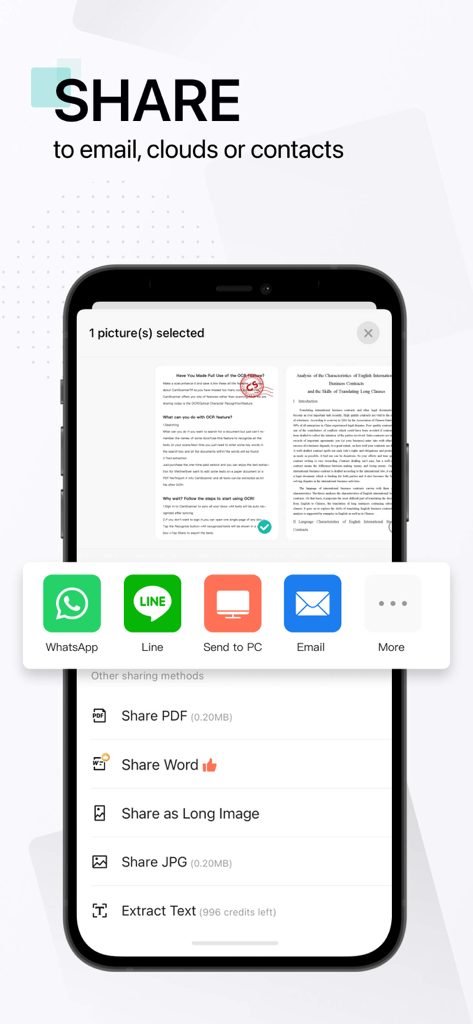
CamScanner app interface showing document sharing options for email social apps and cloud services in PDF and Word formats

CamScanner app interface showing document sharing options for email social apps and cloud services in PDF and Word formats

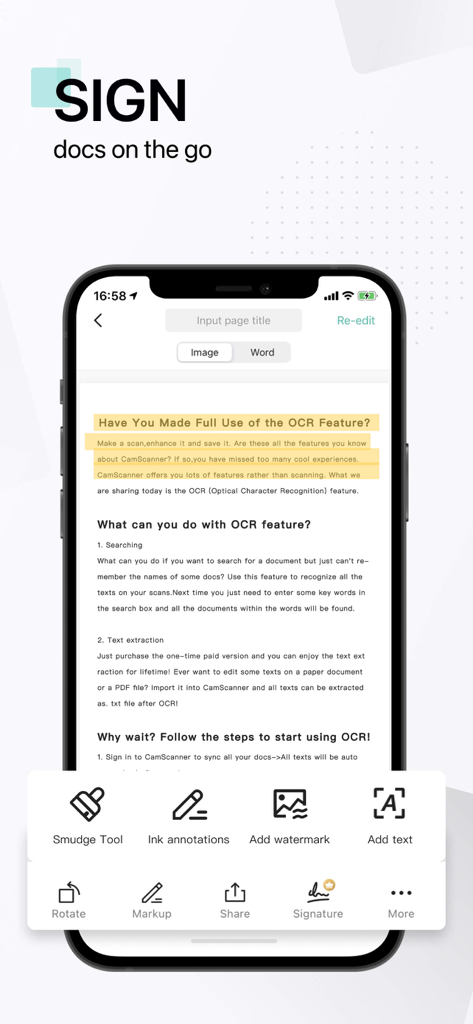
CamScanner app interface for signing documents on a smartphone

CamScanner app interface for signing documents on a smartphone

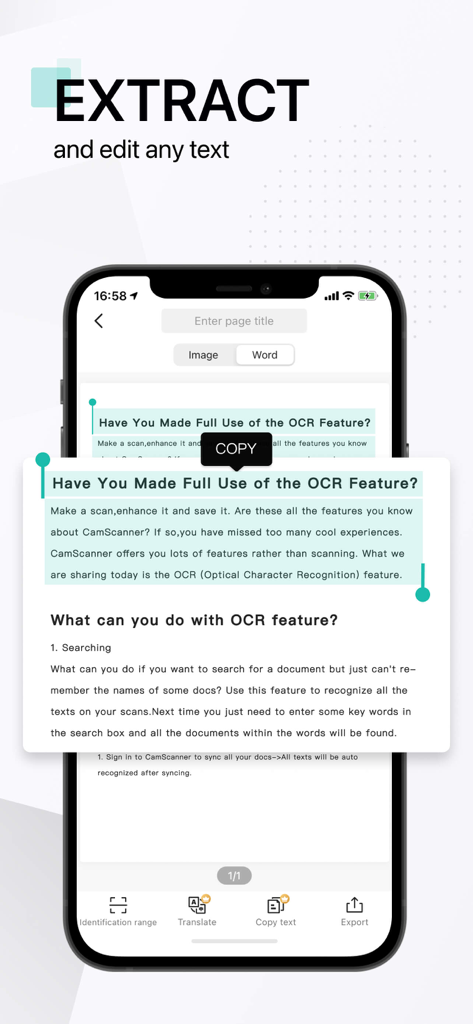
CamScanner app screen showing text extraction and editing with OCR technology

CamScanner app screen showing text extraction and editing with OCR technology

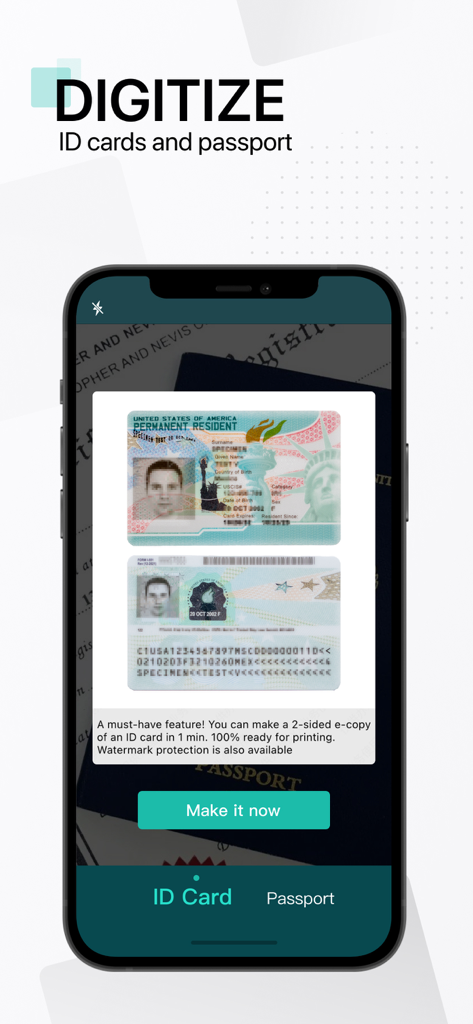
CamScanner app screen showing a feature to digitize ID cards and passports with a 2-sided scan of a green card.

CamScanner app screen showing a feature to digitize ID cards and passports with a 2-sided scan of a green card.

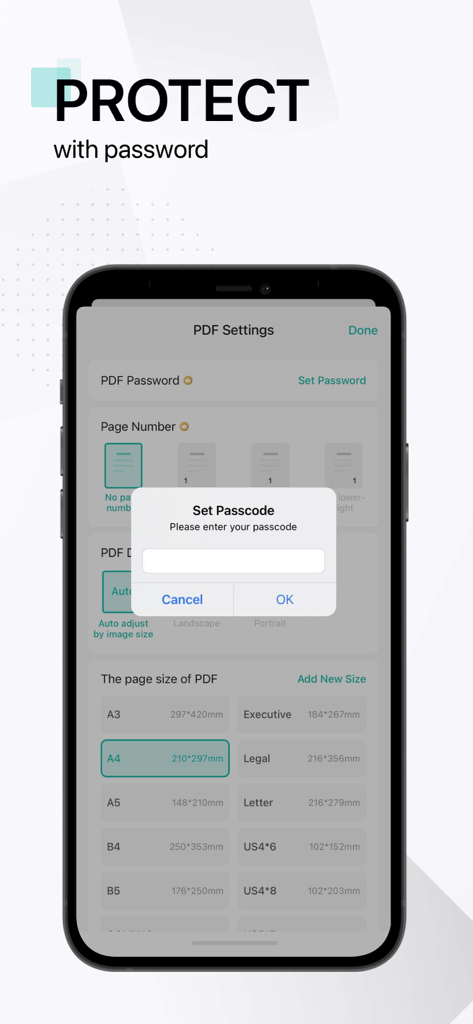
A smartphone screen showing the CamScanner app with a set passcode pop up to protect documents

A smartphone screen showing the CamScanner app with a set passcode pop up to protect documents

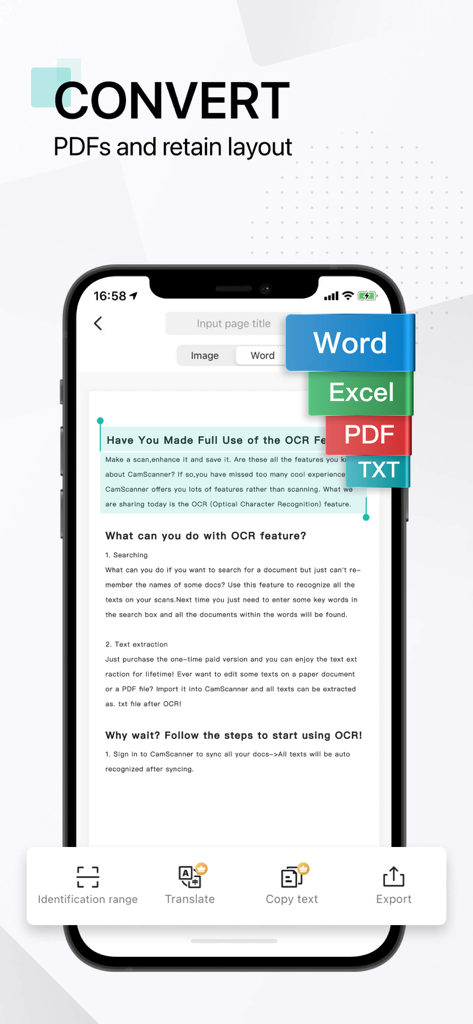
CamScanner app interface showing the conversion of a scanned document into Word, Excel, PDF, and TXT formats using OCR technology

CamScanner app interface showing the conversion of a scanned document into Word, Excel, PDF, and TXT formats using OCR technology

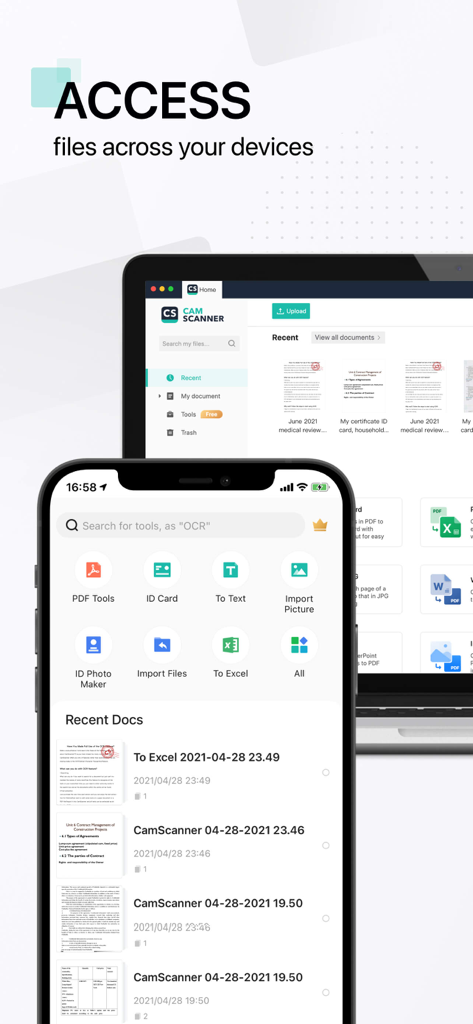
CamScanner app interface displayed on a smartphone and a laptop showing file synchronization across devices

CamScanner app interface displayed on a smartphone and a laptop showing file synchronization across devices

Transform Your Phone into a High-Performance Scanner

The tools that make this app stand out, trusted by 229M+ users.

📄

Intelligent Document Digitization

Automatically remove backgrounds and enhance text quality for crystal-clear PDFs that look better than the original.

🔍

Advanced OCR Text Extraction

Instantly turn images into editable Word or TXT files. Search through your scans in seconds to find exactly what you need.

✍️

Secure Sign & Share

Add legal e-signatures, password-protect sensitive files, and sync instantly with Google Drive, Dropbox, or OneDrive.

Loved by users worldwide

Trusted by 229M+ people who love this app.

"

"As a realtor always on the move, CamScanner is a total game-changer for my workflow. I can scan multi-page contracts right at the property, add my e-signature, and email them to clients in seconds. The clarity and noise removal filters make every document look like it came from a high-end office scanner rather than just my phone camera. It truly is an office in my pocket."

Sarah Jenkins, Licensed Realtor
"

"This app is an absolute essential for my graduate studies. The OCR feature is incredibly accurate, allowing me to convert physical library book pages into editable TXT files for my research thesis. I love how it automatically syncs with my Google Drive, keeping all my study notes organized and accessible across all my devices. It has saved me countless hours of manual typing."

David Chen, Ph.D. Candidate

About the app

Everything you need to know about CamScanner - PDF Scanner App.

Description

The most intelligent scanner app Trusted by 300M+ users CamScanner is an all-in-one scanner app. It turns your mobile device into a powerful portable scanner that recognizes text automatically (OCR) and improves your productivity to save your time. Download this scanner app for free to instantly scan, save, and share any document in PDF, JPG, Word, or TXT formats. Would you like to keep your entire office in your pocket and increase your productivity at work? Use the CamScanner scanner app to handle your paperwork with ease. Say goodbye to huge and heavy copy machines and get this ultra-fast scanner app for free now. DOCUMENT SCANNER This free-of-charge yet powerful scanner app is a must-have for students and anyone involved in business: accountants, realtors, managers, or lawyers. With this PDF scanner, scan anything you need, receipts, contracts, paper notes, fax papers, books, and store your scans as multipage PDF or JPG files. VARIOUS SCANNING MODES –ID CARD & PASSPORT: A mode specifically designed for fast and convenient scans of ID documents. –QR CODE: Scan any QR code with the camera on your mobile device. PDF CONVERTER –PDF Converter: This PDF scanner enables you to create PDF from a website, and convert documents in multiple formats to PDF. –Supported file formats: PDF, JPG, DOC, DOCX, TXT, XLS, XLSM, XLSX, CVS, PPT, PPTM, PPTX. SHARE AND COLLABORATE –Share files for commenting or viewing in WhatsApp, iMessage, Microsoft Teams. –Collect comments from multiple people in one file online. –Speed document reviews by responding to each other's comments. –Receive activity notifications for the files you share. INNOVATIVE PDF SCANNER –Scan documents and photos to PDF, JPG, or TXT. –Easily scan multiple pages into one document. –Extract text from any scannable object with text recognition (OCR). –Create and add your own e-signature on documents. HANDY DOCUMENT EDITOR & FILE MANAGER –Edit scans with filters and the feature of noise removal. –Manage files with folders, drag & drop to reorder, and enjoy other document editing features. –Protect your confidential scans by locking folders and files with passwords. EASILY SEND DOCUMENT –Scan, save and send documents in just a few taps. –Email with attachments or send document links. –Upload scanned documents to cloud services like Dropbox, Google Drive, Evernote, and OneDrive. –Print PDF files, such as contracts and invoices, right from the scanner app. –Send files quickly and securely. Scanning or sharing is achieved with no intervention from the CamScanner scanner app team or any third party. Documents are safely stored on your mobile devices. UNLIMITED ACCESS MEMBERSHIP SUBSCRIPTION –You can subscribe to get unlimited access to all features of the scanner app. –Subscriptions are billed weekly, monthly, quarterly, or annually at the rate based on the subscription plan. –Payment will be charged to iTunes Account at confirmation of purchase. –Subscription renews automatically unless auto-renew is turned off at least 24 hours before the end of the current period. –Account will be charged for renewal within 24 hours prior to the end of the current period. The cost depends on the selected plan. –Subscriptions may be managed by the user, and auto-renewal may be turned off by going to the user's Account Settings after purchase. –Any unused portion of the free trial will be forfeited when the user purchases a subscription. For Terms of Use, please visit https://www.camscanner.com/app/service?language=en-us For Privacy Policy, please visit https://www.camscanner.com/app/privacy?language=en-us We'd love to hear your feedback: isupport@camscanner.com Follow us on X: @CamScanner Like us on Facebook: @CamScanner UA Follow us on Instagram: @CamScanner_Official Follow us on YouTube: @CamScanner_Official Check out other products of INTSIG: CamCard - Business Card Reader

Latest Version

7.10.0

Size

340.7 MB

First Released

Aug 28, 2010

Ready to Put Your Entire Office in Your Pocket?

Join over 300 million professionals and students who trust CamScanner to digitize, sign, and share documents in seconds. Download for free today and start scanning like a pro.

Download on App StoreDownload on Google Play
FAQ

Frequently Asked Questions

Everything you need to know about CamScanner - PDF Scanner App

What is CamScanner?

CamScanner is an all-in-one mobile scanner app that converts your device into a portable scanner. It automatically recognizes text (OCR), allows scanning, saving, and sharing documents in formats like PDF, JPG, Word, or TXT.

What file formats does CamScanner support for saving and sharing?

CamScanner supports saving and sharing documents in various formats, including PDF, JPG, Word, TXT, Excel, XLS, XLSM, XLSX, CVS, PPT, PPTM, and PPTX.

Does CamScanner offer Optical Character Recognition (OCR) functionality?

Yes, CamScanner includes OCR (Optical Character Recognition) functionality. This feature automatically recognizes text from scanned documents, enabling text extraction and searchability.

How can I share documents from the CamScanner app?

You can share documents from CamScanner via email with attachments, send document links, or upload to cloud services like Dropbox, Google Drive, Evernote, and OneDrive. Sharing options also include WhatsApp, iMessage, and Microsoft Teams.

Can I scan ID cards and passports with CamScanner?

Yes, CamScanner features a specific scanning mode designed for fast and convenient scans of ID documents, including ID cards and passports. It supports creating 2-sided copies.

Is the CamScanner application free to use?

CamScanner offers a free download and allows instant scanning. However, unlimited access to all app features requires a paid membership subscription, billed weekly, monthly, quarterly, or annually.

How does CamScanner protect my scanned documents?

CamScanner allows users to protect confidential scans by locking folders and files with passwords. Documents are safely stored directly on your mobile devices, ensuring no third-party intervention.

Can I add an e-signature to documents using CamScanner?

Yes, CamScanner allows users to create and add their own e-signatures directly onto documents. This feature is part of its innovative PDF scanner capabilities, enabling convenient document signing.

Does CamScanner support editing scanned documents?

Yes, CamScanner provides document editing features. You can edit scans with filters, remove noise, manage files with folders, and use drag & drop to reorder documents.

Where can I find the Privacy Policy for CamScanner?

The Privacy Policy for CamScanner is available on their website. You can find it by visiting the link: https://www.camscanner.com/app/privacy?language=en-us.

Does CamScanner allow conversion of documents to PDF?

Yes, CamScanner functions as a PDF Converter. It enables users to create PDFs from websites and convert documents in various formats (like Word, Excel, TXT, PPT) into PDF files.