PDF Scanner Document Converter

PDF Scanner Document Converter

Download on App Store
Spark by MWM logo
Logo of PDF Scanner Document Converter
PDF Scanner Document Converter: Effortless Scanning in the Palm of Your Hand

Turn your iPhone into a powerful mobile office. Scan, digitize, and organize documents with professional-grade quality and instant PDF sharing for a clutter-free lifestyle.

Download on App Store

Publisher

兰 陈

Category

Business

Downloads

173K+

User Rating

4.5/5

Total Ratings

1K+

Locales

1

Your Office, Pocket-Sized

Discover the interface used by 173K+ users.
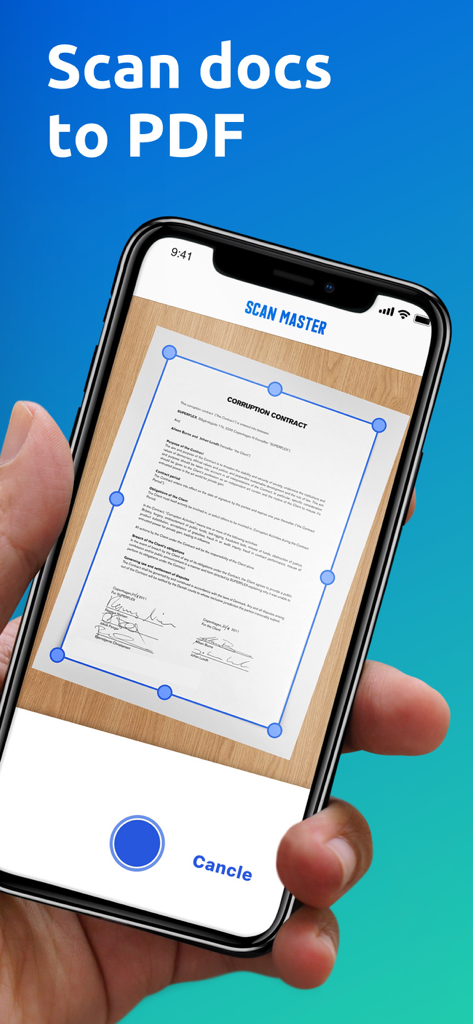
Mobile app interface for scanning documents into PDF with automatic edge detection

Mobile app interface for scanning documents into PDF with automatic edge detection

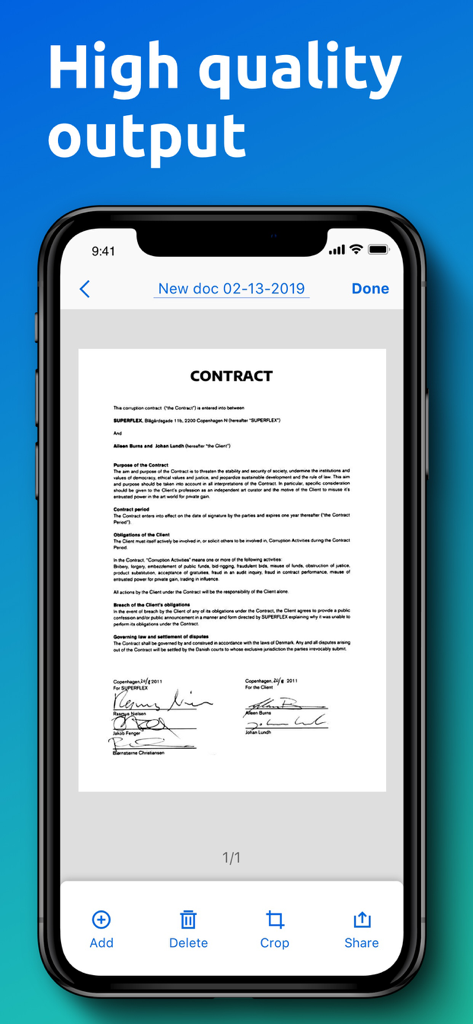
iPhone screen showing a high quality digital scan of a signed contract in the PDF Scanner app

iPhone screen showing a high quality digital scan of a signed contract in the PDF Scanner app

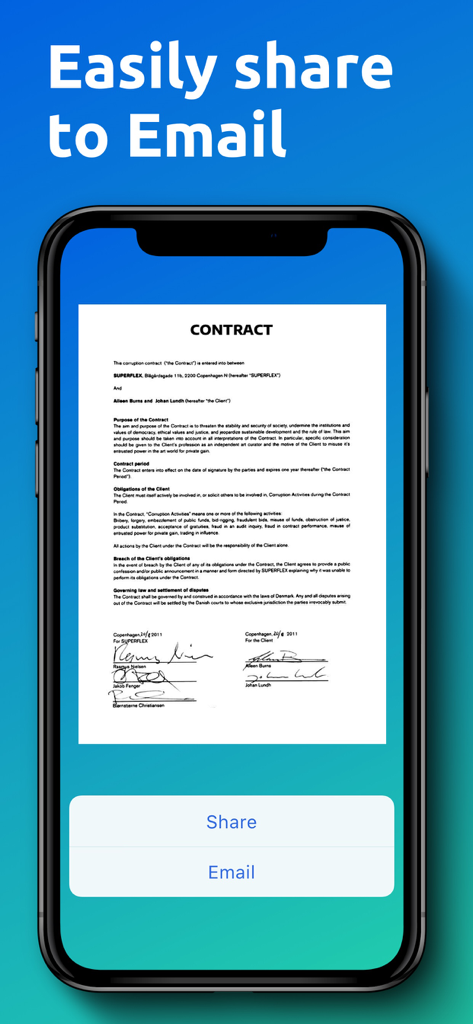
A mobile app screen showing a scanned contract with email and share buttons.

A mobile app screen showing a scanned contract with email and share buttons.

Your Complete Office, Pocket-Sized

The tools that make this app stand out, trusted by 173K+ users.

Intelligent Auto-Capture

Experience zero-friction scanning. Our advanced tech automatically detects document edges and corrects perspective for professional, crystal-clear PDFs in a single tap.

📂

Effortless Digital Archiving

Stay organized without the effort. Documents are automatically named by date and time, letting you find receipts, contracts, or notes in seconds with our smart search.

📤

Instant One-Tap Sharing

Close deals and submit reports faster. Export high-quality scans directly to email, your photo gallery, or cloud storage to keep your team and clients updated in real-time.

Loved by users worldwide

Trusted by 173K+ people who love this app.

"

"I travel constantly for client meetings and Scanner Master has been a lifesaver for my expense reports. The edge detection is incredibly sharp, making my receipts look professionally scanned rather than just a photo. It has saved me hours of manual filing every single month."

Sarah Jenkins, Freelance Consultant
"

"As a grad student, I am always digitizing library resources. This app turns thick textbook chapters into perfectly flat, readable PDFs in seconds. The perspective correction is like magic—I no longer have to worry about shadows or weird angles when I am in a rush to scan notes."

Marcus Thorne, University Student

About the app

Everything you need to know about PDF Scanner Document Converter.

Description

Cannot find a table scanner when you need to scan some documents? Scanner Master app is designed to make scanning more convenient for you. It will turn your device into a mini mobile scanner which allows you to easily scan any documents, save them in PDF format and share them right from your phone whenever you need. How to use it? Position you phone over the page you want and Scanner Master app will automatically scan it. You can save the final PDF document with just one tap once it processes successfully. Each PDF document will have a specific title so that you can quickly search for the one you want. Main Features: *Scan Anything You Need Get Scanner Master app on your phone then this genius tool will help you scan any scannable objects you need – receipts, paper notes, book pages, texts, reports, invoices, coupons, posters and any other pages no matter where you are. *Easily Organize Your Documents. You will be able to digitize all your paperwork and save the transformed PDF documents on your device. Each document has a specific title according to the date and time you create it so that you can quickly search the document you want without getting confused. Whether you are using Scanner Master for your work or for school. It’s definitely a time-saving app and a genius tool to increase your productivity. *Advanced Image Technology You can scan in color, grayscale or black & white. Once you position your phone over a scannable object, Scanner Master will automatically scan it with high quality document edge detection and perspective correction. *Document Sharing High quality output enables you to restore all your materials properly. You can share the PDF documents right from your device via email. You can also save them to your Gallery and print them out whenever you need. *Premium - Payment will be charged to iTunes Account at confirmation of purchase. - Subscription automatically renews unless auto-renew is turned off at least 24-hours before the end of the current period. - Account will be charged for renewal within 24-hours prior to the end of the current period: 1 month subscription with 7-day trial - $4.99 after trial ends; 1 year subscription with 7-day trial - $35.99 after trial ends. - Subscriptions may be managed by the user and auto-renewal may be turned off by going to the user’s Account Settings after purchase. - Any unused portion of a free trial period, if offered, will be forfeited when the user purchases a subscription to that publication, when applicable. Privacy Policy: https://scanner-master-ios.web.app/ScanMaster_PrivacyPoilcy.html Terms of Use: https://scanner-master-ios.web.app/ScanMaster_TermsConditions.html Don’t hesitate to email us at: freenetvpn.net@gmail.com if you have any suggestions or questions.

Latest Version

1.6.2

Size

20.9 MB

First Released

Mar 10, 2019

Ready to Declutter Your Digital Life?

Join 173,000+ professionals and students who have turned their iPhone into a high-end mobile office. Start your 7-day free trial and experience the power of a professional scanner in your pocket.

Download on App Store