
Scanner: Document Scan App



Join 3M+ users who trust our high-precision OCR, instant 1:1 ID scanning, and seamless PDF editing to stay productive and organized anywhere, anytime.
Publisher
Category
ProductivityDownloads
3M+User Rating
Total Ratings
126K+Locales
5Discover the interface used by 3M+ users.
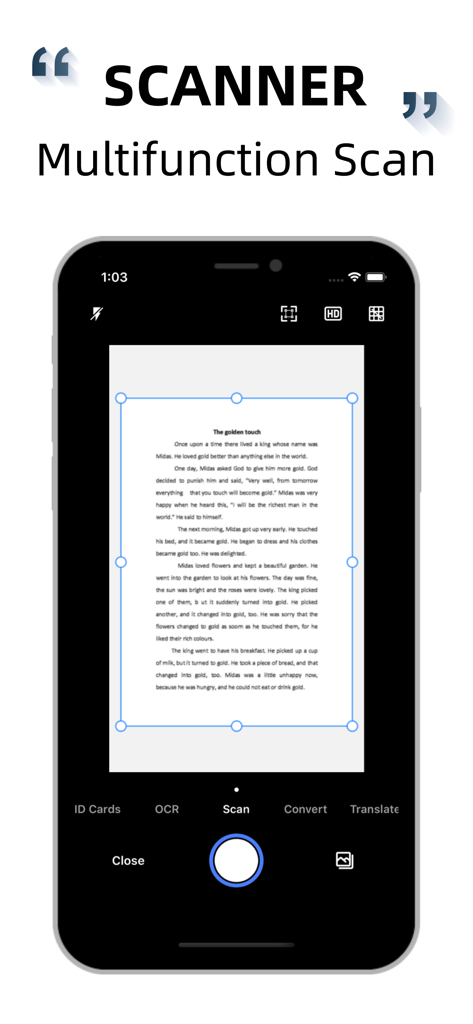
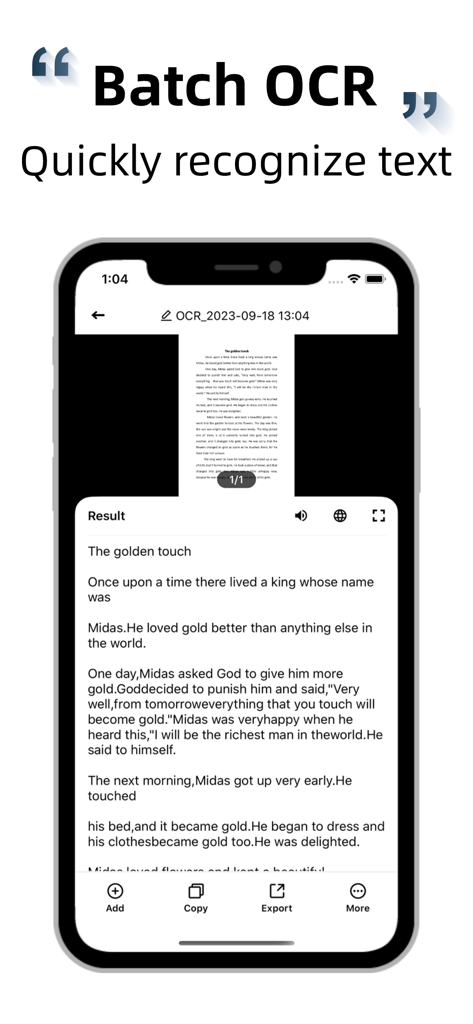
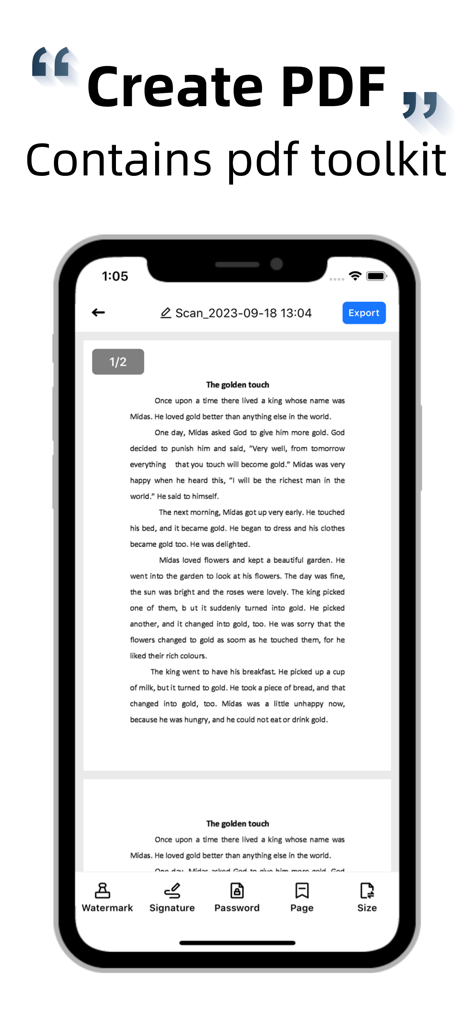
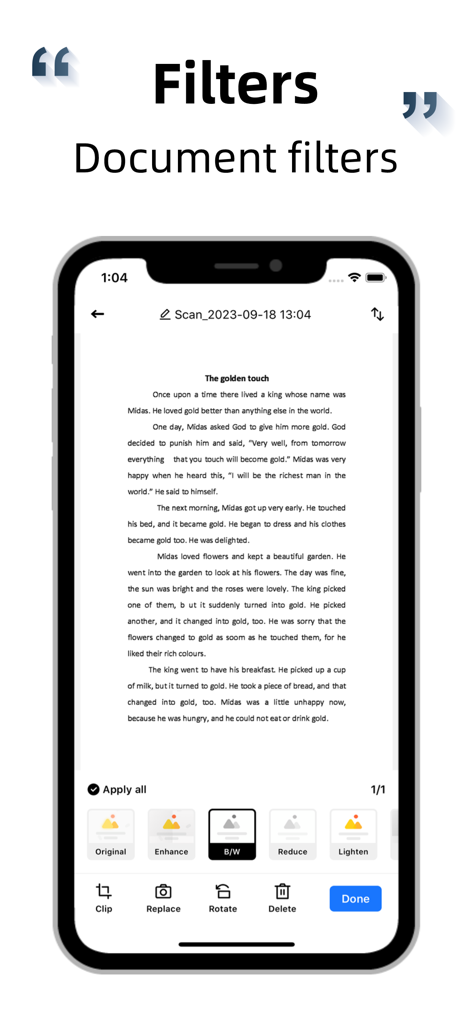
The tools that make this app stand out, trusted by 3M+ users.
Forget bulky hardware. Our AI automatically detects edges and corrects perspective, delivering crisp, professional PDFs from any handheld photo instantly.
Stop retyping. Convert images into editable text, then copy, export, or translate your content across multiple languages with high-precision recognition technology.
The ultimate administrative shortcut. Scan IDs or official documents with 1:1 scaling to A4 size, perfect for insurance, banking, or travel requirements.
Trusted by 3M+ people who love this app.
"This app is a game-changer for my real estate business. The ID scan feature that scales 1:1 to A4 is perfect for client onboarding, and the edge detection makes every contract look professionally scanned, even when I'm in my car."
"As a student, the OCR and translation features are life-savers. I can instantly digitize library excerpts and translate foreign research papers directly from my phone. It has completely replaced my bulky desktop scanner."
Everything you need to know about Scanner: Document Scan App.
Description
Latest Version
8.9
Size
11.1 MB
First Released
Jun 14, 2018
Join 3 million+ professionals and students who turn their iPhone into a high-powered office. Start scanning, translating, and digitizing your documents today.
Everything you need to know about Scanner: Document Scan App
The Scanner: Document Scan App provides document scanning, high-precision text recognition (OCR), PDF creation with editing tools, and photo translation capabilities. It efficiently processes various documents for work and study.
Yes, the Scanner app offers high-precision OCR technology. It converts text from images into editable content, allowing users to modify, copy, export, and translate the recognized text into many languages.
The Scanner app enhances scans with advanced image recognition, automatic edge detection, cropping, and perspective correction. It offers various filters and options for watermarks or PDF passwords to optimize output.
Yes, the Scanner app generates PDF files from scanned documents or existing photos. Users define conversion areas and can export the resulting PDFs via email, mobile, or various sharing platforms.
The Scanner app offers photo translation for text content within pictures or albums. It supports multiple languages, and users can directly edit, save, and share the translated content.
Yes, the Scanner app includes ID scanning functionality. It performs a 1:1 reduction of ID documents to A4 paper size, which is practical for various official and study purposes.
The Scanner app subscription automatically renews unless cancelled at least 24 hours before the current period ends. iTunes directly deducts the subscription fee. Cancelling mid-period is not possible.
Users manage or cancel their Scanner app subscription through their iTunes account settings. Cancellation must occur at least 24 hours before the current subscription period concludes to prevent automatic renewal.
Apps with similar features and user experience

Balzo srl

NEXT K.U.M. LTD

INTSIG Information Co., Ltd

Adobe Inc.

KINGSOFT OFFICE SOFTWARE CORPORATION LIMITED

ILOVEPDF S.L.

The Grizzly Labs

Microsoft Corporation

INDY MOBILE APP COMPANY LIMITED