Scanner Vault: PDF & OCR Scan

Scanner Vault: PDF & OCR Scan

Download on App Store
Spark by MWM logo
Logo of Scanner Vault: PDF & OCR Scan

Scanner Vault: The Professional Mobile Office in Your Pocket

Effortlessly transform contracts, receipts, and handwritten notes into boardroom-quality PDFs. Extract text instantly with cloud-powered OCR and manage your business documents from anywhere.

Download on App Store

Publisher

Appsverse Inc.

Category

Business

Downloads

1M+

User Rating

4.6/5

Total Ratings

15K+

Locales

1

Efficiency in Action

Discover the interface used by 1M+ users.
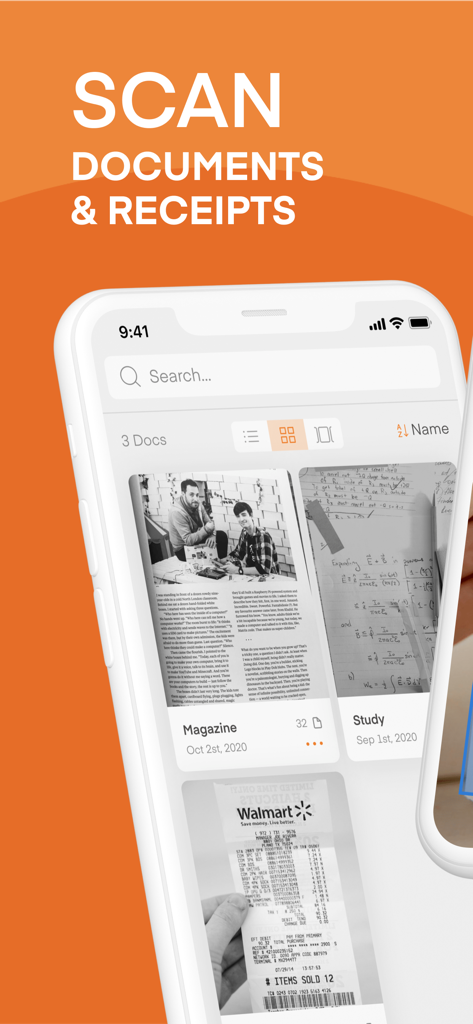
Scanner Vault mobile app interface showing scanned documents and receipts

Scanner Vault mobile app interface showing scanned documents and receipts

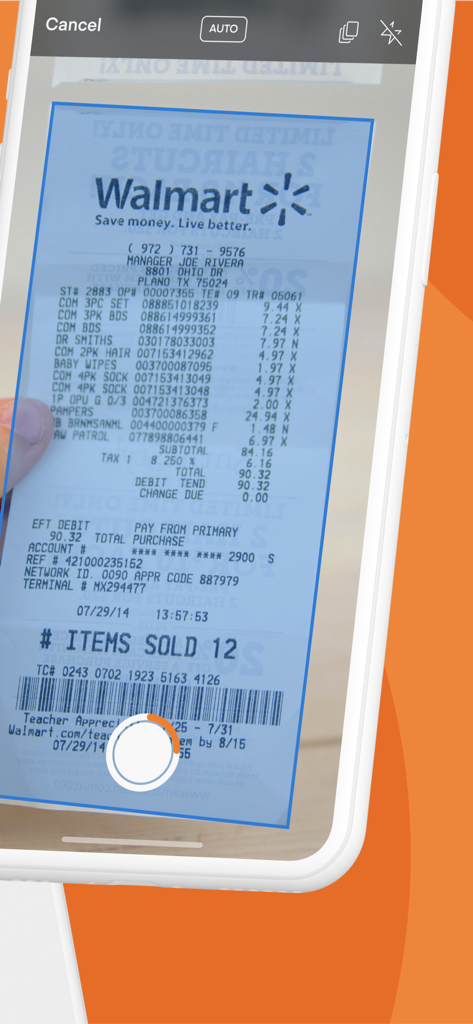
iPhone screen scanning a Walmart receipt using the Scanner Vault app with automatic page detection

iPhone screen scanning a Walmart receipt using the Scanner Vault app with automatic page detection

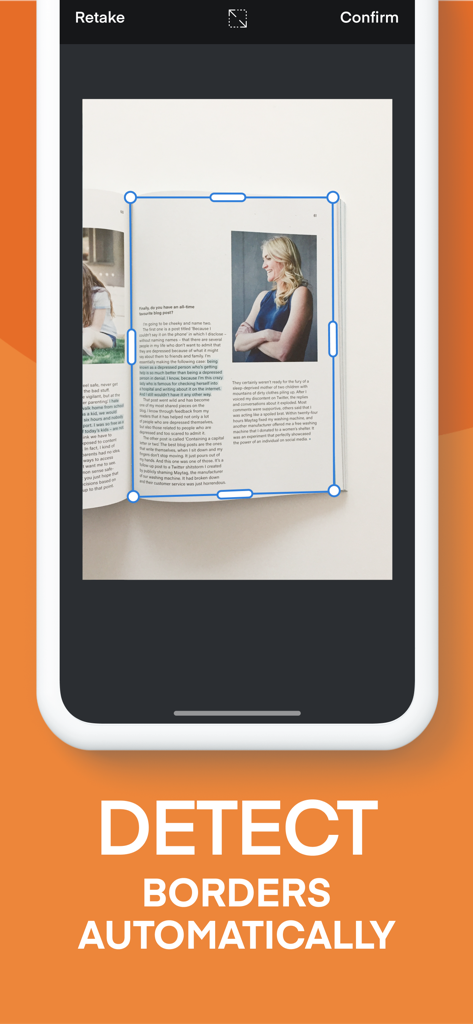
Smartphone screen showing the Scanner Vault app automatically detecting the borders of a magazine page during a scan.

Smartphone screen showing the Scanner Vault app automatically detecting the borders of a magazine page during a scan.

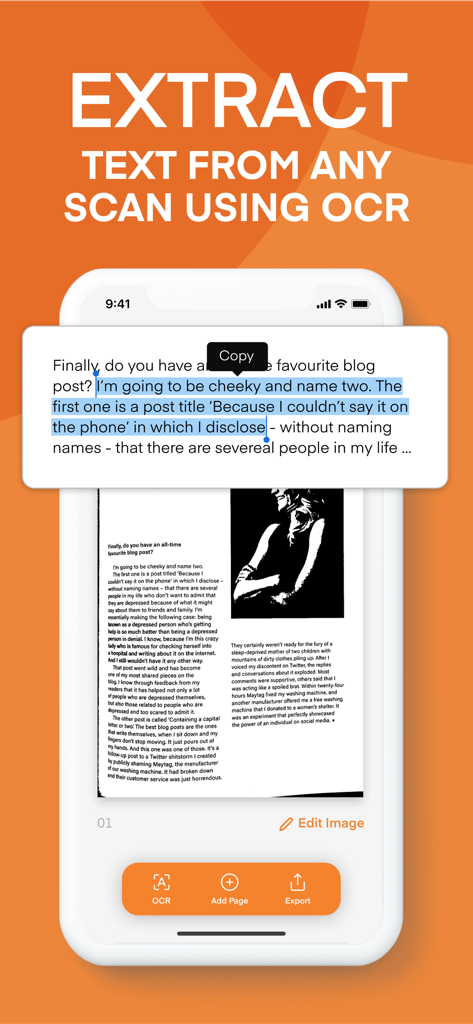
Scanner Vault app interface demonstrating OCR text extraction from a scanned document.

Scanner Vault app interface demonstrating OCR text extraction from a scanned document.

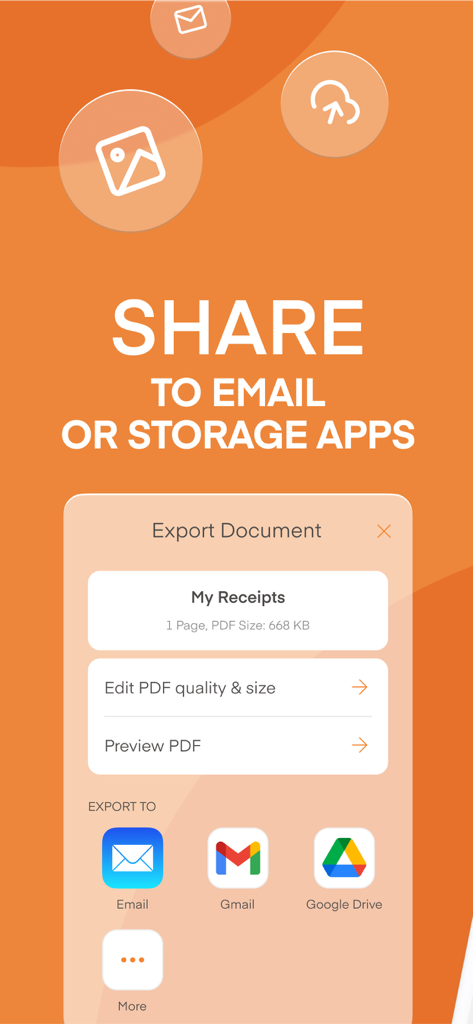
Interface for sharing scanned PDF documents to email and cloud storage services like Gmail and Google Drive

Interface for sharing scanned PDF documents to email and cloud storage services like Gmail and Google Drive

Scanner Vault mobile app interface for organizing and managing scanned PDF documents

Scanner Vault mobile app interface for organizing and managing scanned PDF documents

Your Complete Mobile Scanning Solution

The tools that make this app stand out, trusted by 1M+ users.

AI-Powered Smart Scanning

Automatically detect document borders and remove clutter for a perfect, professional scan in seconds.

📝

High-Accuracy OCR

Extract text from any document to edit, copy, or transcribe without the need for manual retyping.

💼

Professional PDF Tools

Sign, annotate, and share encrypted PDFs directly from your phone to keep your business moving.

Loved by users worldwide

Trusted by 1M+ people who love this app.

"

"As a freelance consultant, I'm constantly handling contracts and receipts. Scanner Vault has been a total game-changer for my workflow. The OCR technology is incredibly accurate, saving me hours of manual data entry. It’s like having a high-end office scanner right in my pocket!"

Sarah Jenkins
"

"In real estate, speed is everything. I use Scanner Vault to digitize signed documents on the spot and send them to clients immediately. The smart page detection is flawless even in low light, and the scans look professional every single time. It's easily the best investment for my mobile office."

Michael Rossi

About the app

Everything you need to know about Scanner Vault: PDF & OCR Scan.

Description

Scanner Vault scans printed or handwritten documents such as contracts, paper documents, books, receipts, business cards, etc with your iPhone or iPad easily. PDF Scanner allows you to scan with your camera or import from existing photos. The scanner app also allows you to manage and generate PDF documents to be saved, emailed and shared. PDF Scanner features include: + Smart Page Detection that detects your pages from the background to allow you to scan and capture your documents with ease + Convert your scan to black & white images or preserve its colors. + Edit Scan Images - Crop, adjust contrast, add text to your scanned documents. + Print your scanned documents. + Optical Character Recognition OCR technology that converts your scan documents to text to allow for easy transcription. + OCR support for multiple languages. + Share scan documents to friends and family Scanner Vault offers a subscription plan for Cloud based OCR service that turns your scan documents into text. - Premium cloud based OCR feature is $49.99/year with a 3 Day Free trial or $29.99/year - Your subscription automatically renews unless auto-renewal is turned off at least 24 hours before the end of the current subscription. - Your account will be charged for a renewed subscription within 24 hours prior to the end of current subscription. - Your account will auto renew once a month. - Payment will be charged to iTunes Account at confirmation of purchase - You can manage your subscription and switch off the auto-renewal by accessing your account settings after purchase. - You cannot cancel the current subscription during the active subscription period. - The price will be charge on a monthly or yearly basis and the price will be clearly shown depending on the service you subscribe to at the point of subscribing. Privacy Policy: https://www.appsverse.com/privacy Terms of Use: https://www.appsverse.com/terms

Latest Version

4.09

Size

89.0 MB

First Released

Aug 7, 2018

Ready to Upgrade Your Mobile Office?

Join over 1 million professionals who trust Scanner Vault for high-quality scans, instant OCR, and secure document management.

Download on App Store