SwiftScan AI Document Scanner

SwiftScan AI Document Scanner

Download on App Store
Spark by MWM logo
Logo of SwiftScan AI Document Scanner
SwiftScan AI: The Smartest Mobile Scanner for Productive Professionals

Turn your device into a desktop-class powerhouse. Scan high-quality PDFs, use AI to summarize long documents instantly, and fax or sync to the cloud with total privacy and one-tap efficiency.

Download on App Store

Publisher

Maple Media Apps, LLC

Category

Utilities

Downloads

5M+

User Rating

4.7/5

Total Ratings

201K+

Locales

23

Efficiency in Every Tap

Discover the interface used by 5M+ users.
SwiftScan AI Document Scanner app ratings and awards display from App Store CNN and PCMag

SwiftScan AI Document Scanner app ratings and awards display from App Store CNN and PCMag

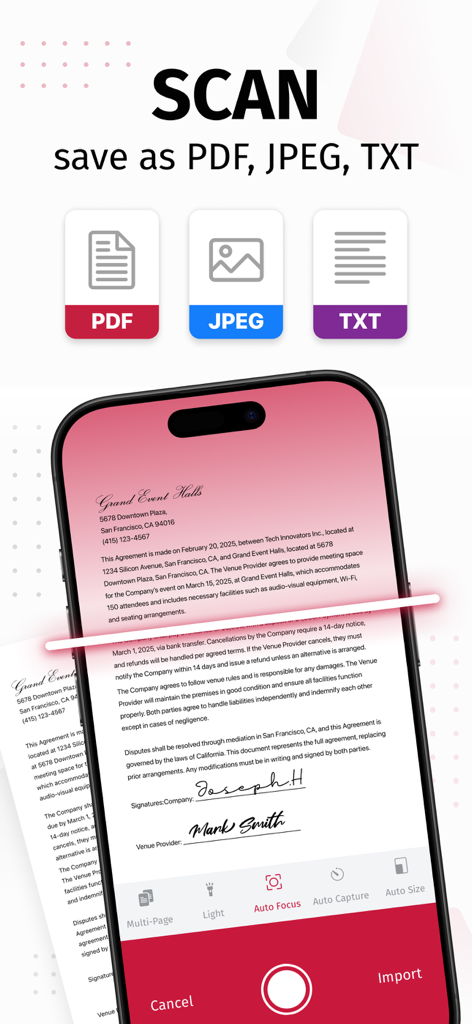
SwiftScan AI mobile app scanning a document with options to save as PDF JPEG or TXT formats

SwiftScan AI mobile app scanning a document with options to save as PDF JPEG or TXT formats

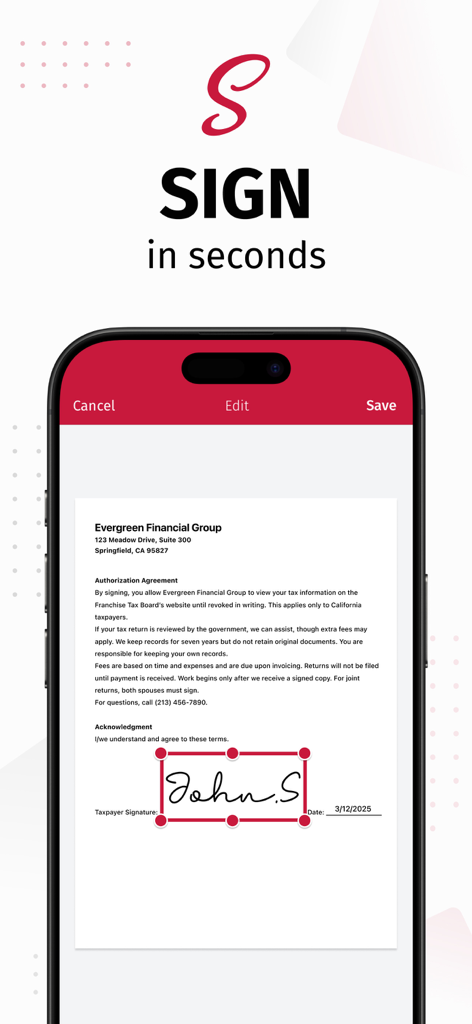
SwiftScan AI app interface showing a digital signature being added to a document on an iPhone

SwiftScan AI app interface showing a digital signature being added to a document on an iPhone

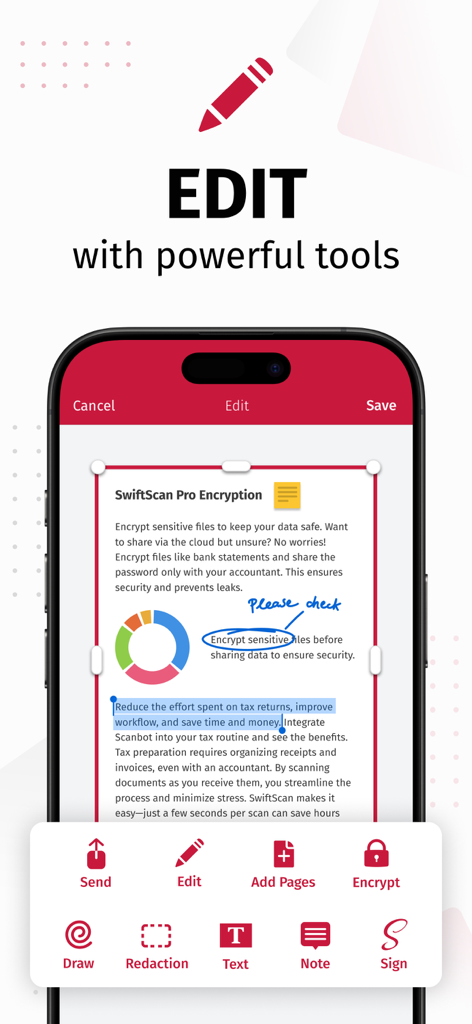
SwiftScan AI app interface demonstrating document editing features like drawing, redaction, and electronic signature.

SwiftScan AI app interface demonstrating document editing features like drawing, redaction, and electronic signature.

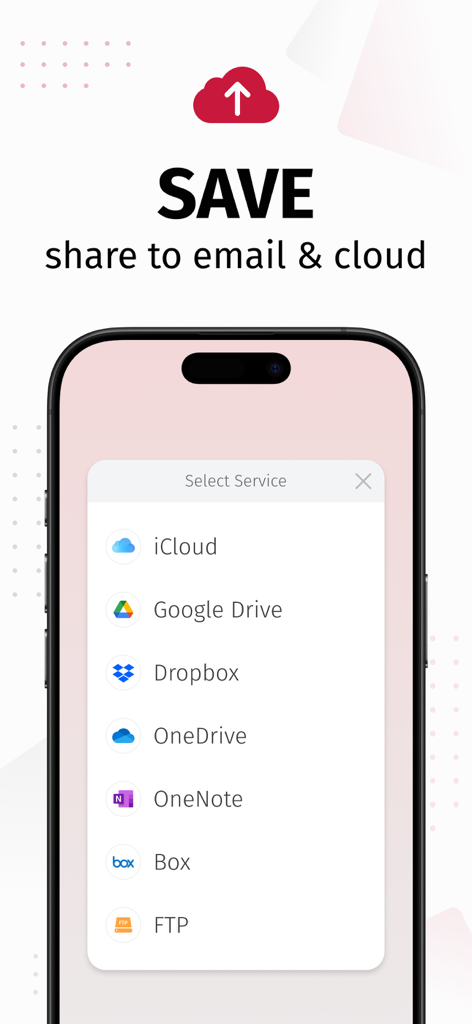
SwiftScan AI app interface showing options to save and share scanned documents to cloud services like iCloud Google Drive and Dropbox

SwiftScan AI app interface showing options to save and share scanned documents to cloud services like iCloud Google Drive and Dropbox

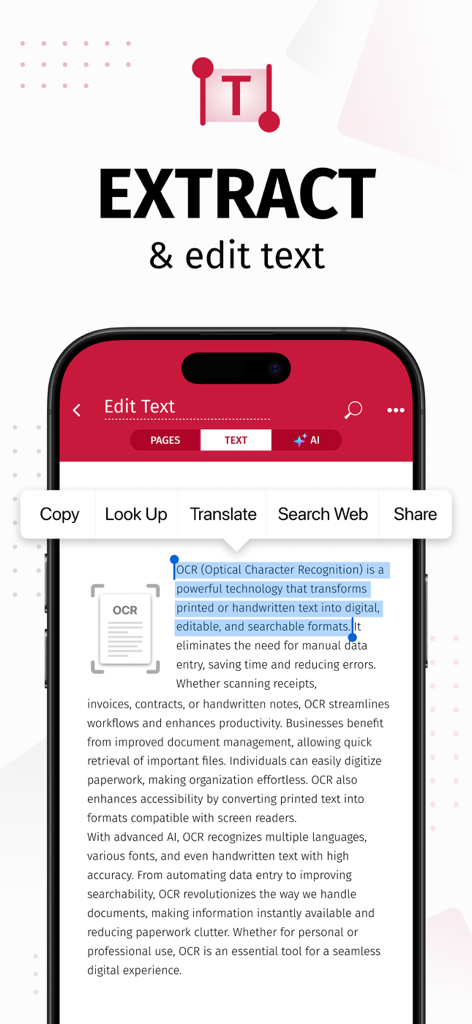
Smartphone screen displaying SwiftScan AI app extracting and editing text from a scanned document using OCR

Smartphone screen displaying SwiftScan AI app extracting and editing text from a scanned document using OCR

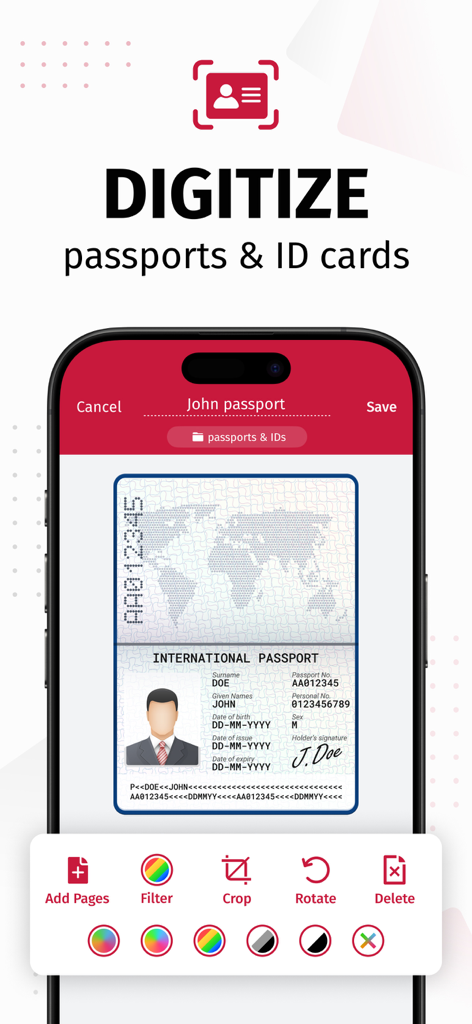
SwiftScan AI app interface showing a passport being digitized with editing tools like crop and filter

SwiftScan AI app interface showing a passport being digitized with editing tools like crop and filter

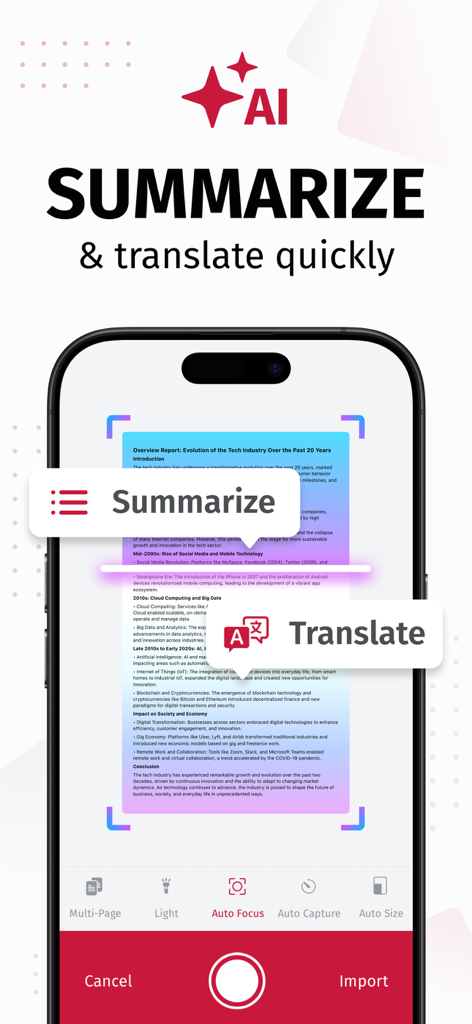
iPhone screen showing SwiftScan AI document scanner with AI summarization and translation tools

iPhone screen showing SwiftScan AI document scanner with AI summarization and translation tools

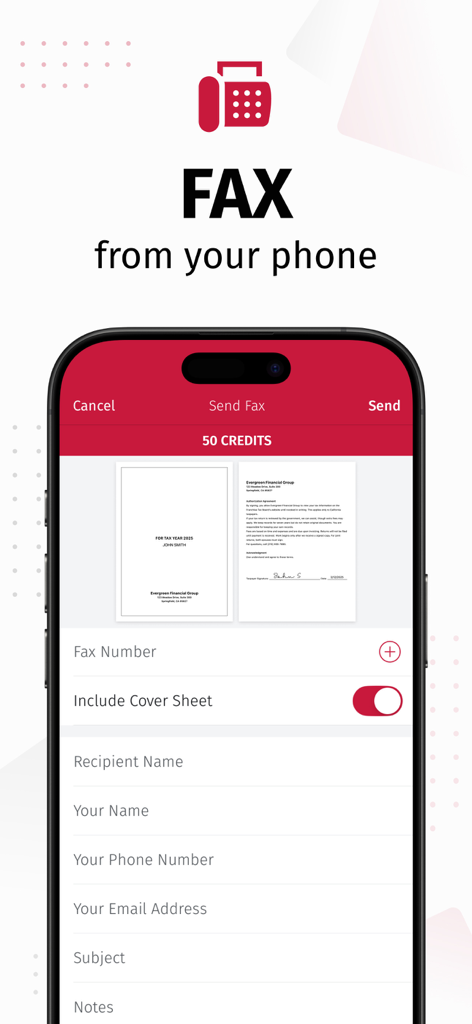
Smartphone screen displaying the SwiftScan app fax sending feature with document previews

Smartphone screen displaying the SwiftScan app fax sending feature with document previews

Professional Scanning Meets AI Intelligence

The tools that make this app stand out, trusted by 5M+ users.

🤖

AI-Powered Insights

Save hours of reading by using AI to generate instant summaries of long contracts or translate documents into dozens of languages on the fly.

Desktop-Grade Precision

Capture 200+ DPI high-quality scans with automatic edge detection and lightning-fast processing that replaces your bulky office scanner.

🔒

Privacy-First Security

Your sensitive data stays on your device. Secure confidential files with bank-level encryption and FaceID protection for total peace of mind.

Loved by users worldwide

Trusted by 5M+ people who love this app.

"

"As a realtor, I'm constantly handling sensitive contracts on the move. SwiftScan AI is a total lifesaver—the 200 dpi quality is incredibly professional, and being able to fax documents directly from my iPhone while on-site is a complete game-changer. Knowing my data stays private on my device gives me and my clients true peace of mind."

Sarah Jenkins, Real Estate Professional
"

"I manage multiple projects and a mountain of paperwork daily. The AI summarization tool is pure magic; it saves me hours by distilling long vendor reports into quick, actionable overviews. The edge detection is lightning fast, and the one-tap workflow to Google Drive keeps my digital office perfectly organized without the clutter."

Marcus Thorne, Freelance Project Manager

Review Analysis

Insights from user reviews.

Sentiment Score

34%
Negative

Summary

The app receives largely negative feedback, primarily due to recent aggressive monetization strategies, including high subscription fees, removal of previously free features, and intrusive ads even for paying users. Users frequently report app instability, such as crashes and slowness, especially after updates or when not on Wi-Fi; specific issues include a black logo on iOS 17.7.2, sync problems on iPad mini 7, and reports of the app not functioning on iPhone 17 Pro Max. While some positive remarks highlight its initial ease of use and effective scanning quality, many long-term users express frustration over restricted core functionalities, concerns about privacy, and unresponsive customer support.

Common Themes

Scanning Quality & Automation(4)
Ease of Use & Interface(3)
Overall Functionality (Historical/General)(2)
App Performance(1)
Monetization & Subscription Model(1)

About the app

Everything you need to know about SwiftScan AI Document Scanner.

Description

SwiftScan AI is the best mobile scanner app for documents and QR codes. Create free, high-quality PDF or JPG scans with just one tap. Use smart AI Tools to translate scans into other languages, or to summarize into brief overviews or generate longer reports. Send files via email or as a fax. Save files to iCloud Drive, Box, Dropbox, Evernote and other cloud services. SwiftScan AI packs all the power of a desktop scanner into one tiny scanner app! SwiftScan AI Features – Scan, sign, edit, save & send, summarize, translate, fax, and more! - Scan premium quality PDFs or JPGs with 200 dpi and higher - Advanced AI Tools to summarize your documents for quick comprehension, or even translate documents to another language - OCR: AI-powered OCR can extract the text of your scans to search, copy, and lookup to find things fast - Fax: send your documents as a fax right from SwiftScan - Cloud integration: save files to iCloud Drive, Dropbox, Google Drive and other cloud services - Scan QR codes: URLs, Contacts, Phone Numbers - Home Screen Widget: Shortcut widget provides instant access to scan, search, or view recent documents - Lightning fast: automatic edge detection and scanning - Scan single & multi-page documents - Enhance your scans: apply color, grayscale or black & white filters with automatic optimization - Add text, comments, annotations, or draw on documents - Insert e-signature, redact text, add pages - WebDAV and FTP, sFTP and FTPs - Edit documents: Move, rotate, add or delete pages - Encryption: PDF password protection - Passcode protection with Touch/Face ID support - Beautiful themes: select your preferred look and feel - Smart file naming based on tags you select, like dates, keywords, and more - One-tap email and print workflows Scan PRIVACY SAFE SwiftScan AI values your privacy. We will never store or save your documents, or use them for any purpose. All document-related activity happens on your device, or with the cloud backup provider you choose. Scan HIGH-QUALITY SwiftScan AI uses the most advanced scanning technology. Scans start at 200 dpi, premium quality comparable to desktop scanners. Various color modes, auto-optimization and blur-reduction help you to get the most out of your scans. Scan QUICKLY SwiftScan AI is lightning fast and incredibly easy. Hold your iPhone over any document, receipt, whiteboard, notebook, or QR code to scan and save it as a PDF or JPG quickly. The edges of the document are automatically identified so that only the document itself is scanned. It captures the best possible image in the perfect moment. Scan ANYTHING SwiftScan AI works with any type of document, from paper documents to business cards, QR codes, barcodes, notes- even whiteboards or post-its. It saves the documents that are important for you and gets rid of paper clutter. --- CONTACT & SUPPORT --- Learn more: https://maplemedia.io/ Get in touch: support@swiftscanapp.com --- LEGAL --- Terms of Service: https://maplemedia.io/terms-of-service/ Privacy Policy: https://maplemedia.io/privacy/ Subscription Terms: Payment for subscriptions will be charged to your Apple Account at confirmation of purchase. Subscription automatically renews unless auto-renew is turned off at least 24-hours before the end of the current period. Account will be charged for renewal within 24-hours prior to the end of the current period, and identify the cost of the renewal. Subscriptions may be managed by the user and auto-renewal may be turned off by going to the user's Account Settings after purchase. Any unused portion of a free trial period will be forfeited when the user purchases a subscription to that publication.

Latest Version

9.6.77

Size

488.6 MB

First Released

Apr 3, 2014

Put a Desktop-Class AI Scanner in Your Pocket

Join over 5 million professionals who use SwiftScan AI to scan, sign, and summarize documents with total privacy. Download now and leave the paper clutter behind.

Download on App Store