
Microsoft Planner




Organize work visually, collaborate seamlessly within Office 365, and keep your team on track with intuitive boards designed for modern professionals.
Publisher
Category
ProductivityDownloads
6M+User Rating
Total Ratings
29K+Locales
29Discover the interface used by 6M+ users.
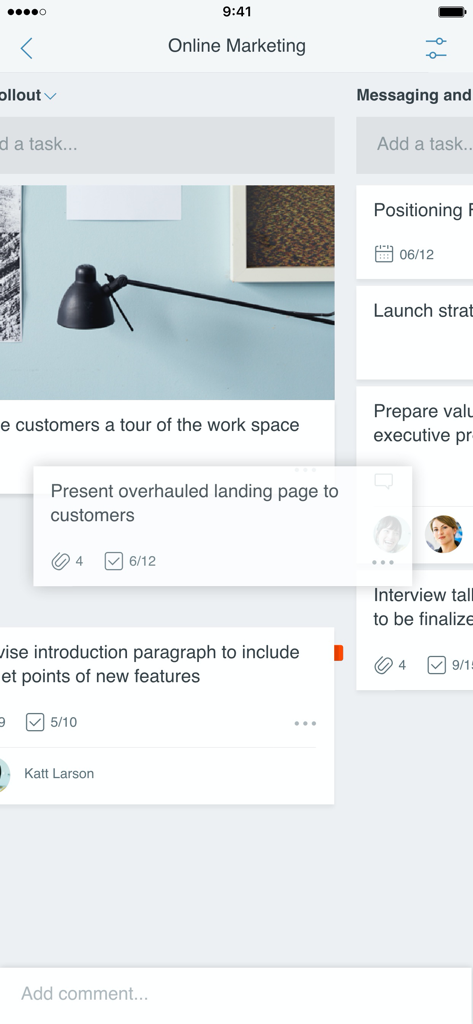
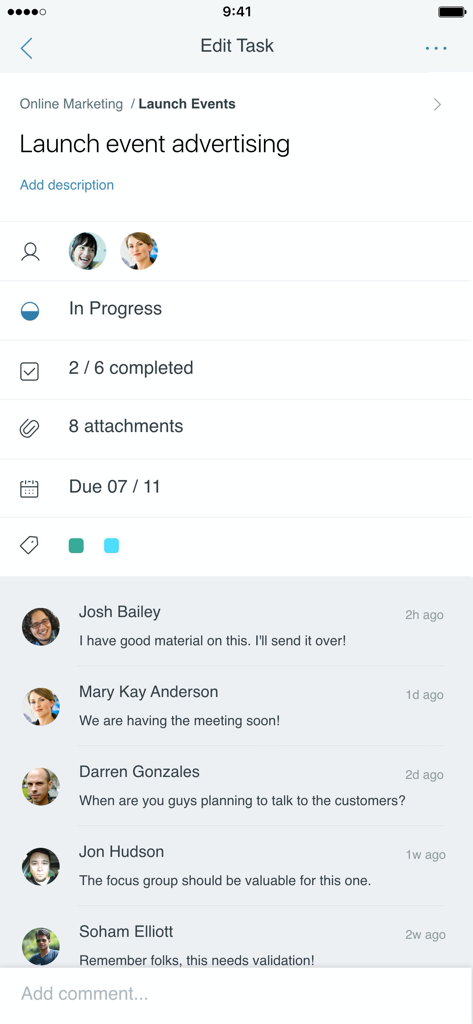
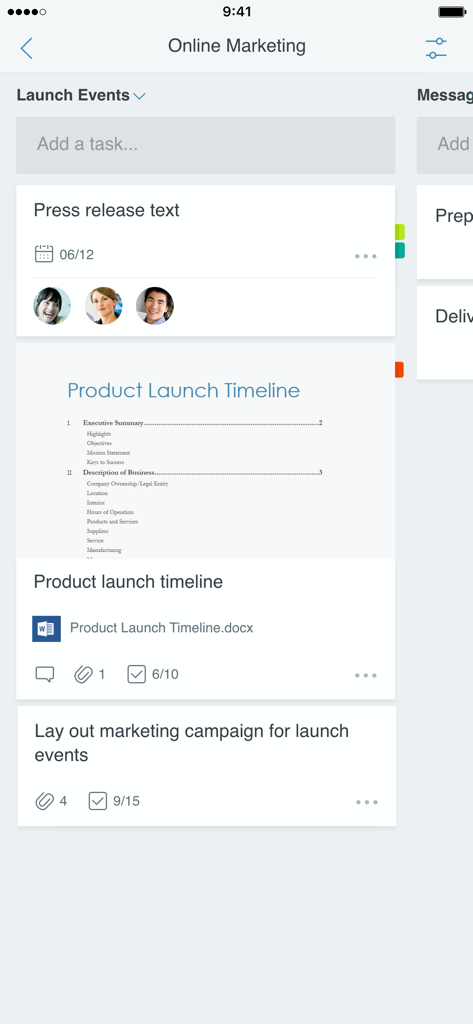
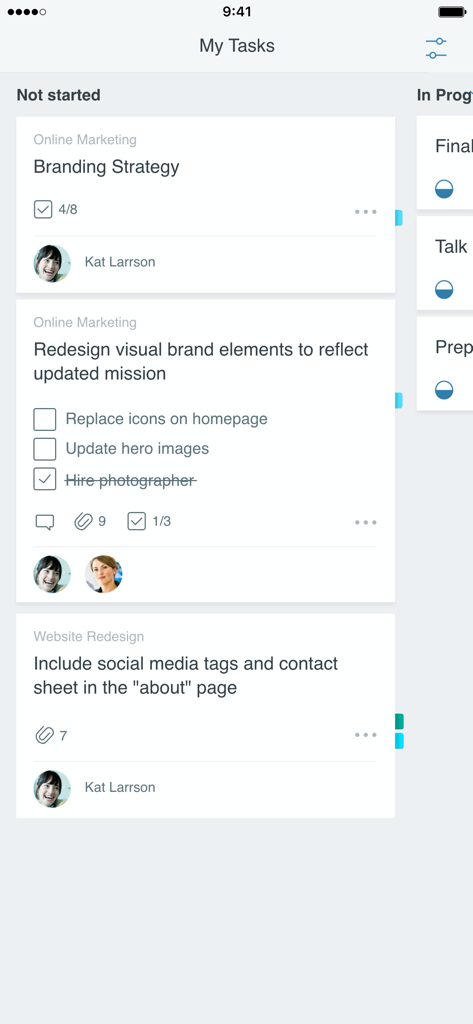
The tools that make this app stand out, trusted by 6M+ users.
Organize tasks into visual buckets and manage status changes with simple drag-and-drop functionality.
Link files, photos, and discussions directly to tasks within the secure Microsoft ecosystem you trust.
Get instant updates on who is doing what across all your plans, ensuring total accountability for your team.
Trusted by 6M+ people who love this app.
"Planner has completely transformed how my marketing team handles large campaigns. Being able to visualize our progress in buckets and drag tasks to completion is incredibly satisfying. It's the 'one source of truth' we needed to finally escape the endless loop of status-update emails and focus on actual work."
"As someone constantly moving between client sites and the office, the mobile experience is a lifesaver. I can update task statuses on my iPhone and know my team sees it instantly on their desktops. It integrates perfectly with our existing Office 365 setup, making collaboration seamless and secure."
Insights from user reviews.
Sentiment Score
Summary
The mobile app receives overwhelmingly negative feedback, primarily due to its significant lack of premium plan compatibility which many users find makes the app "useless". Key criticisms include pervasive performance issues like slow loading times and a critical disparity in features compared to the web version, such as missing task duration, filtering, and reminders. Additionally, users frequently highlight poor integration with other Microsoft services, leading to a disjointed and frustrating user experience. While some appreciate existing functionalities like recurring tasks and the app's potential for quick overviews, the overall sentiment reflects a strong demand for substantial improvements in functionality and performance to match its desktop counterpart.
Common Themes
Everything you need to know about Microsoft Planner.
Description
Latest Version
1.17.11
Size
150.6 MB
First Released
May 18, 2017
Ready to streamline your projects? Sign in with your work or school account and join millions of professionals keeping their teams in sync across every device.
Everything you need to know about Microsoft Planner
Microsoft Planner provides a simple, visual way to organize teamwork. It enables teams to create plans, organize and assign tasks, share files, and get updates on progress.
Yes, Microsoft Planner requires an eligible Office 365 work or school subscription. It does not support Office 365 personal accounts. Contact your IT department if unsure about your company’s subscription.
Microsoft Planner organizes tasks visually. Each plan features its own board where tasks are arranged into buckets. Users categorize tasks by status or assignee and update them by dragging and dropping between columns.
Yes, Microsoft Planner is built for Office 365 and allows teams to collaborate directly. Users can work on tasks together, attach photos, and have conversations about tasks without switching between different applications.
Yes, Microsoft Planner works across all your devices. This functionality ensures team members remain synchronized, allowing them to continue conversations and update tasks whether they are mobile or at their desk.
Users view all their assigned tasks through the 'My Tasks' view in Microsoft Planner. This provides a comprehensive list of all tasks and their statuses across all plans, ensuring visibility on individual contributions.
Yes, files and photos can be attached to tasks in Microsoft Planner. The app requests permission to access your Photos app to select images or your Camera app to take new photos for direct attachment to tasks.
Apps with similar features and user experience

Xmind Ltd.

Smartsheet Inc.

Realtimeboard Inc.

Wallwisher, Inc.

Asana, Inc.

Microsoft Corporation

Microsoft Corporation

indent Inc.

MeisterLabs
