Xmind - Mind Map & Brainstorm

Xmind - Mind Map & Brainstorm

Download on App Store
Spark by MWM logo
Logo of Xmind - Mind Map & Brainstorm

Xmind: Visualize Complexity and Master Your Projects

The premium brainstorming and mind mapping tool for high-achievers who demand clarity, aesthetic precision, and effortless productivity across all platforms.

Publisher

Xmind Ltd.

Category

Productivity

Downloads

20M+

User Rating

4.8/5

Total Ratings

288K+

Locales

15

Visualize Your Brilliance

Discover the interface used by 20M+ users.
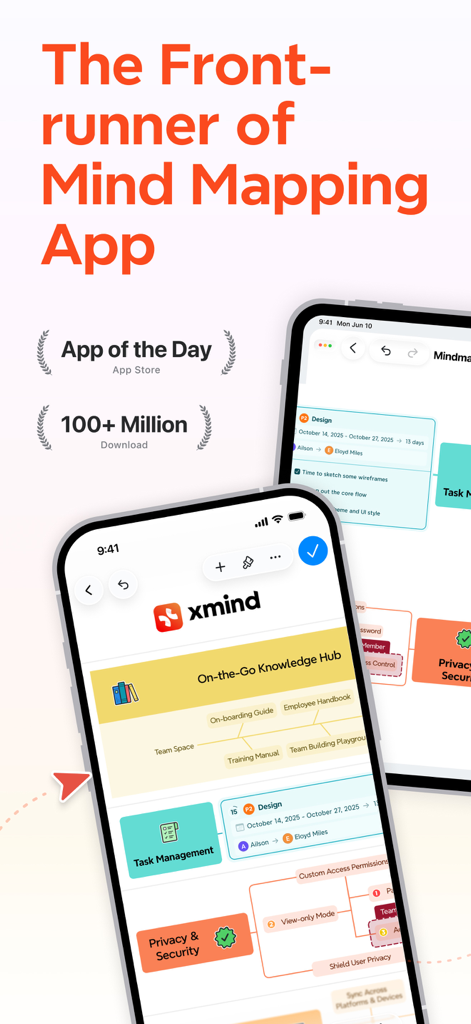
Xmind app interface displaying mind maps for task management and knowledge hub on mobile devices.

Xmind app interface displaying mind maps for task management and knowledge hub on mobile devices.

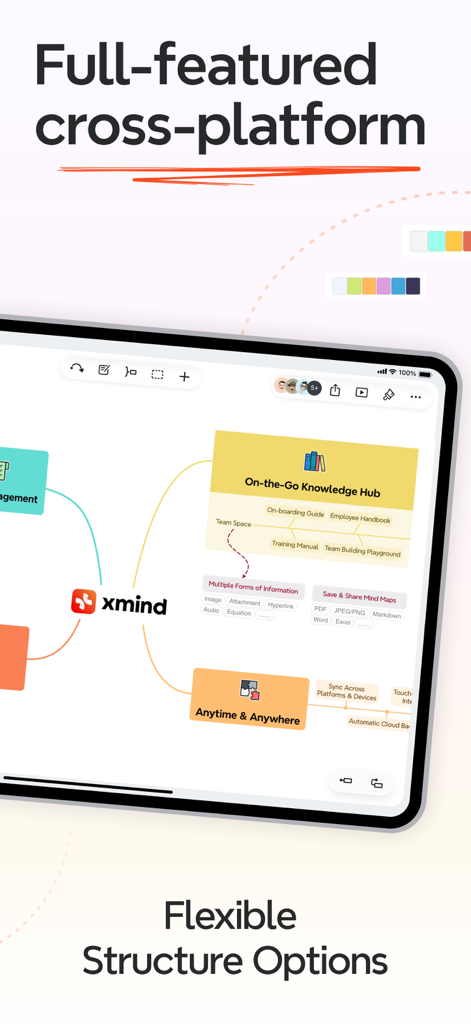
Xmind app on an iPad displaying a complex mind map with flexible structure options and collaborative features.

Xmind app on an iPad displaying a complex mind map with flexible structure options and collaborative features.

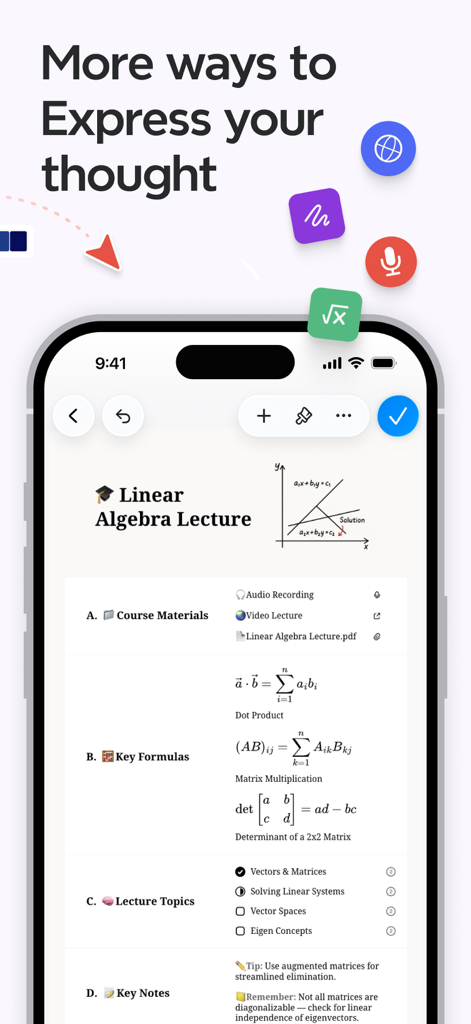
Xmind mobile app screenshot showing a linear algebra lecture note with mathematical formulas and a coordinate graph

Xmind mobile app screenshot showing a linear algebra lecture note with mathematical formulas and a coordinate graph

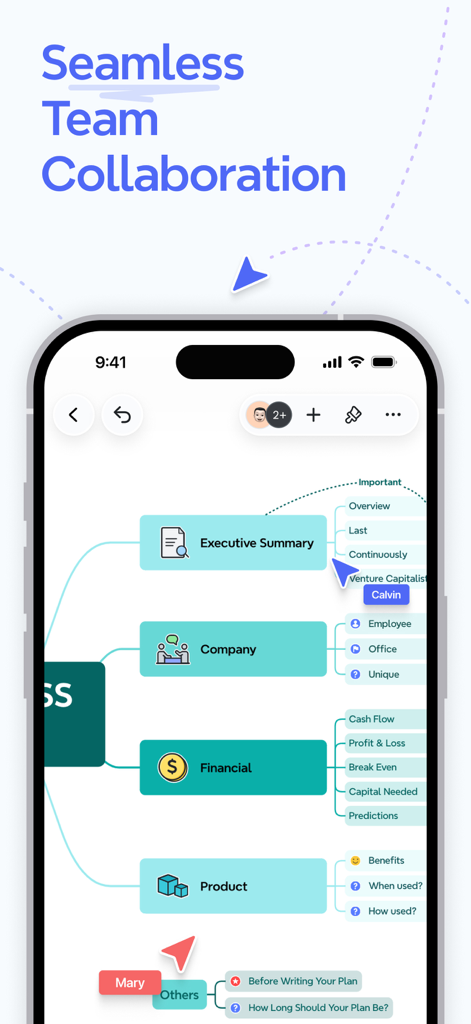
Xmind app screenshot showing seamless real-time team collaboration on a mind map

Xmind app screenshot showing seamless real-time team collaboration on a mind map

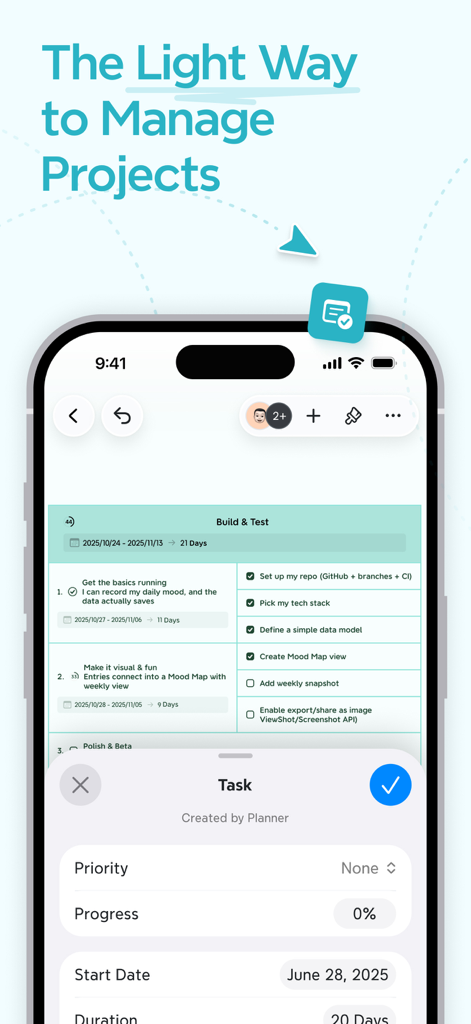
Xmind app interface showing a project plan with tasks, progress tracking, and collaboration features on a smartphone

Xmind app interface showing a project plan with tasks, progress tracking, and collaboration features on a smartphone

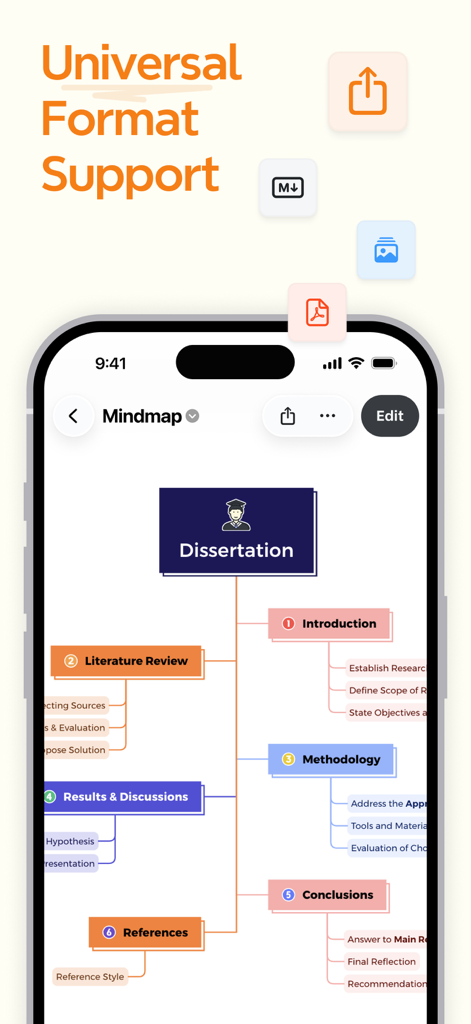
A mind map titled Dissertation in the Xmind app showcasing universal format support

A mind map titled Dissertation in the Xmind app showcasing universal format support

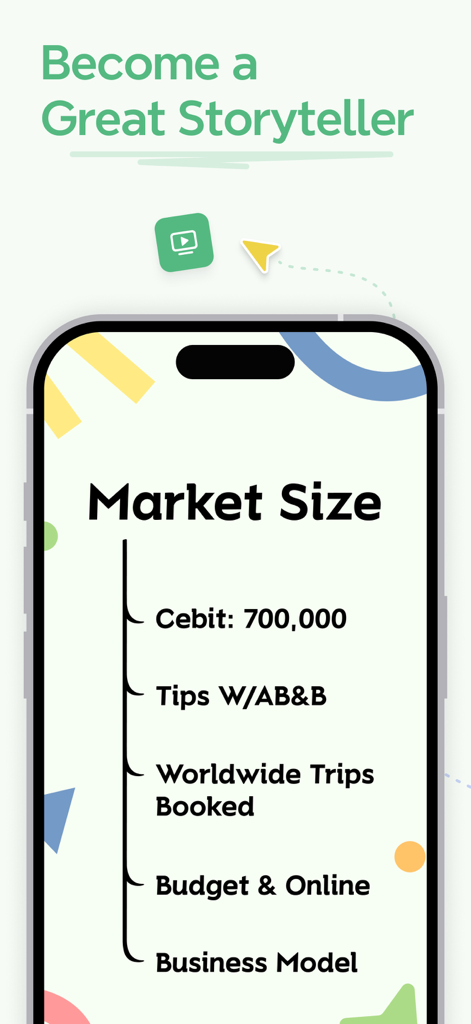
Xmind mobile app interface showing a storytelling presentation slide about market size.

Xmind mobile app interface showing a storytelling presentation slide about market size.

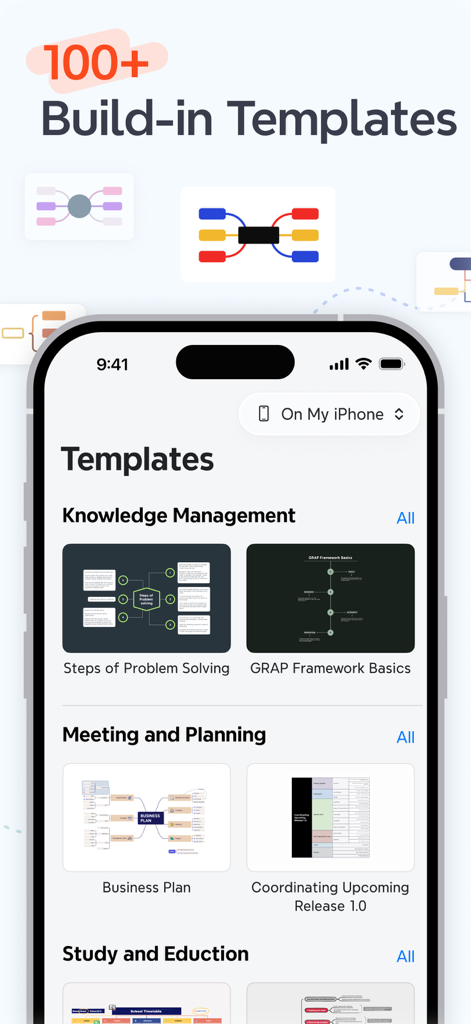
Xmind mobile app interface showing various built-in templates for mind mapping and project planning.

Xmind mobile app interface showing various built-in templates for mind mapping and project planning.

Master Your Ideas with Precision

The tools that make this app stand out, trusted by 20M+ users.

🧠

Structure Complex Thoughts

Utilize 9 professional frameworks, including Fishbone and Matrix charts, to organize research and technical data with logical rigor.

Optimize Your Deep Work

Achieve peak focus with ZEN Mode and split-screen multitasking, designed to eliminate distractions during high-stakes brainstorming sessions.

🚀

From Brainstorm to Pitch

Instantly transform maps into polished slideshows or export to professional formats like LaTeX and PDF for seamless team collaboration.

Loved by users worldwide

Trusted by 20M+ people who love this app.

"

"Xmind has completely transformed how I lead strategy meetings. The Pitch Mode allows me to turn a complex brainstorm into a professional presentation instantly. It is no longer just a tool; it is my brain’s command center for every project."

Sarah Jenkins, Senior Project Manager
"

"As a researcher, I deal with massive amounts of data and complex structures. The multitasking feature on iPad and the distraction-free ZEN Mode are game-changers for my deep work sessions. It is the most sophisticated mind-mapping tool I have ever used."

David Chen, PhD Researcher

About the app

Everything you need to know about Xmind - Mind Map & Brainstorm.

Description

Xmind is a full-featured mind mapping and brainstorming tool designed for clarity, creativity, and collaboration across all platforms. Whether you’re brainstorming ideas, structuring thoughts, or managing projects, Xmind provides a seamless experience. One map takes you from inspiration to execution—helping you turn ideas into action, faster than ever. VISUALIZE INFORMATION WITH MIND MAP BEING SIMPLE & EASY • Templates: Kick-start any mind map with 30 well-designed templates covering your creative needs. • Skeleton & Smart Color Theme: Create your one-of-a-kind mind maps with countless combinations of preset structures and color themes. • Structure: Choose from 9 different structures - including Mind Map, Logic Chart, Brace Map, Org Chart, Tree Chart, Timeline, Fishbone, Tree Table and Matrix. You can even mix multiple structures in one map to manage complex topics or projects with ease. • Insert: Elaborate and enrich a topic with image, audio note, equation, label, hyperlink, topic link, drawing, etc. • Equation/LaTeX: Jot down mathematics and chemical equations with LaTeX. • Audio Note: Record information in a faster way and never miss a word for any creative ideas. FOCUS ON CONTENT, AND STAY ORGANIZED & PRODUCTIVE • Outliner: Outline your thoughts and ideas hierarchically and keep it going in mind map. • ZEN Mode: A full-screen and distraction-free mode built to help you focus on the content and leave everything behind. (iPad only) • Multiple Organizers: Connect any two topics with Relationships, group ideas with Boundary and conclude each part with Summary. • Pitch Mode: Present mind map as a slideshow with auto-generated transitions and layouts based on your content with just a click. • Multitasking: Open, read and edit 2 files side by side at a time, e.g. GoodNotes/Notability and Xmind at the same time. • Filters: Tag topics using marker & label to add more visual information, highlight topics with tags to get inspired. ALWAYS BEING SO STYLISH, KEEP MIND MAPPING WITH FUN • Smart Color Theme: Build an aesthetically appealing mind map with a smart algorithm effortlessly. • Hand-drawn Style: Switch the mind map into the hand-drawn look with just a click. • Colored Branch: Stimulate creativity with more rainbow color schemes. • Illustrations: Visualize your mind map without text with 350+ illustrations. • Sticker: Find your favorite stickers from our over 400 brand-new collections. SAVE & SHARE MIND MAP WITH EASE • Real-time Collaboration: Work with your team simultaneously on the same mind map. Share ideas, edit content, and stay in sync—no matter where you are. • Import: MindManager, FreeMind, Lighten, MindNode, Markdown, OPML, TextBundle, and Word (DOCX Only). • Export: PDF, PNG, Markdown, Word, Excel, PowerPoint, OPML, TextBundle. • Set Password: Encrypt your Xmind files with a password for security. THE LIGHT WAY TO MANAGE PROJECTS • Task Integration: Create and manage tasks directly within your map, set priorities, track progress, and manage duration, All in one place. SUBSCRIBE TO XMIND • Products: All Platforms Xmind Pro/Premium (Annually), All Platforms Xmind Pro/Premium (Monthly) • Type: Auto-Renewable Subscriptions • Price: $59.99/$99.00 Annually • Cancel Subscription: Go to "Settings" > "iTunes & App Store">Tap your Apple ID, Tap View Apple ID, Tap Subscriptions, Tap [Xmind Pro/Premium (Annually)] / [Xmind Pro/Premium (Monthly)] to cancel your subscription. If you do not end the subscription more than 24 hours before the end of the subscription period, the subscription will be automatically renewed. • Apple ID for automatic renewal subscriptions will be automatically charged for an additional year/month in iTunes account 24 hours prior to the expiration of each billing cycle. • Terms of Service (including subscription rules): https://www.xmind.com/terms/ • Privacy Policy: https://www.xmind.com/privacy/ NEED HELP? Let us know if you have any feedback, or if we can help in any way at xmind-ios@xmind.app.

Latest Version

26.01.07107

Size

608.4 MB

First Released

Dec 12, 2017

Ready to Turn Your Ideas Into Reality?

Join 20 million high-achievers and visual architects who use Xmind to conquer information overload, structure complex thoughts, and master their productivity.

Download on App Store
FAQ

Frequently Asked Questions

Everything you need to know about Xmind - Mind Map & Brainstorm

What is Xmind?

Xmind is a full-featured mind mapping and brainstorming tool for clarity, creativity, and collaboration across all platforms. It helps users structure thoughts and manage projects efficiently.

Does Xmind offer templates for mind mapping?

Yes, Xmind provides over 100 well-designed templates to kick-start any mind map, covering various creative, planning, and study needs.

What structures does Xmind support for mind maps?

Xmind supports 9 different structures, including Mind Map, Logic Chart, Brace Map, Org Chart, Tree Chart, Timeline, Fishbone, Tree Table, and Matrix. Multiple structures can be combined.

Can users add rich media to Xmind mind maps?

Yes, Xmind allows enriching topics with images, audio notes, equations, labels, hyperlinks, topic links, and drawings for comprehensive information visualization.

Does Xmind support LaTeX for equations?

Yes, Xmind supports LaTeX, enabling users to accurately jot down mathematics and chemical equations directly within their mind maps.

Can I record audio notes in Xmind?

Yes, Xmind allows users to record audio notes directly within their mind maps, ensuring creative ideas are captured quickly without missing details.

Does Xmind include an Outliner feature?

Yes, Xmind features an Outliner to hierarchically organize thoughts and ideas, which can then be seamlessly integrated into a mind map structure.

Does Xmind offer a distraction-free mode?

Yes, Xmind provides a ZEN Mode, a full-screen, distraction-free environment designed for content focus. This feature is available specifically on iPad.

Can Xmind convert mind maps into presentations?

Yes, Xmind's Pitch Mode transforms mind maps into slideshows with auto-generated transitions and layouts, allowing for easy and effective presentations.

Does Xmind support multitasking with other apps?

Yes, Xmind supports multitasking, allowing users to open, read, and edit two files side-by-side, such as Xmind and GoodNotes/Notability simultaneously.

Does Xmind allow real-time collaboration?

Yes, Xmind supports real-time collaboration, enabling teams to work simultaneously on the same mind map, share ideas, and edit content together regardless of location.

What file formats can Xmind import?

Xmind can import files from MindManager, FreeMind, Lighten, MindNode, Markdown, OPML, TextBundle, and Word (DOCX Only) for versatile compatibility.

What export formats does Xmind support?

Xmind supports exporting mind maps to PDF, PNG, Markdown, Word, Excel, PowerPoint, OPML, and TextBundle formats, providing universal sharing options.

Can I password-protect Xmind files?

Yes, Xmind allows users to encrypt their mind map files with a password, enhancing the security and privacy of their intellectual property.

Can Xmind be used for project and task management?

Yes, Xmind integrates task management, allowing users to create, set priorities, track progress, and manage task duration directly within their mind maps.

How much does an Xmind subscription cost annually?

An annual Xmind Pro/Premium subscription costs either $59.99 or $99.00, depending on the chosen plan. These are auto-renewable subscriptions.

How do I cancel my Xmind subscription?

To cancel an Xmind subscription, navigate to Settings > iTunes & App Store > Tap Apple ID > View Apple ID > Subscriptions, then select the Xmind subscription to cancel.

Is Xmind a recurring subscription?

Yes, Xmind subscriptions are auto-renewable. Your iTunes account is automatically charged for renewal 24 hours prior to the expiration of each billing cycle.

Where can I find Xmind's Privacy Policy?

Xmind's comprehensive Privacy Policy, detailing data handling practices, is publicly available on their website at https://www.xmind.com/privacy/.

Where can I find Xmind's Terms of Service?

Xmind's official Terms of Service, which includes subscription rules and user agreements, can be accessed on their website at https://www.xmind.com/terms/.