Miro: your visual workspace

Miro: your visual workspace

Download on App Store
Spark by MWM logo
Logo of Miro: your visual workspace

Miro: your visual workspace for distributed innovation

Bring your best ideas to life on an infinite canvas. Whether you are brainstorming on iPad with your Apple Pencil or managing agile workflows on the go, collaborate seamlessly with your team from anywhere.

Publisher

Realtimeboard Inc.

Category

Productivity

Downloads

6M+

User Rating

4.7/5

Total Ratings

26K+

Locales

8

Innovation in Focus

Discover the interface used by 6M+ users.
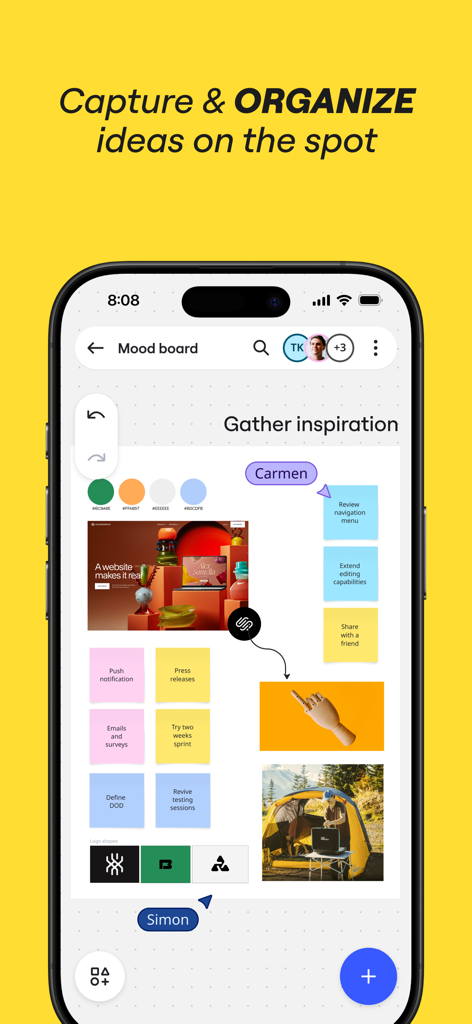
Miro mobile app interface displaying a collaborative mood board with sticky notes and images for organizing ideas.

Miro mobile app interface displaying a collaborative mood board with sticky notes and images for organizing ideas.

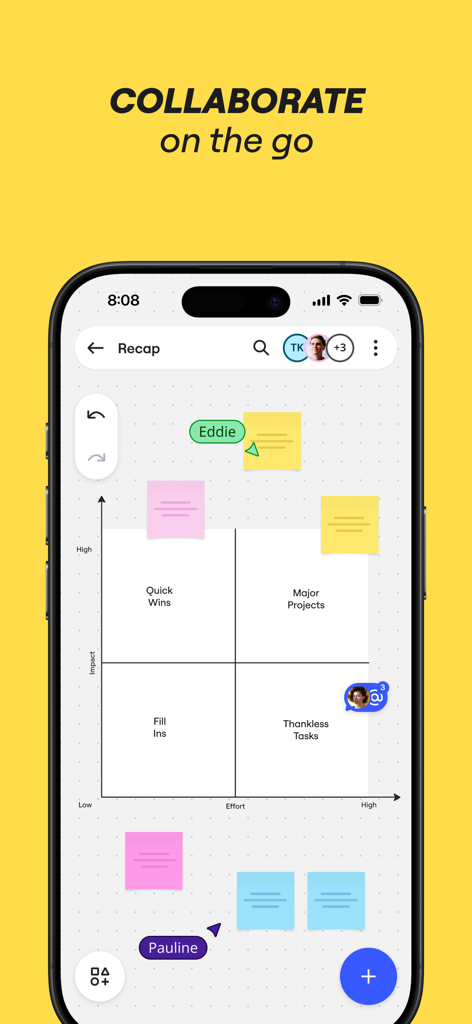
Miro mobile app showing a collaborative impact versus effort matrix with colorful digital sticky notes

Miro mobile app showing a collaborative impact versus effort matrix with colorful digital sticky notes

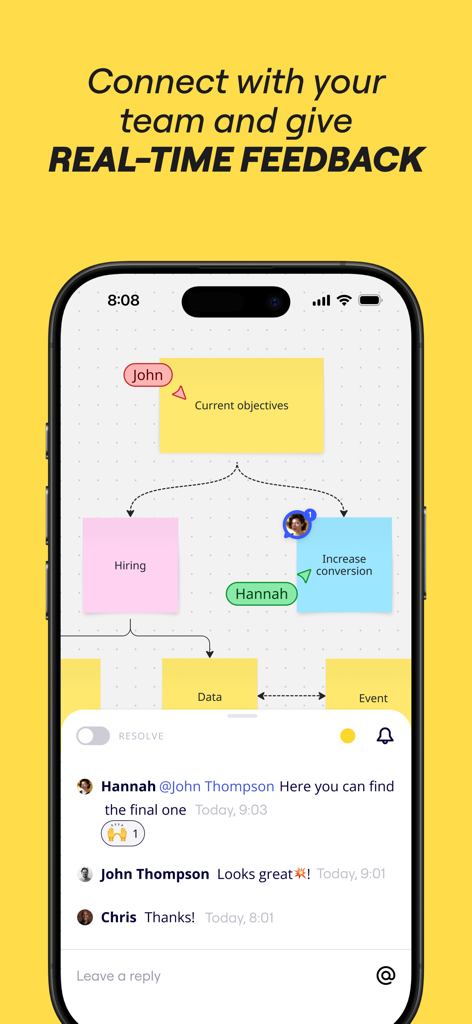
Miro mobile app showing a collaborative visual board with sticky notes and a real-time team comment thread.

Miro mobile app showing a collaborative visual board with sticky notes and a real-time team comment thread.

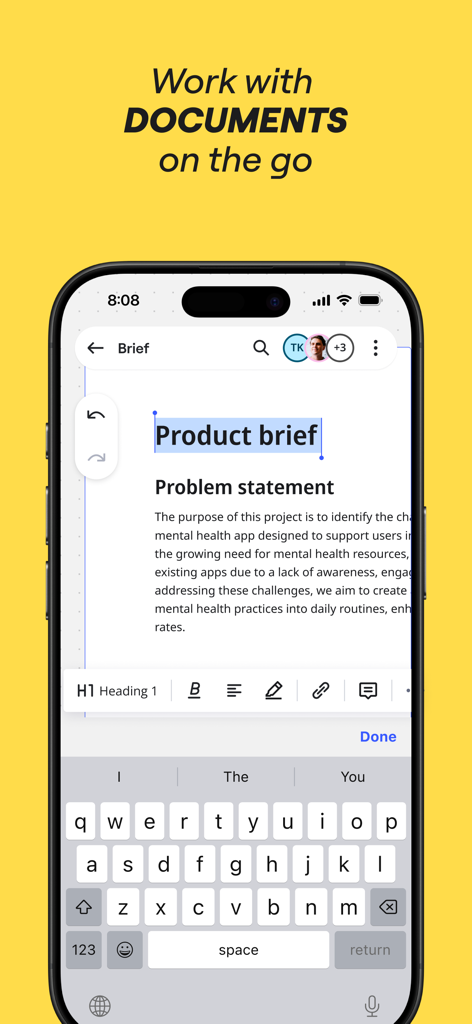
Miro mobile app interface showing a product brief being edited on an iPhone

Miro mobile app interface showing a product brief being edited on an iPhone

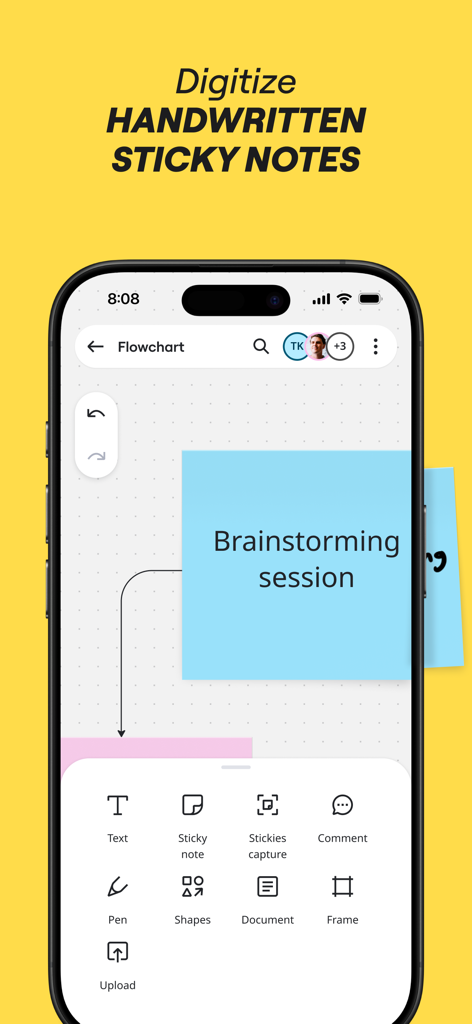
Miro app on iPhone showing a digital blue sticky note and options to capture and digitize handwritten notes for brainstorming

Miro app on iPhone showing a digital blue sticky note and options to capture and digitize handwritten notes for brainstorming

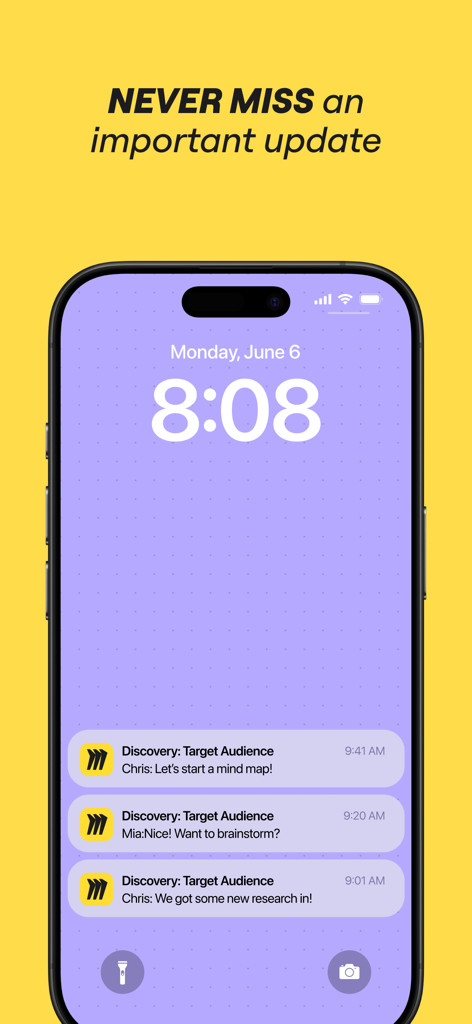
Miro mobile app notifications on an iPhone lock screen showing real-time team collaboration updates.

Miro mobile app notifications on an iPhone lock screen showing real-time team collaboration updates.

Visual Collaboration for the Modern Team

The tools that make this app stand out, trusted by 6M+ users.

✏️

Sketch with Apple Pencil

Transform hand-drawn concepts into professional-grade diagrams instantly with intelligent shape recognition and stylus optimization.

📸

Instant Sticky Note Digitization

Bridge the gap between physical workshops and digital boards by scanning paper notes into editable objects with a single tap.

🔄

Seamless Agile Workflows

Manage retrospectives, map user journeys, and align stakeholders in real-time with over 200+ pre-made templates for rapid execution.

Loved by users worldwide

Trusted by 6M+ people who love this app.

"

"Miro has completely transformed how our design team brainstorms. The iPad app with Apple Pencil support feels so natural, allowing me to sketch wireframes and flowcharts that sync instantly across my devices. It is the perfect bridge between my creative scribbles and our final project roadmaps."

Elena Rodriguez, Lead UX Designer
"

"As an Agile Coach managing distributed teams, Miro is my most essential tool. The ability to scan physical sticky notes into digital ones during hybrid sessions is a lifesaver. It makes our remote sprint retrospectives feel as interactive and high-energy as being in the same room."

Marcus Thorne, Senior Product Manager

Review Analysis

Insights from user reviews.

Sentiment Score

28%
Negative

Summary

The app receives largely negative feedback, with many users reporting widespread performance and loading issues, including the app failing to launch, getting stuck on loading screens, or boards not opening. A significant number of users also experience bugs specific to iPads and Apple Pencil functionality, such as trackpad issues, unresponsive gestures, and editing problems across various models. These problems, coupled with complaints about confusing billing practices related to free plan limitations and difficulties accessing large boards or previously saved content, severely hinder the user experience. Several critical issues, including loading failures and Apple Pencil malfunctions, are directly attributed by users to recent app updates (e.g., version 26) and new iOS versions.

Common Themes

App Loading & Performance(25)
iPad & Apple Pencil Specific Bugs(10)
Intuitive & Feature-Rich(6)
Billing & Free Plan Limitations(5)
Board Size & Data Access(5)
Comments Feature Issues(2)
Login Difficulties(2)

About the app

Everything you need to know about Miro: your visual workspace.

Description

Miro is a visual workspace for innovation that enables distributed teams of any size to dream, design, and build the future together. With the magic of Miro's Intelligent Canvas™, visualizing concepts, ideas, and solutions as a team can happen anywhere — no dry-erase markers needed. Sync, flow, and feel the connection of working side by side with your team — even in remote, distributed, or hybrid work environments. The Miro app for iPad and iPhone gives you the tools to collaborate with boards that put projects and context all in one place. Our customers love using Miro to: • Run online meetings and team workshops • Brainstorm new ideas and designs on a limitless board • Edit, annotate and mark up documents and PDFs • Take digital notes with an Apple Pencil (and reduce paper use!) • Easily collect resources, photos, docs, links, and references • Plan and manage agile workflows and scrum rituals • Create user journeys, map processes, and develop personas • Teach and facilitate interactive classes in a collaborative space • Create a vision board of ideas and inspiration Miro allows you to create anytime, anywhere. With over 200+ pre-made templates, a drag-and-drop interface, and no limit on collaborators, working on a Miro board is fast and fun. With Miro’s mobile app, you can: • Scan paper post-it notes and convert them into editable digital notes • Create, view, and edit all your boards • Capture and organize your ideas on the go • Share boards publicly or invite team members to edit • Upload images, pictures, docs, spreadsheets, and more • Share boards and invite team members to edit • Review, add and resolve comments On tablets, you can also use Miro to: • Draw concepts and sketch new design ideas with an Apple Pencil • Convert pencil or stylus drawings into shapes, notes, and diagrams • Set up your tablet as the second screen with Zoom or Microsoft Teams - Create Mind Maps to visualize your ideas • Use Lasso to select and move sketches, drawings, or text anywhere on the board • Use Highlighter to capture the attention of your team during a meeting If you enjoy using Miro for collaboration, please leave us a review. If something’s not working right or if you have a question or comment, get in touch with us using this form: https://help.miro.com/hc/en-us/requests/new?referer=store

Latest Version

3.25.30240969

Size

47.2 MB

First Released

Jan 3, 2017

Ready to build the next big thing?

Join over 6 million innovators who use Miro to dream, design, and build together. Download the app and turn your iPad into a limitless visual workspace.

Download on App Store
FAQ

Frequently Asked Questions

Everything you need to know about Miro: your visual workspace

What is Miro?

Miro is a visual workspace designed for innovation, enabling distributed teams to dream, design, and build together. It provides an Intelligent Canvas™ for visualizing concepts, ideas, and solutions.

Can Miro be used for team collaboration?

Yes, Miro is built for team collaboration, enabling distributed teams to work side-by-side. It supports real-time feedback and allows multiple collaborators on boards.

Does Miro support digitizing handwritten notes?

Yes, Miro's mobile app allows users to scan paper post-it notes and convert them into editable digital notes. This feature helps in organizing physical ideas digitally.

Can I use Miro on my iPad or iPhone?

Yes, Miro is available as an app for both iPad and iPhone, providing tools to collaborate with boards and manage projects from your mobile devices.

What are some core features of Miro for mobile users?

Miro's mobile features include creating, viewing, and editing boards, capturing ideas on the go, sharing boards, uploading various media, and reviewing/resolving comments.

Can I edit documents directly within the Miro app?

Yes, the Miro app allows users to edit, annotate, and mark up documents and PDFs directly. This includes working with various document types on the go.

Does Miro provide pre-made templates for boards?

Yes, Miro offers over 200 pre-made templates to facilitate faster and more efficient board creation. These templates support various use cases and workflows.

Can Miro be used for mind mapping?

Yes, on tablets, Miro allows users to create Mind Maps to visualize their ideas. This feature helps in organizing thoughts and complex information visually.

Does Miro notify users of important updates or changes?

Yes, Miro provides notifications to ensure users never miss an important update or change on their boards. This keeps team members informed in real-time.

Can I use an Apple Pencil with Miro on a tablet?

Yes, on tablets, Miro supports the Apple Pencil for drawing concepts, sketching new design ideas, and taking digital notes. It can also convert drawings into shapes.