PigeonCast:Send by Google Cast

PigeonCast:Send by Google Cast

Download on App Store
Spark by MWM logo
Logo of PigeonCast:Send by Google Cast
PigeonCast: Send by Google Cast — Seamlessly Mirror Your iPhone to Any Smart TV

Experience crystal-clear 2K screen sharing from your iOS devices to Chromecast, Sony, TCL, and more. Effortless, lag-free, and built for your mixed-tech home.

Publisher

Sichuan FalconAI Technology Co., Ltd.

Category

Utilities

Downloads

32K+

User Rating

4.8/5

Total Ratings

800

Locales

17

Your Screen, Amplified

Discover the interface used by 32K+ users.
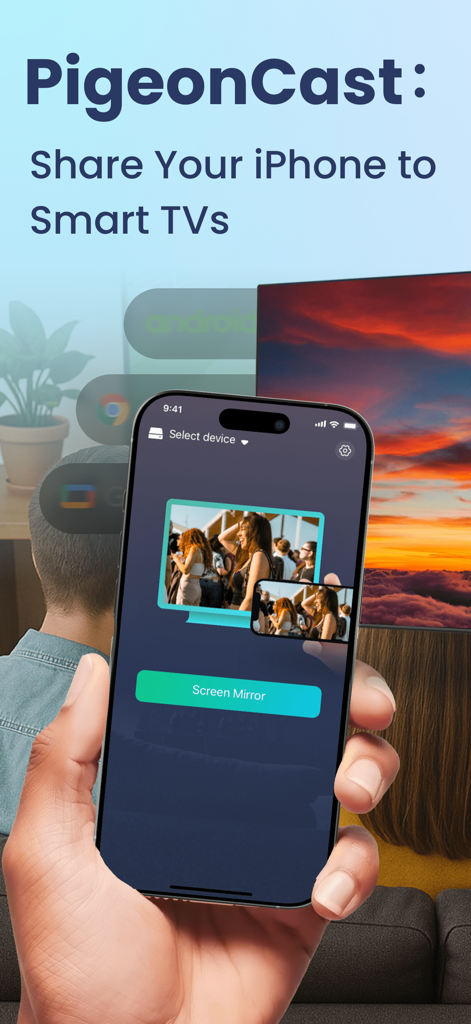
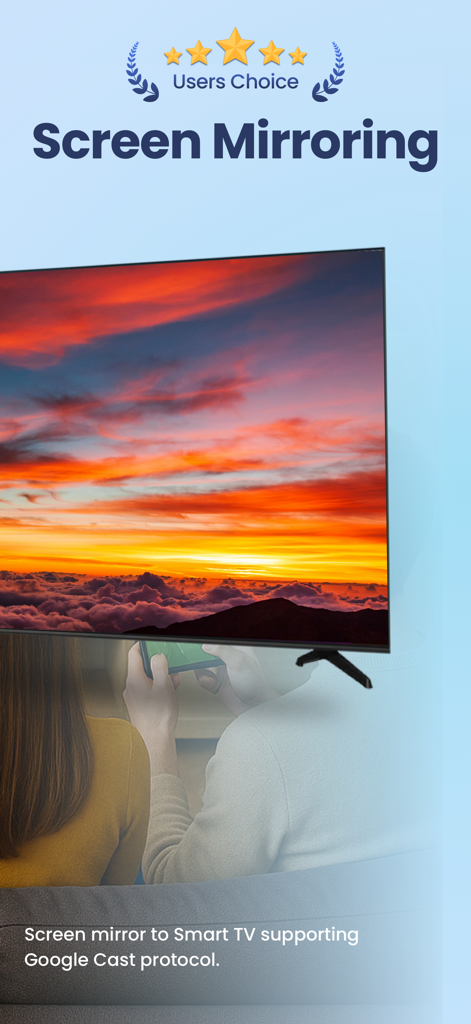
A person holding an iPhone using the PigeonCast app to mirror content to a large smart TV screen.

A person holding an iPhone using the PigeonCast app to mirror content to a large smart TV screen.

iPhone screen mirroring to a smart TV using Google Cast protocol

iPhone screen mirroring to a smart TV using Google Cast protocol

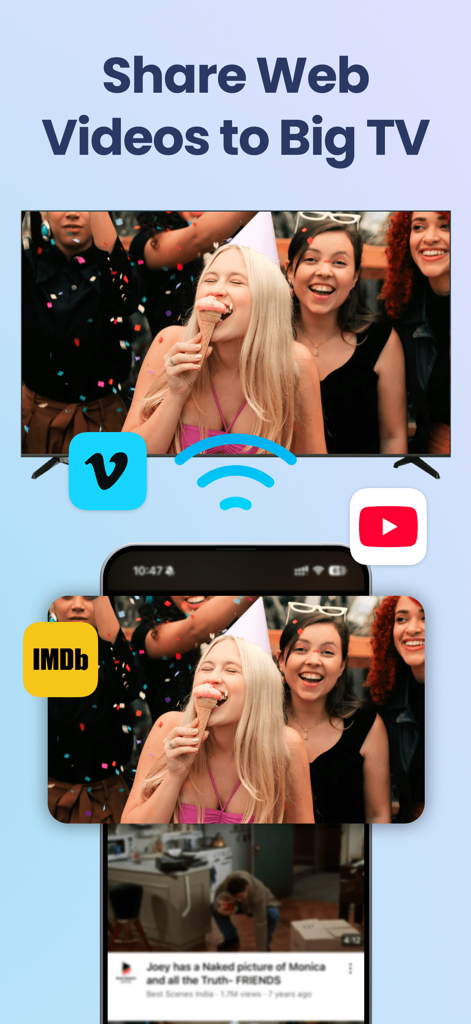
An iPhone mirroring web videos to a large Smart TV with logos for YouTube, Vimeo, and IMDb.

An iPhone mirroring web videos to a large Smart TV with logos for YouTube, Vimeo, and IMDb.

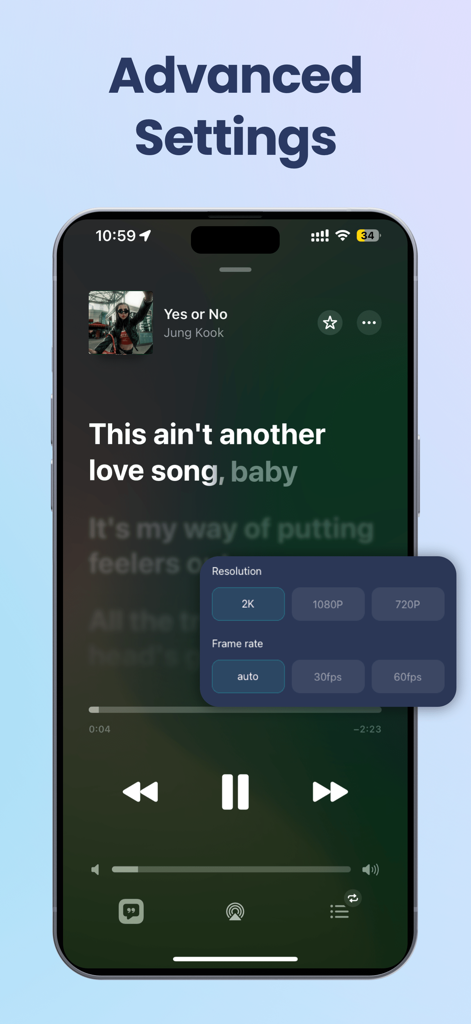
PigeonCast advanced settings screen with 2K resolution and frame rate options

PigeonCast advanced settings screen with 2K resolution and frame rate options

One App, Infinite Screens

The tools that make this app stand out, trusted by 32K+ users.

📺

Stunning 2K High Definition

Don't settle for blurry streams. Experience crystal-clear mirroring at up to 2K resolution, preserving every detail of your photos and videos on the big screen.

📱

Universal Ecosystem Bridge

Seamlessly connect your iOS devices to Google Cast, Sony, Samsung, and TCL TVs, or even your computer, with no adapters or extra hardware needed.

Instant, Low-Latency Setup

Connect in seconds via Wi-Fi or QR code. Stream workouts, business presentations, and mobile games with high stability and perfectly synchronized audio.

Loved by users worldwide

Trusted by 32K+ people who love this app.

"

"I finally found a way to bridge the gap between my iPhone and my Sony Smart TV! I use PigeonCast every morning to mirror my fitness apps for my home workouts. The connection is instant and the 2K resolution looks incredibly sharp on the big screen. It is way more reliable than any other mirroring app I have tried."

Sarah M., Home Fitness Enthusiast
"

"This app is a game-changer for my hybrid work setup. Being able to wirelessly cast presentations from my iPad directly to my Windows PC or the office Chromecast without hunting for adapters is a huge time-saver. It is professional, stable, and the setup is as simple as scanning a QR code."

Mark D., Business Consultant

About the app

Everything you need to know about PigeonCast:Send by Google Cast.

Description

Share your screen to Smart TV seamlessly & easily with one app PigeonCast:Send by Google Cast! Experience effortless FREE screen mirroring cast from your iPhone or iPad with just a tap. When you cast to TV : screen mirroring on a Google Cast-enabled device, our app bridges the gap between ecosystems, giving you the freedom to share screen and enjoy smooth playback. # Cross-platform Support: - Windows & Mac - Apple TV & Smart TV - Full Audio/Video Support With PigeonCast, your phone becomes a phone screen projector, enabling phone mirroring and smart screen share in seconds. Whether you want to send files to TV, watch content via video and TV cast, or enjoy a video cast for family movie nights, it’s all possible with this powerful yet easy-to-use tool. You can even connect through mirror wireless technology for stable, high-quality projection. Key Features: ▶ Google Cast Screen Mirroring - Stream from iOS devices to Google Cast-supported TVs and Chrome-based TV boxes - High-quality mirroring (up to 2K, resolution may vary by device) to Chromecast-enabled TVs - Optional audio muting for discreet casting ▶ Self-developed Protocol - Cast from iPhone running PigeonCastSender to Smart TVs/PC/Mac installed with our PigeonCastReceiver app. - HD screen mirroring (up to 2k, optional bitrate) - Easy connect to PigeonCastReceiver by searching Wi-Fi or scanning code Perfect For These Everyday Scenarios: - Home Entertainment: Screen share your favorite videos, apps, and games on the big screen with friends & family - Education & Learning: Screen mirroring cast learning apps or presentations in classrooms or online sessions - Business Presentations: Wirelessly cast to TV : screen mirroring slides and documents during meetings. No adapters or cables needed - Fitness & Wellness: Follow workout apps and meditation sessions on your TV using phone screen projector mode for an immersive experience - Video Streaming: Enjoy video and TV cast or video cast from your iPhone directly on your smart Chromecast TV with optional audio muting Works perfectly with Apple TV & other smart TVs such as Sony, Samsung(2018-2023), LG(after2018, higher than webOS 4.0), TCL, Roku, Vizio, Xiaomi, Hitv,etc. Note: - The Smart TVs like Google TV and Chromecast TV must support Google Cast protocol. - The phone devices & TVs must be on the same Wi-Fi network. Terms of Use: https://pigeoncast.com/terms Privacy Policy: https://pigeoncast.com/privacy

Latest Version

3.1.0

Size

81.1 MB

First Released

Mar 25, 2025

Ready to Bridge the Gap Between Your iPhone and Your TV?

Join over 32,000 users and experience seamless 2K screen mirroring on your Google Cast devices. No cables, no hassle—just one tap to the big screen.

Download on App Store
FAQ

Frequently Asked Questions

Everything you need to know about PigeonCast:Send by Google Cast

What is PigeonCast used for?

PigeonCast enables screen mirroring and casting from iPhone or iPad to Smart TVs and other devices. It allows sharing videos, apps, games, presentations, and web content seamlessly.

Does PigeonCast support screen mirroring to Smart TVs?

Yes, PigeonCast supports screen mirroring from iOS devices to Smart TVs. The TV must be Google Cast-enabled or have the PigeonCastReceiver app installed.

What devices can I cast to with PigeonCast?

PigeonCast casts to Windows, Mac, Apple TV, and Smart TVs supporting Google Cast protocol, including Sony, Samsung (2018-2023), LG (after 2018, webOS 4.0+), TCL, Roku, Vizio, Xiaomi, and Hitv.

Can I mirror my iPhone screen in high quality using PigeonCast?

Yes, PigeonCast provides high-quality screen mirroring up to 2K resolution. It also offers optional bitrate and frame rate settings for optimal performance.

Is audio supported when using PigeonCast for screen mirroring?

Yes, PigeonCast supports full audio and video during screen mirroring. Users have the option to mute the audio for discreet casting.

Do I need a specific app on my TV for PigeonCast to work?

For its self-developed protocol, you need the PigeonCastReceiver app on Smart TVs/PC/Mac. For Google Cast, the TV must support the Google Cast protocol inherently.

How do I connect my device to the TV with PigeonCast?

PigeonCast enables easy connection to a receiver by searching Wi-Fi or scanning a code. Both the phone and TV must be connected to the same Wi-Fi network.

Can PigeonCast share web videos to my TV?

Yes, PigeonCast allows users to share web videos from platforms like Vimeo, YouTube, and IMDb directly from their iPhone to a big Smart TV.

Does PigeonCast support Samsung TVs?

Yes, PigeonCast works perfectly with Samsung Smart TVs from 2018 to 2023. These TVs must support the Google Cast protocol for compatibility.