Camo Camera

Camo Camera

Download on App Store
Spark by MWM logo
Logo of Camo Camera

Camo Camera: Look Pro with the Lens You Already Own

Elevate your video calls, streams, and recordings with cinematic bokeh, manual adjustments, and auto-framing. The Apple Design Award-recognized solution for high-performing professionals who refuse to settle for grainy laptop webcams.

Download on App Store

Publisher

Reincubate Ltd

Category

Utilities

Downloads

1M+

User Rating

4.6/5

Total Ratings

13K+

Locales

13

A Professional Preview

Discover the interface used by 1M+ users.
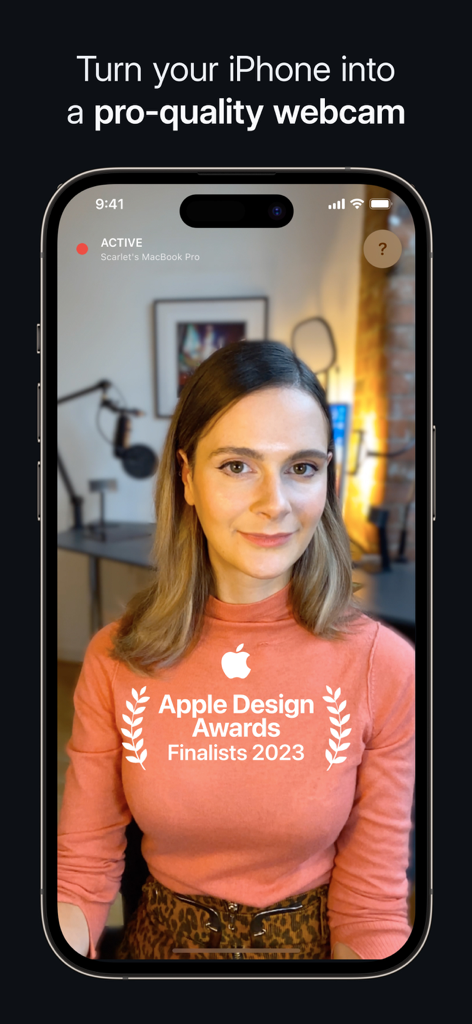
Camo Camera app interface turning an iPhone into a professional quality webcam with an Apple Design Award Finalist badge

Camo Camera app interface turning an iPhone into a professional quality webcam with an Apple Design Award Finalist badge

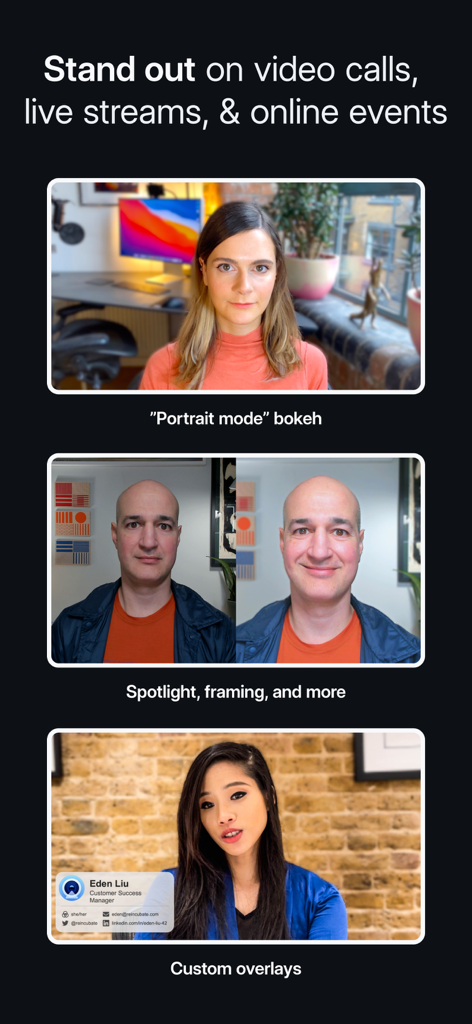
A showcase of Camo camera features including portrait mode bokeh, spotlight framing adjustments, and custom professional overlays for video calls

A showcase of Camo camera features including portrait mode bokeh, spotlight framing adjustments, and custom professional overlays for video calls

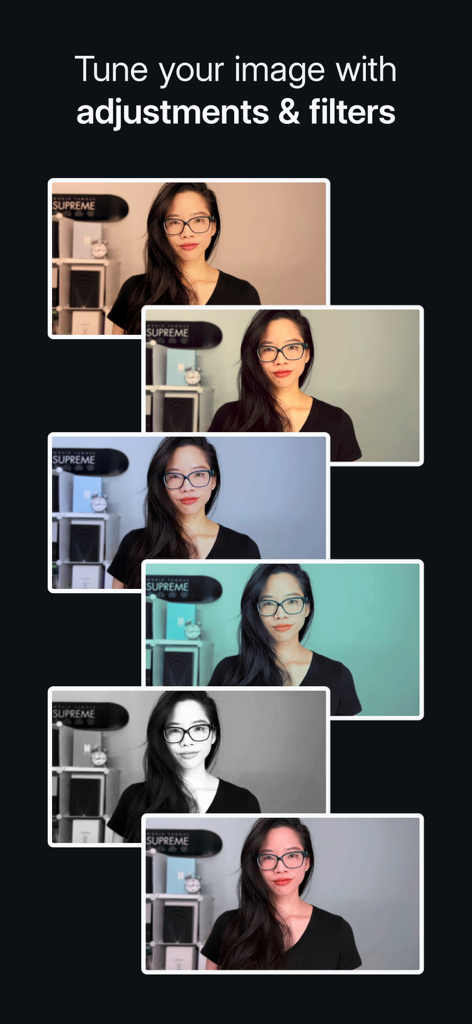
A series of video frames showcasing different filters and image adjustments in Camo Camera

A series of video frames showcasing different filters and image adjustments in Camo Camera

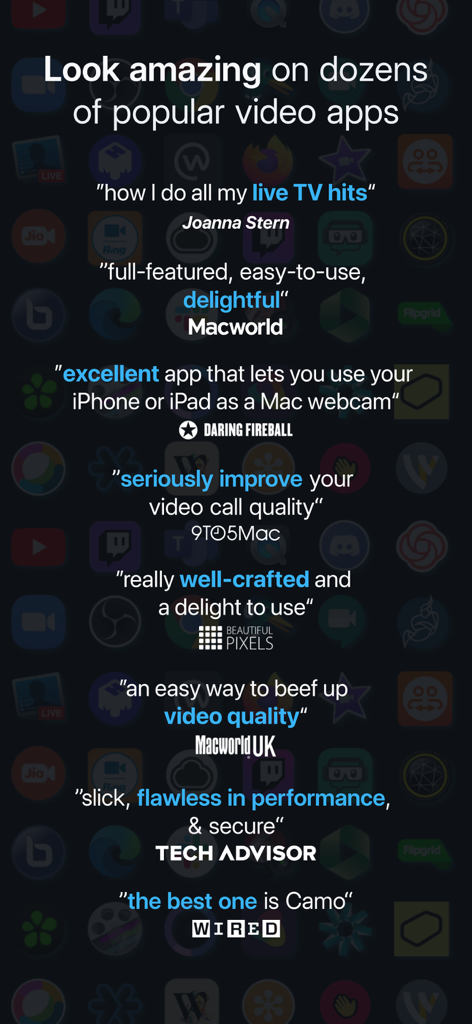
A collection of positive reviews and testimonials for the Camo Camera app from major tech publications including Wired and Macworld.

A collection of positive reviews and testimonials for the Camo Camera app from major tech publications including Wired and Macworld.

Upgrade your professional image instantly

The tools that make this app stand out, trusted by 1M+ users.

🎭

Cinematic Portrait & Spotlight

Look your best in any lighting. Effortlessly blur your background and brighten your appearance for a polished, high-end look that stands out in meetings.

🎯

Intelligent Auto-Framing

Stay centered and professional without staying still. Our smart framing keeps you perfectly in shot as you present or move, ensuring you are always the focus.

🎛️

Pro-Level Image Controls

Take full command of your video. Adjust exposure, manual focus, and apply cinematic LUTs to match your personal brand across Zoom, Teams, and 40+ other apps.

Loved by users worldwide

Trusted by 1M+ people who love this app.

"

"Camo turned my iPhone into a professional-grade studio. I no longer feel 'tech-shame' during board meetings. The wireless setup is seamless, and the Portrait bokeh effect is so clean it looks like I’m using a thousand-dollar DSLR."

Alex M., Marketing Director
"

"As an emerging creator, I was about to drop $1,000 on a mirrorless camera until I found Camo. The manual controls and LUT support let me dial in my look perfectly. The auto-framing keeps me centered even when I’m moving around my studio."

Jordan T., Content Creator

About the app

Everything you need to know about Camo Camera.

Description

The Apple Design Awards Finalist 2023 app, Camo, uses the incredible cameras in your iPhone to produce pro-quality video, whether you’re meeting, streaming, or recording. Joanna Stern, The Wall St. Journal – “how I do all my live TV hits” MacWorld US – “full-featured, easy-to-use, and delightful” 9to5Mac – “an easy way to seriously improve your video call quality” WIRED – “there are a number of apps which let you use your iOS device’s camera as your webcam, but the best one is Camo” MacWorld UK – “an easy way to beef up the video quality on your calls” With over 10 million users helped over the last decade, Reincubate is one of the UK’s most-loved software companies. — EASY TO USE / PLUG AND PLAY / Wi-Fi — No extra hardware needed, just connect your device to your Mac or PC. Choose between connecting wirelessly, for the most flexible experience, or opt for a trusty USB connection. With Wi-Fi connectivity, get set up for a call in seconds – no more looking around for a spare cable or a free port. — POWERFUL ADJUSTMENTS & FILTERS — Camo Studio gives you full control of your video, letting you adjust lenses, exposure, colours, contrast, and more; and it lets you zoom, crop, and focus your image precisely how you want it. Apply cinematic styling and color grading to your video with 18 bespoke filters, including support for custom Cube, 3DL, and LUT files. — STAND OUT WITH SPOTLIGHT & PORTRAIT — Use Spotlight to compensate for less-than-ideal lighting conditions, such as backlit or under-lit environments, by brightening yourself against your background. Portrait creates a sophisticated bokeh effect that cleanly separates you from the background and gives you full control over the depth of focus. — VIRTUAL GREEN SCREEN AND PRIVACY — Use Replace, Camo’s virtual green screen, to cleanly swap any image into your background. Or activate Privacy to cloak your surroundings with a pleasing diffused image effect. Both offer industry-leading performance, enabling video that foregrounds clarity without sacrificing appearance. — FIND FREEDOM WITH AUTO FRAMING — Camo’s auto-framing functionality keeps you at the center of the action, whether you’re shuffling around at your desk or presenting at a whiteboard. With a range of zoom options, you’ll remain firmly centered and proportioned on screen. — COMPATIBLE WITH OVER 40 APPS — Camo works perfectly with Zoom, Google Meet, Microsoft Teams, Safari, FaceTime, QuickTime, Chrome, OBS Studio, Streamlabs, Skype, Twitch, Panopto, ScreenFlow, Final Cut Pro X, and dozens of other video recording and streaming products. — SECURITY AND PRIVACY FIRST — Camo doesn’t know what you’re using it for, and doesn’t capture or transmit your video feed. It simply routes it from your iPhone to your computer. Your data is your business, not ours. — NOT ONLY BUT ALSO! — - Super low latency, high speed video with a range of resolutions - Powerful presets to save and quickly switch to your favourite adjustments and settings - Native support for iPadOS as well as your iPhone, and beautiful Dark Mode support throughout - Camo offloads all processing to your iOS device, keeping your computer cool and fast - Crop your video without losing quality with dynamic-resolution Smart Zoom - Automatic image stabilisation minimises bumps and vibrations - Virtually rotate your video without touching your device - Switch between video from multiple iOS devices and lenses in real-time - No ads in the app, not ever — WE’RE HERE TO HELP — We’re fanatical about supporting users, and we’d love to help you make the most of Camo. Reach out to us any time: support@reincubate.com Camo Studio supports macOS 10.13 or later & Windows 10 or later. — LEARN MORE — About us: https://reincubate.com/camo/ How to make the most of Camo: https://reincubate.com/support/how-to/look-best-webcam-video/ FAQ: https://reincubate.com/support/camo/camo-faq/

Latest Version

2.3.3

Size

73.4 MB

First Released

Jul 16, 2020

The Best Webcam You Ever Owned is Already in Your Pocket

Join 10 million professionals who've upgraded to pro-quality video. No extra hardware, no cluttered desk—just you, looking your best on every call.

Download on App Store
FAQ

Frequently Asked Questions

Everything you need to know about Camo Camera

What is Camo Camera?

Camo Camera is an Apple Design Awards Finalist 2023 app. It transforms your iPhone into a pro-quality webcam, enabling professional video for meetings, streaming, or recording on your Mac or PC.

How does Camo Camera connect to a computer?

Camo Camera connects to your Mac or PC using either a wireless Wi-Fi connection or a traditional USB cable. Both options provide flexibility and ease of setup.

Can I adjust video settings with Camo Camera?

Yes, Camo Studio provides comprehensive control over your video. Users can adjust lenses, exposure, colors, contrast, zoom, crop, and focus precisely to achieve desired image quality.

Does Camo Camera have filters for video?

Yes, Camo Camera includes 18 bespoke filters for cinematic styling and color grading. It also supports custom Cube, 3DL, and LUT files for expanded creative options.

What is the Spotlight feature in Camo Camera?

Spotlight is a Camo Camera feature that compensates for poor lighting. It brightens the user against the background, making them stand out in backlit or under-lit environments.

Does Camo Camera offer background effects?

Yes, Camo Camera offers 'Replace,' a virtual green screen for swapping backgrounds, and 'Privacy,' which creates a diffused image effect to obscure surroundings. Both foreground clarity effectively.

Is Camo Camera compatible with popular video calling apps?

Yes, Camo Camera integrates seamlessly with over 40 applications. These include popular platforms like Zoom, Google Meet, Microsoft Teams, Safari, FaceTime, and OBS Studio.

Does Camo Camera respect user privacy?

Yes, Camo Camera prioritizes privacy and security. It does not capture or transmit your video feed and routes it directly from your iPhone to your computer.

Can Camo Camera work with iPad devices?

Yes, Camo Camera offers native support for iPadOS, allowing iPad users to leverage their device's camera. It also features a beautiful Dark Mode throughout the application.

What are the system requirements for Camo Studio?

Camo Studio requires macOS 10.13 or a later version, or Windows 10 or a later version to function. These are the minimum operating system requirements.

Does Camo Camera have an auto-framing feature?

Yes, Camo Camera features auto-framing functionality. This ensures the user remains centered and proportioned on screen, even when moving during a call or presentation.

Does Camo Camera affect computer performance?

No, Camo Camera offloads all video processing to your iOS device. This design ensures your computer remains cool and fast, preserving its performance during use.