Remote Mouse

Remote Mouse

Download on App Store
Spark by MWM logo
Logo of Remote Mouse

Remote Mouse: The ultimate wireless remote for your computer.

Join 20 million users and transform your phone into a powerful mouse, keyboard, and touchpad. Effortlessly control media, master presentations, and sync clipboards across devices with the world’s most trusted remote app.

Publisher

耀 阮

Category

Utilities

Downloads

3M+

User Rating

4.6/5

Total Ratings

60K+

Locales

19

Control at Your Fingertips

Discover the interface used by 3M+ users.
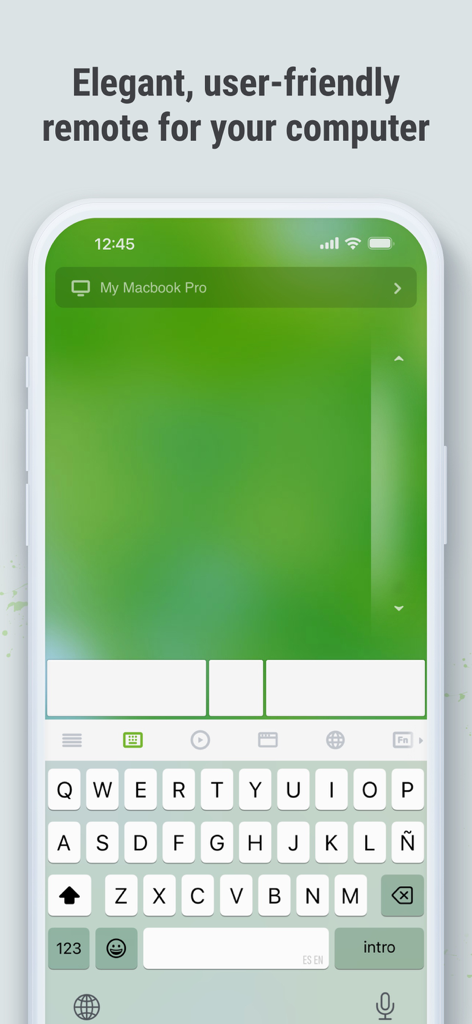
Remote Mouse app displaying a virtual trackpad and keyboard on an iPhone

Remote Mouse app displaying a virtual trackpad and keyboard on an iPhone

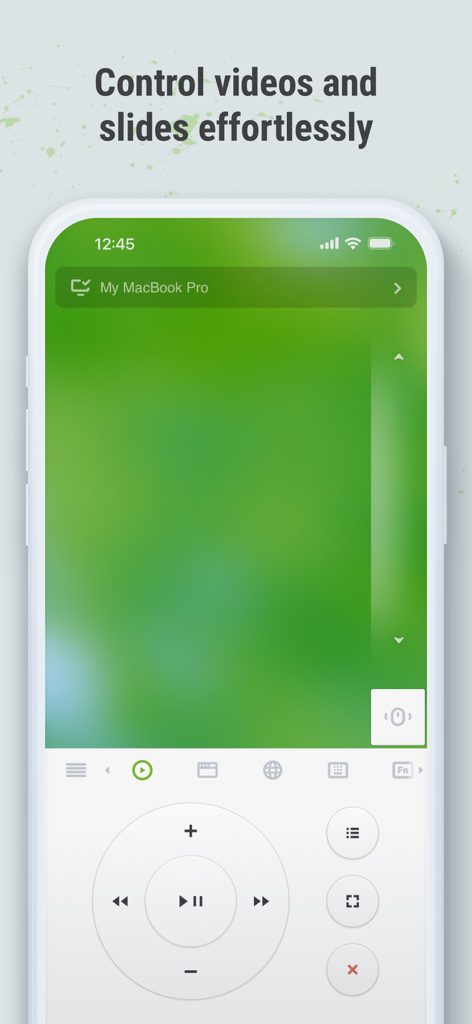
Remote Mouse app interface on a smartphone showing media control buttons for videos and slides

Remote Mouse app interface on a smartphone showing media control buttons for videos and slides

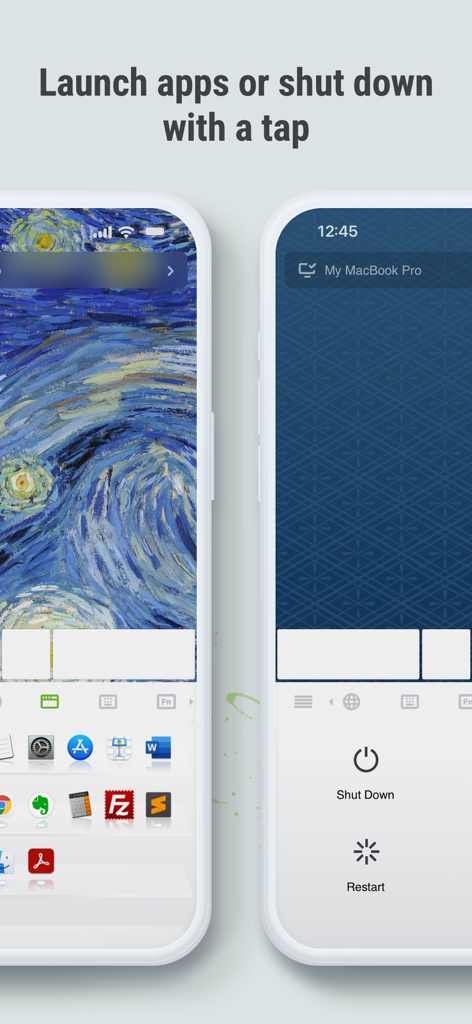
Remote Mouse mobile interface showing options to launch computer applications and remotely shut down or restart a computer.

Remote Mouse mobile interface showing options to launch computer applications and remotely shut down or restart a computer.

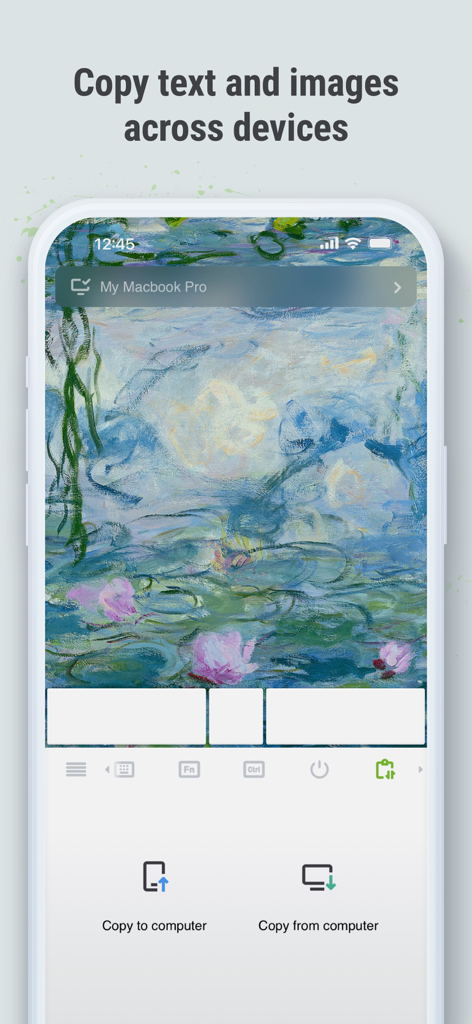
Remote Mouse mobile interface demonstrating the ability to copy text and images across devices

Remote Mouse mobile interface demonstrating the ability to copy text and images across devices

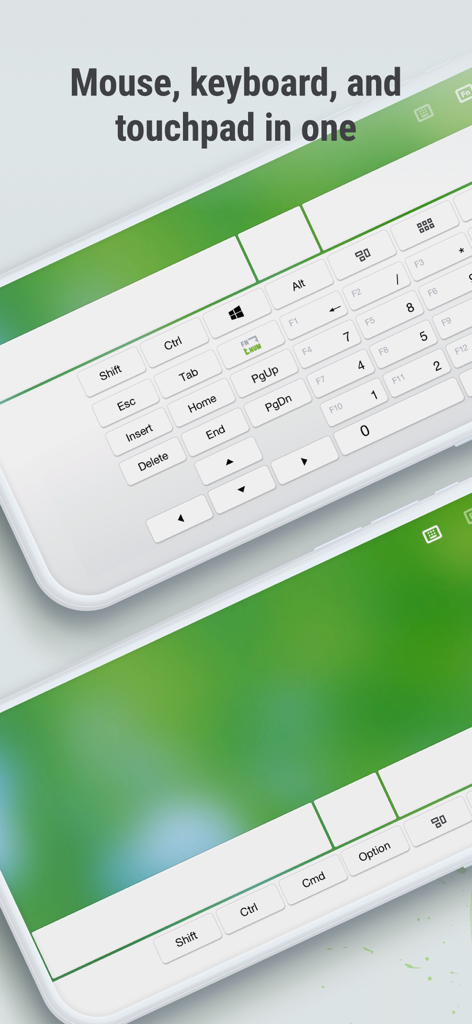
Remote Mouse app interface showing a virtual keyboard and touchpad on a smartphone screen

Remote Mouse app interface showing a virtual keyboard and touchpad on a smartphone screen

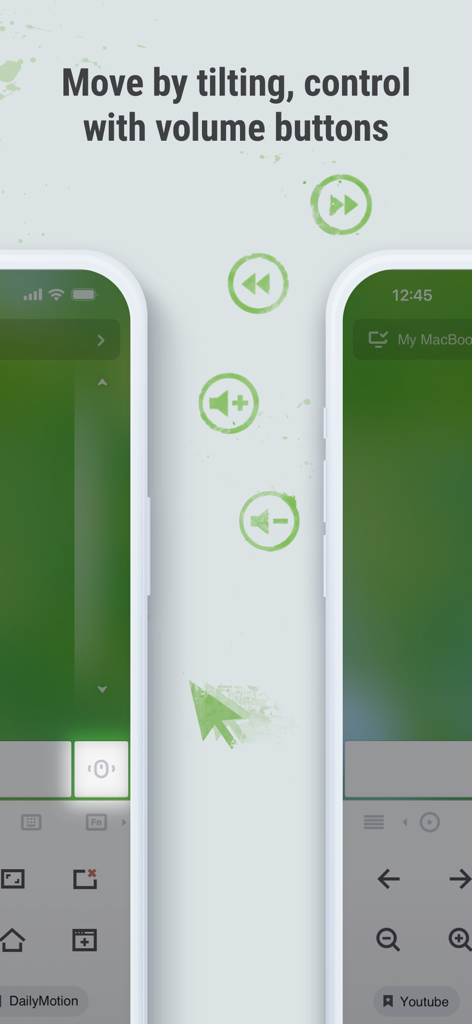
Screenshot of Remote Mouse app showing features for controlling a computer by tilting the phone and using physical volume buttons

Screenshot of Remote Mouse app showing features for controlling a computer by tilting the phone and using physical volume buttons

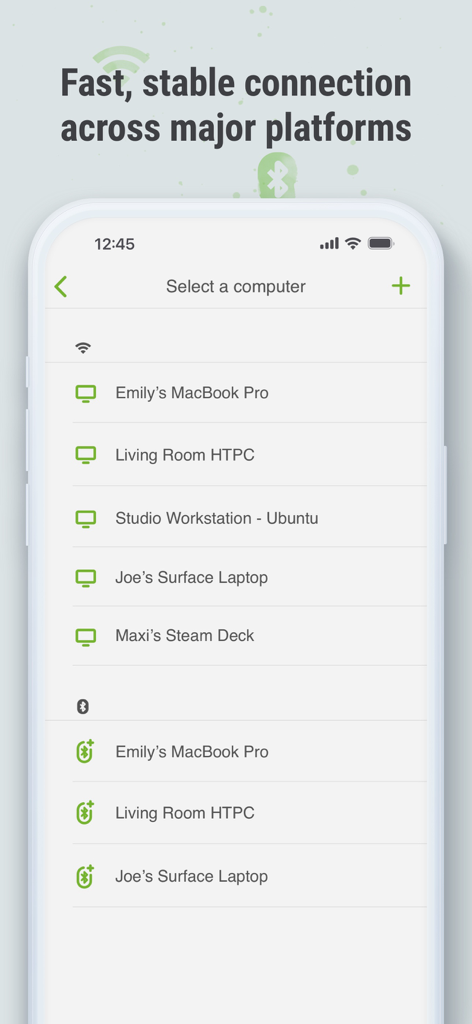
Remote Mouse app interface showing a list of available devices for connection over Wi-Fi and Bluetooth across various platforms

Remote Mouse app interface showing a list of available devices for connection over Wi-Fi and Bluetooth across various platforms

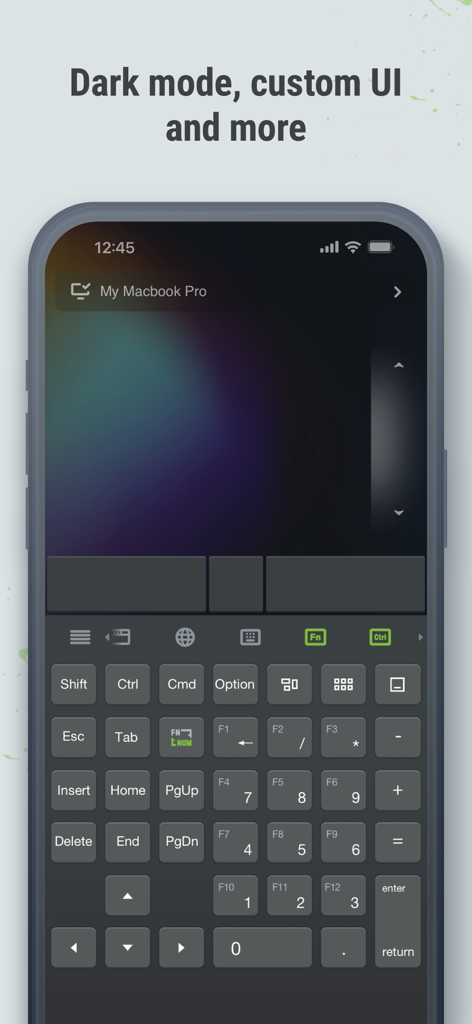
Remote Mouse app interface displaying dark mode and a customizable keyboard layout on a smartphone screen

Remote Mouse app interface displaying dark mode and a customizable keyboard layout on a smartphone screen

Master Your Computer from Anywhere

The tools that make this app stand out, trusted by 3M+ users.

🖱️

Intuitive Mouse & Trackpad

Experience seamless navigation with multi-touch gestures and gyro-sensor support. Control your cursor with the fluidity of a high-end trackpad directly from your phone.

📊

Pro Presentation Control

Ditch the clicker and dominate the room. Dedicated panels for Keynote and PowerPoint allow you to switch slides and manage your presentation with professional ease.

📋

Cross-Device Clipboard

Bridge the gap between your devices. Instantly copy and paste text or images between your computer and mobile device to supercharge your multi-tasking workflow.

Loved by users worldwide

Trusted by 3M+ people who love this app.

"

"I use my laptop as a media center in my studio apartment, and Remote Mouse has been a complete game-changer. Being able to browse Netflix or adjust the volume from my bed without getting up is the ultimate convenience. The touchpad gestures are incredibly responsive and feel as smooth as my actual laptop trackpad."

Alex Rivera
"

"As a consultant who gives frequent presentations, this app is my secret weapon. The Gyro mouse mode allows me to control slides naturally like a professional clicker, and the cross-device clipboard is a lifesaver for moving screenshots from my iPhone to my PC instantly during meetings. It's an essential part of my workflow."

Sarah Jenkins

About the app

Everything you need to know about Remote Mouse.

Description

Remote Mouse™ transforms your mobile phone or tablet into an easy-to-use remote control for your computer, complete with a cross-device clipboard that enables seamless text and image transfer across platforms. It mimics the functions of a wireless mouse, keyboard, and touchpad, and also offers various specialized control panels that enhance your control over specific operations. The small features, designed for one-handed use or intuitive operations, will delight you. Featured on CNET, Mashable, and Product Hunt, Remote Mouse is recognized as one of the most sophisticated and user-friendly computer remote apps. With over 20 million users worldwide, it's a trusted choice for effortless computer control. Whether you're watching a movie online, giving a presentation, or shutting down your computer with one click, nothing can be more convenient than having a mobile phone remote at your fingertips. Mouse • Fully simulated mouse function • Gyro mouse is a feature that allows you to move the mouse cursor with a gyro sensor • Left-handed mode Keyboard • Integrated with system and third-party keyboards, supports typing in various languages • Remotely typing by voice if the soft keyboard supports speech recognition • Supports sending various shortcuts • Displays different keypads for Mac or PC Touchpad • Simulates the Apple Magic Trackpad and supports multi-touch gestures Specialty Control Panels • Media Remote: Supports iTunes, VLC, Windows Media Player, Keynote, PowerPoint, and Windows Photo Viewer, and will support more • Web Remote: Supports Chrome, Firefox, and Opera • Application Switcher: quickly launch and switch between programs • Power Options: Supports remotely shutting down, sleeping, restarting, and logging off • Cross-device Clipboard: Allows for the transfer of text and images between your computer and mobile device Other Features • Use the physical volume buttons on the mobile device for remote control • Set a password for the connection • Customizable wallpaper Connection Method • Connect via IP address or QR code • Connect via history Operating Environment • Compatible with Windows, Mac OSX, and Linux • Works under Wi-Fi or Bluetooth To Get Started 1. Visit https://www.remotemouse.net on your computer and download the Remote Mouse computer server software. 2. Install and run the computer server software. 3. Connect your mobile device to the same Wi-Fi network or use Bluetooth to pair with your computer. If you're a macOS user, you may need to grant access to Remote Mouse. You can refer to this video (https://youtu.be/8LJbtv42i44) for guidance.

Latest Version

5.310

Size

90.3 MB

First Released

Aug 24, 2010

Ready to Control Your Computer from Anywhere?

Join over 20 million users and turn your mobile device into the ultimate wireless remote. Whether you're presenting in the boardroom or streaming from the couch, download Remote Mouse to take command today.

Download on App Store
FAQ

Frequently Asked Questions

Everything you need to know about Remote Mouse

What is Remote Mouse?

Remote Mouse transforms your mobile phone or tablet into a versatile remote control for your computer. It functions as a wireless mouse, keyboard, and touchpad, offering specialized control panels for various operations.

Which operating systems does Remote Mouse support?

Remote Mouse supports Windows, Mac OSX, and Linux operating systems. It functions across these major platforms, providing versatile computer control.

Can I use my phone's physical volume buttons with Remote Mouse?

Yes, Remote Mouse allows you to use the physical volume buttons on your mobile device for remote control actions. This feature enhances intuitive operation.

How does Remote Mouse connect to my computer?

Remote Mouse connects to your computer via Wi-Fi or Bluetooth. You can establish a connection using an IP address, QR code, or through your connection history.

Does Remote Mouse offer cross-device clipboard functionality?

Yes, Remote Mouse includes a cross-device clipboard feature. This enables seamless transfer of text and images between your computer and your mobile device.

Can I use Remote Mouse to shut down my computer?

Yes, Remote Mouse provides Power Options that allow you to remotely shut down, sleep, restart, or log off your computer directly from your mobile device.

What types of media players does Remote Mouse's Media Remote support?

Remote Mouse's Media Remote supports popular players like iTunes, VLC, Windows Media Player, Keynote, PowerPoint, and Windows Photo Viewer. More applications will be supported.

Does Remote Mouse have a dark mode?

Yes, Remote Mouse offers a dark mode option. The application also provides custom UI capabilities and customizable wallpaper to personalize your experience.

How do I get started with Remote Mouse?

To begin, visit remotemouse.net on your computer to download and install the server software. Then, connect your mobile device to the same Wi-Fi network or use Bluetooth.

Does Remote Mouse support multi-touch gestures on its touchpad?

Yes, Remote Mouse simulates the Apple Magic Trackpad and supports multi-touch gestures. This provides an intuitive and familiar control experience.